LLZ 421
Operation and Maintenance Alignment Procedure LLZ−2F (Dip./Refl.)
ILS 420
5−17Ed. 07.08
SOAC
5.4.3.2 Integral Monitoring Width (DDM 15.5 %), optional
NOTE: No adjustment, if the opt. phase shifter is not used. The value indicated by the monitor or the value
measured with the DDM−instrument at the output of the integral network is used as nominal value.
a) RF−level of the corresponding path on the SOAC (Fig. 5−2, 5−3) is set to amplitude of 3.6 Vpp
as described in 5.4.1.
b) Set DDM indication to −15.5 % with optional external phase shifter (mounted right or left) in the
integral network (Fig. 5−6) with the portable DDM instrument at the output ’Width Integral’ of the
course integral network.
c) Open dialog ’Monitor1−Nominal Values’ and open dialog ’Monitor2−Nominal Values’. Enter the
measured values for ’EXEC CRS Width DDM’.
d) Open dialog ’Transmitter1−Waveform Data#1’. Note down the values of ’CRS SBO Amplitude’
and ’CLR SBO Amplitude’. Set them all to 0.
e) Send to Monitor1/2 the command ’Calibration, Executive CRS Width detector’.
f) Restore TX1 SBO settings of 5.4.3.2 d) back to normal.
g) Send to Monitor1/2 the command ’Normalization, Executive CRS Width detector’.
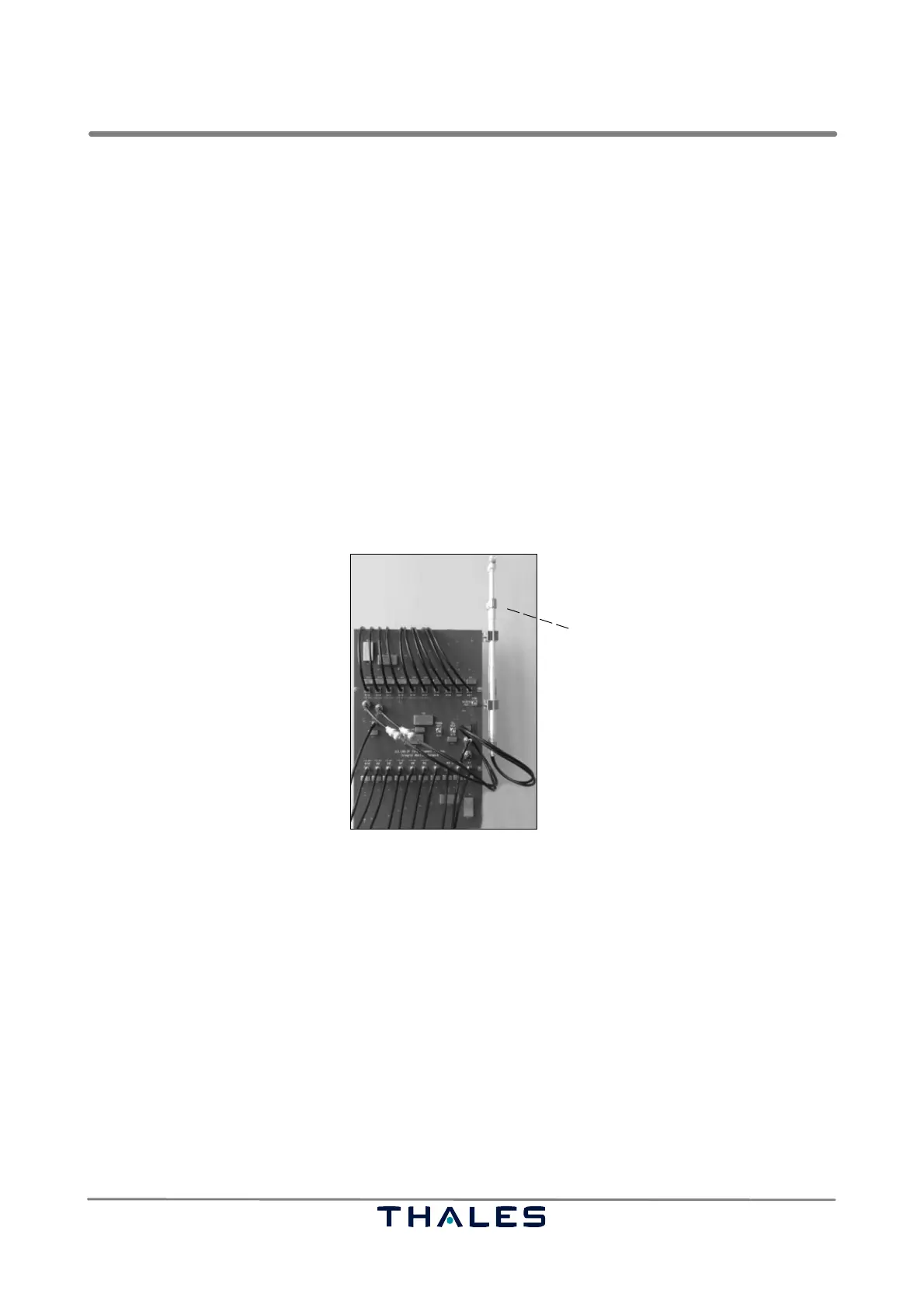
Loosen swivel nut and adjust by
sliding the upper part more or
less out or in. Finally fix nut
again.
If setting range does not match
insert additional cable.
External phase shifter component
Fig. 5−6 Integral network (located in the ADU), adjustment of optional phase shifter
5.4.3.3 Clearance Width Monitor
a) RF−level of the corresponding path on the SOAC (Fig. 5−2, 5−3) is set to amplitude of 3.6 Vpp
as described in 5.4.1.
b) Measure DDM with the field receiver. Note down value (used in 5.4.4.3).
c) Open dialog ’Monitor1−Nominal Values’ and open dialog ’Monitor2−Nominal Values’. Enter the
measured values for ’EXEC CLR Width DDM’ and ’EXEC CLR Width SDM’.
d) Open dialog ’Transmitter1−Waveform Data#1’. Note down the values of ’CLR SBO Amplitude’
and ’CRS SBO Amplitude’. Set them all to 0.
e) Send to Monitor1/2 the command ’Calibration, Executive CLR Width detector’.
f) Restore TX1 SBO settings of 5.4.3.3 d) back to normal.
g) Send to Monitor1/2 the command ’Normalization, Executive CLR Width detector’.



 To Next Page