■
3-212
c) Start Configuration
Selects from the following two settings the initial environmental settings when switching from each
mode and for the probe when power is turned on.
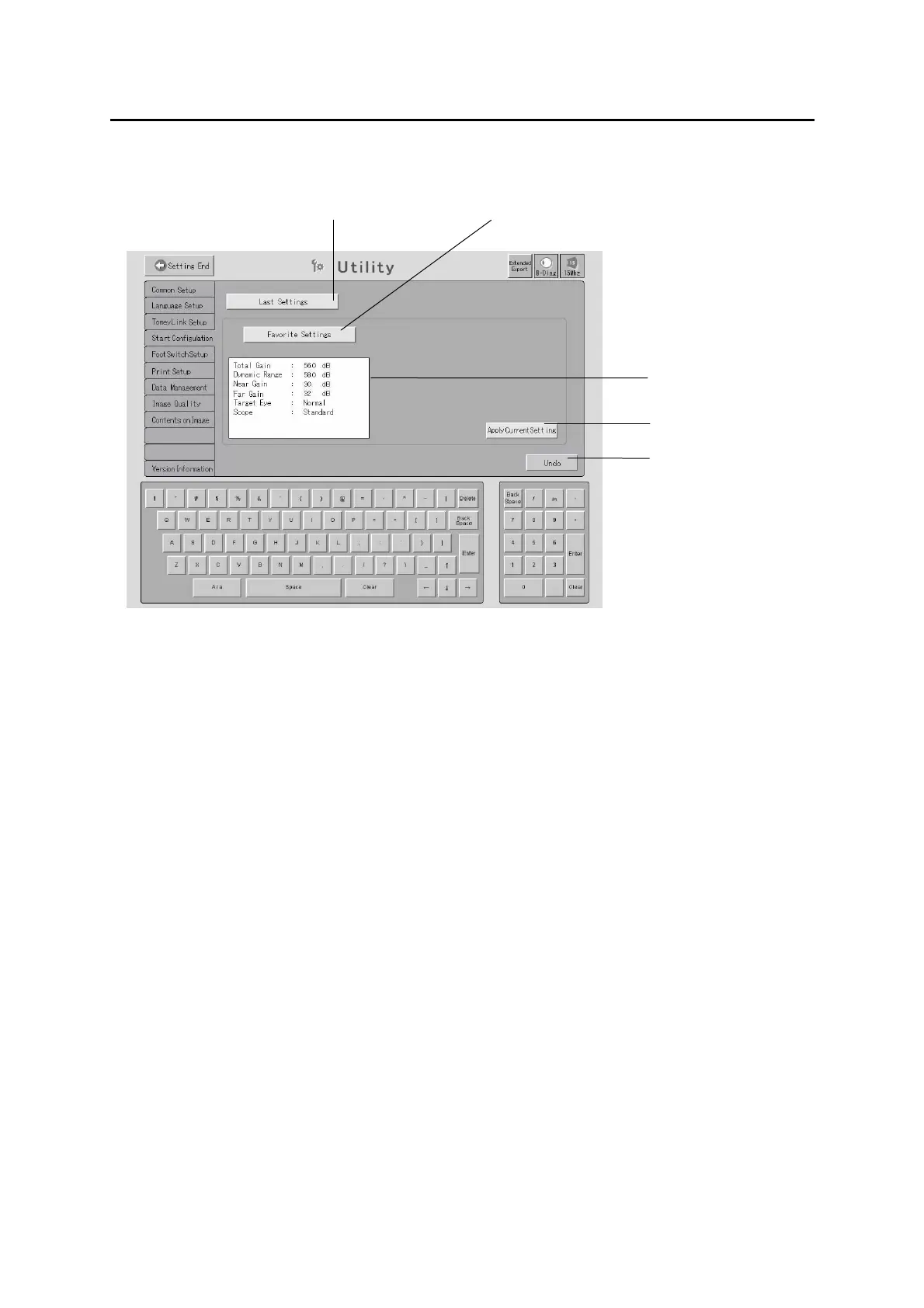
■ Start with the settings last time when the instrument was turned off ((1) Last Settings)
■ Register the current settings and start with the settings ((2) Favorite Settings)
The settings are displayed below this button.
1) Touch either of the “Last Settings” button (1) or the “Favorite Settings”
button (2) to select the setting.
2) The detailed settings of the “Favorite Settings” (2) are displayed on the
“Setting display” (3).
3) Touch the “Apply Current Setting” button (4) to display the settings
configured on the Real Time screen immediately before entering into Utility
on the “Setting display” (3).
4) Touch the “UNDO” button (5) to cancel the entered data and settings to
restore the settings when the Start Configuration screen was opened.
(2)
(1)
3-142
(4)
(3)
(5)


 To Next Page
 Loading...







