Net-G3A Configuration and Setup
NET-G3A Operator’s Manual
3-8
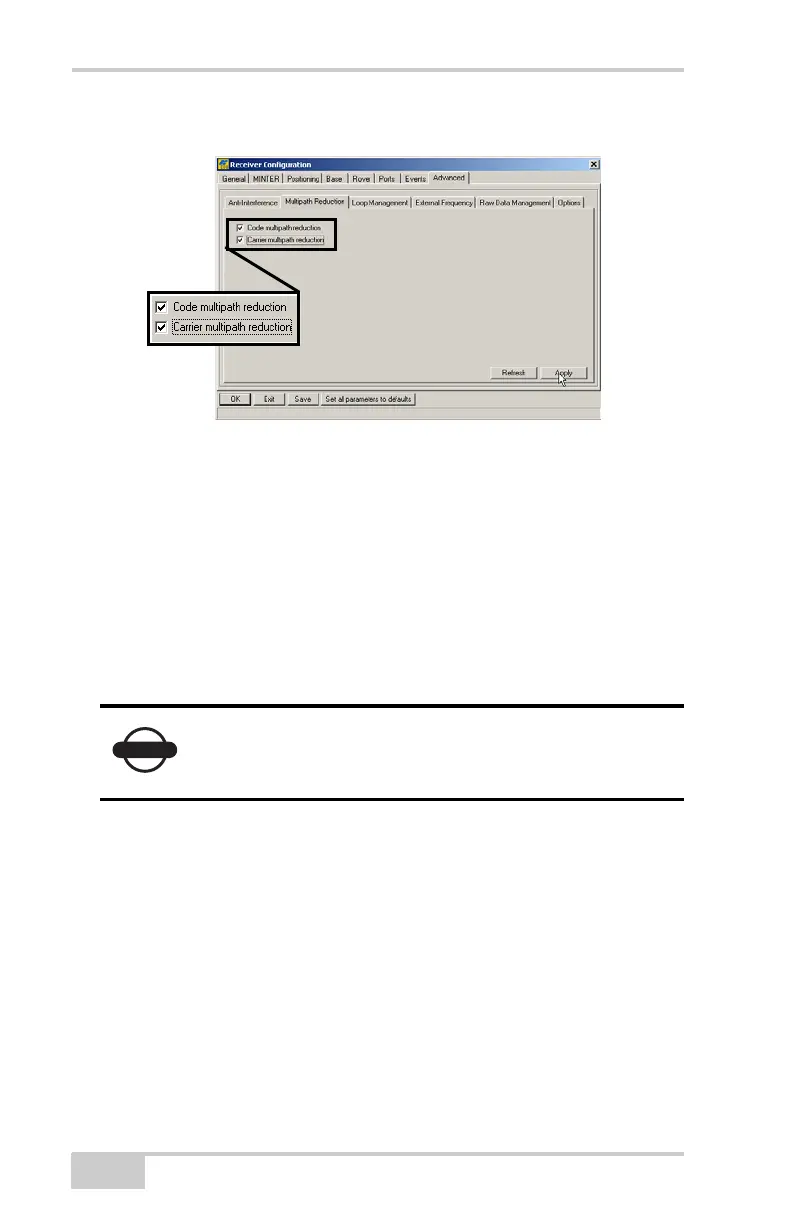
• Carrier multipath reduction – enable
Figure 3-7. Configure Mulitpath Parameters
11. Click OK to save the settings and close the dialog box.
Once the receiver is configured, the configuration will remain
until you change it using PC-CDU or clear the NVRAM.
For more details on the settings available for configuring the Base
and Rover receivers, refer to the PC-CDU Reference Manual.
12. Continue with other configuration activities or click File
Disconnect, and then FileExit to quit PC-CDU.
Disconnecting before exiting ensures proper port management.
Disconnect the receiver from PC-CDU before
exiting to eliminate possible conflicts with the
management of the computer’s serial ports.
Net-G3A_OM_Book.book Page 8 Thursday, May 14, 2009 8:49 AM



 To Next Page