Paving Applications
Topcon Paver System Five Operator’s Manual
7-8
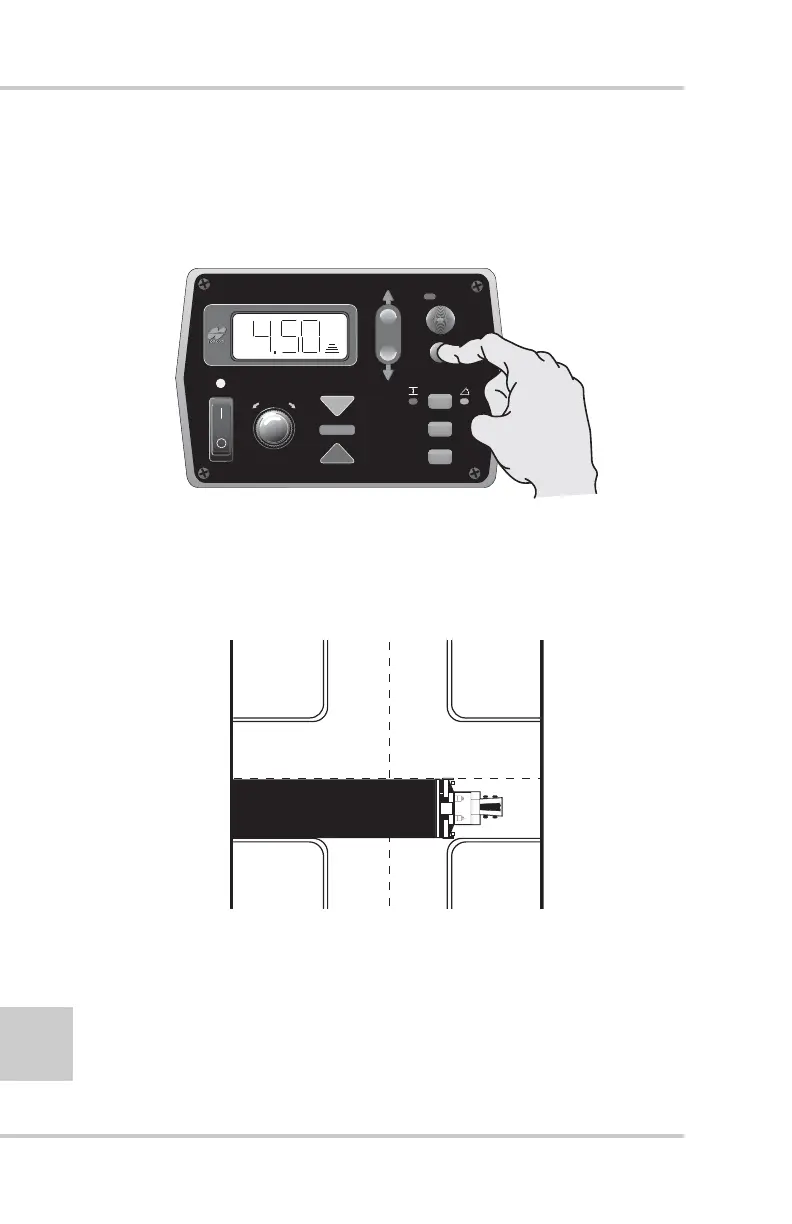
3. Without stopping, continue paving until the right tracker is
on the base material of the intersecting road. Survey the
tracker on-grade to the new reference (Figure 7-13) and put
back into Automatic Control.
Figure 7-13. Survey to On-grade and Return to Automatic Control
4. Pave through the intersection, and just before the Tracker
reaches the curb on the other side (Figure 7-14), press the
Auto/manual button to put the Control Box in manual
mode.
Figure 7-14. Paving Through Intersection
5. Without stopping, continue paving until the tracker is back
on the lip of the curb. Survey the tracker on-grade
(Figure 7-15 on page 7-9) and put back into automatic
control.
FiveSystem
AU
TO
S
UR
VEY
SET
(M
E
NU
)



 To Next Page