Sonic Tracker II Transducer Replacement
P/N 7010-0341 www.topconpositioning.com
8-7
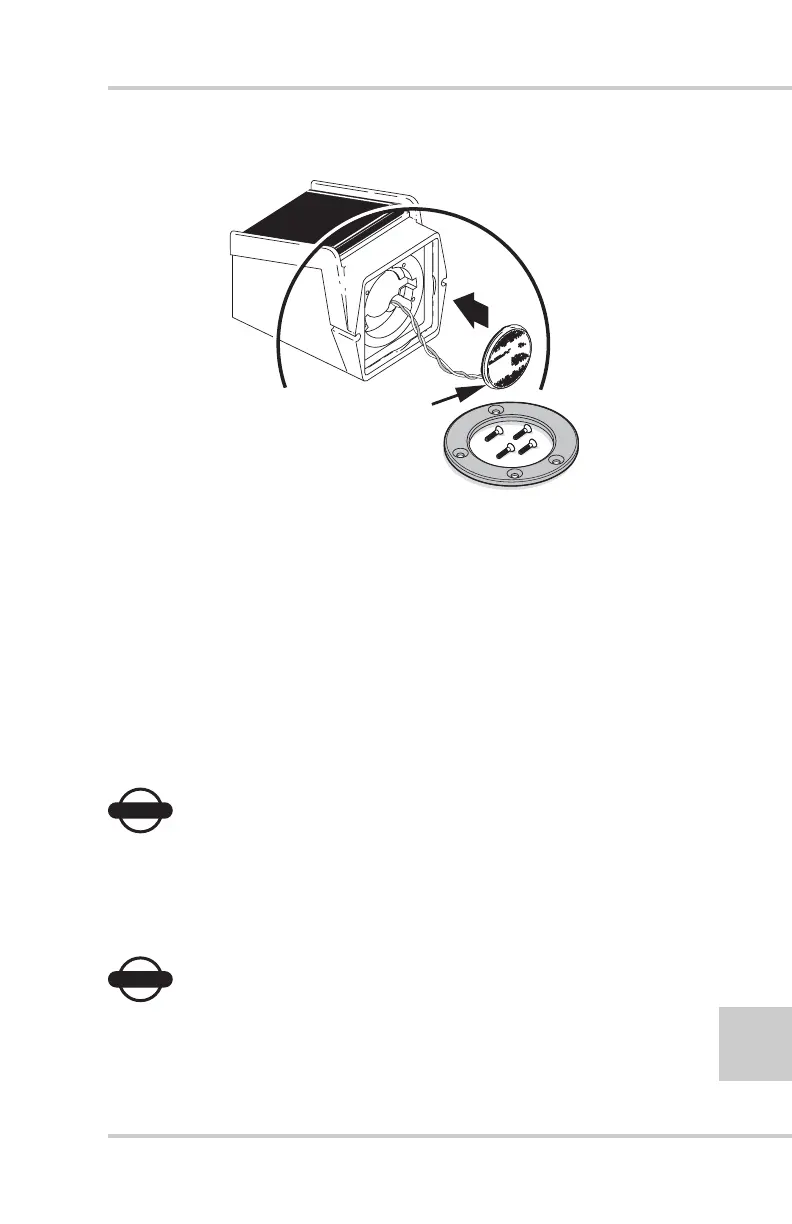
Figure 8-5. Replace Wires, Transducer, and “O”-ring
6. Place the black retaining ring over the transducer assembly with
the beveled edges out and the flat surface against the Sonic
Tracker II base. Line up the holes for the mounting screws. The
mounting screw holes are set to an irregular pattern, ensuring
the retaining ring only lines up with the mounting holes one
way (Figure 8-6 on page 8-8).
7. Start the mounting screws into the holes and tighten each until
firm (Figure 8-6 on page 8-8). DO NOT OVER TIGHTEN. Use
a cross (X) pattern when tightening the screws.
NOTICE
NOTICE
DO NOT use Loctite® on the mounting screws.
Loctite® will attack and degrade the plastic
retaining ring.
NOTICE
NOTICE
Over tightening the screws can distort the
transducer metallic material and may crack the
TRANSDUCER
WIRE CONNECTOR
PINS



 To Next Page