Troubleshooting
Topcon Paver System Five Operator’s Manual
9-4
5. If slope has been selected, check that slope has not been
selected on the other Control Box. Only one box at a
time can have slope turned on.
6. Swap slope cable from opposite side.
7. Disconnect cable at slope sensor and connect to other
side of sensor to check slope sensor pins.
Control Box Symptom 3
“Cannot adjust to On-Grade when elevation control is
selected.”
Probable Cause
Tracker is too close to control reference.
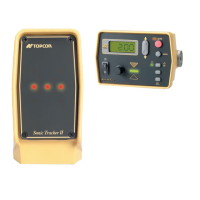
1. Check that the Sonic Tracker II™ is at least 14 inches
away from the control reference.
2. Check for unwanted objects within the sonic footprint.
3. Make sure tracker is not positioned in front of a gusty
heat source, such as the engine fan exhaust.
4. Stop the paver, make sure the screed is on the ground
and turn the vibrators off. Press Survey and hold for 2
seconds. “IND” will display on the faceplate and a
number will be displayed on the LCD. The number
should stay constant, or change up and down by a few
numbers. If the numbers fluctuate significantly then the
Transducer is probably weak or damaged.
5. Check for contamination on the Sonic Tracker II™
Transducer or foam filter. Refer to Transducer and
Filter Cleaning and replacement information in the
Maintenance and Parts section of this manual.
6. Swap the Tracker with the unit on the opposite side.
7. Averaging may be set too low if tracking an uneven
reference. Factory setting is 50.


 To Next Page