42
The S-4 Sculpting Sampler - Ofcial Manual
43
The S-4 Sculpting Sampler - Ofcial Manual
Audio Engine
3
Audio Engine
3
NOTES
NOTES
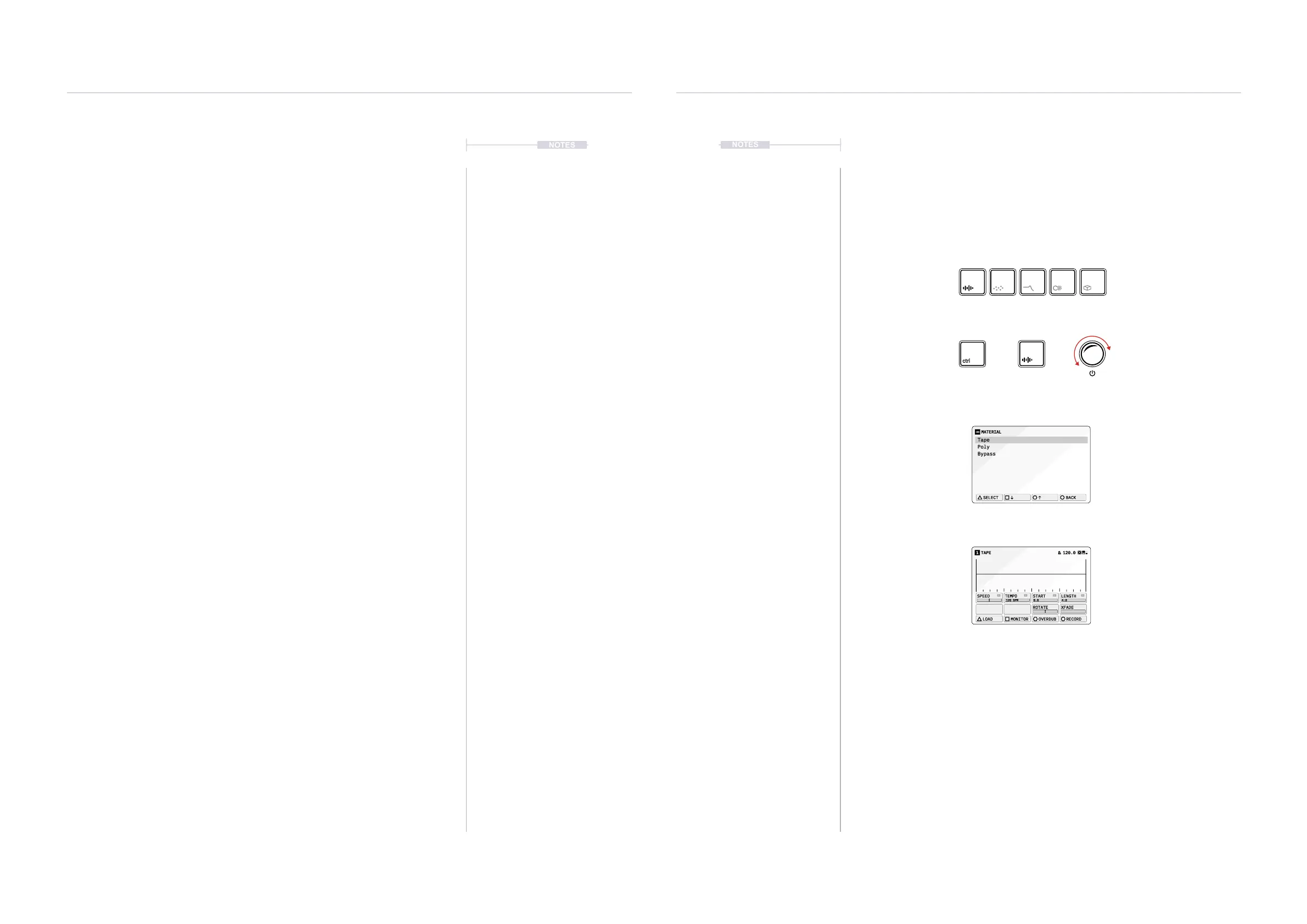
▌ SELECTING A DEVICE
1. Select a track to edit. Press [TRACK], then select a track using the
action buttons located under the screen display.
2. If not already selected, choose a device slot, Press [MATERIAL] or
[GRANULAR] or [FILTER] or [COLOR] or [SPACE].
3. To assign a device to a slot Hold [CTRL] + Press an Audio Device
button. For example Hold [CTRL] + Press [MATERIAL].
4. A pop-up list of specic options for the selected device will be displayed
while ever the [CTRL] button is held. The Bypass device acts as a
bypass, passing audio through the slot without applying any processing.
5. To select the device, either:
• Tap the device button while holding [CTRL] to cycle through the
options. For example, Hold [CTRL] + Tap [MATERIAL].
• Press the [UP] or [DOWN] action buttons to navigate the list and
highlight and option while the pop-up window list is open.
• Turn (SELECT) Knob while the pop-up window list is open.
Device selection and assigning a device to a slot is an intuitive process.
The currently selected device is shown next to the track number in the
display header.
Device Set Up Workow Example
MATERIAL
Tape
Poly
Bypass
SELECT
BACK
TAPE1 120.0
120 BPM
SPEED
TEMPO
START LENGTH
ROTATE XFADE
LOAD MONITOR OVERDUB RECORD
0.0 4:0
Select Device Slot
Select Device Model
Device List
Device Page
+ +
Selected device button
symbol brightly lit.
Press again to change page.
Selection of the
highlighted option.
Tap device button to cycle
option or turn select.
Material page example
with no sample loaded.
Device name in the header
8 Parameters, represented
by the 8 value knobs.
Action button commands.
Keep Hold Tap Turn



 To Next Page