134
The S-4 Sculpting Sampler - Ofcial Manual
135
The S-4 Sculpting Sampler - Ofcial Manual
System
8
System
8
NOTES
NOTES
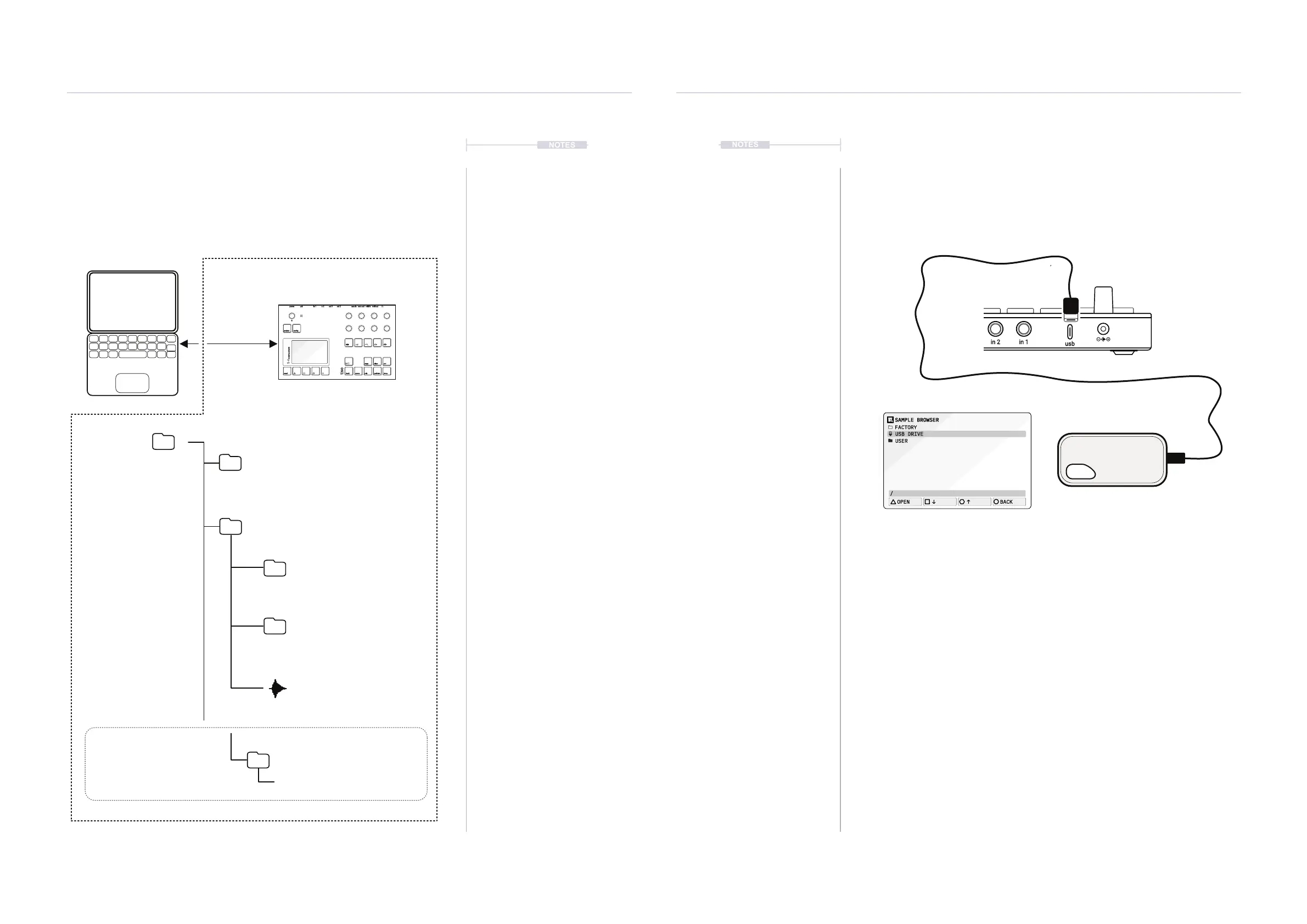
8.4 Connecting an External USB Drive
It is possible to connect and access samples from an external drive
connected to the USB Port. Drive must be formatted to either exFAT or
FAT32 in order for it to be used with the S-4. The drive will be visible in the
sample browser and will allow samples to be loaded to the relevant device.
Samples cannot be copied from the ash drive to the S-4.
▌ CONNECTING AN EXTERNAL USB DRIVE
1. Ensure the S-4 is powered off.
2. Connect a USB Drive directly to the USB-C Connection. It is not
recommended to connect via a hub.
3. Power ON the S-4.
4. Press [LOAD], Action button from to access the sample loader, for
example from the Tape Device main page.
5. The External Drive will appear in the browser along with the user and
factory sample folder. This can be navigated in the same manner as
other folders. Use (SELECT) or navigation buttons.
6. To eject the drive navigate to highlight the ‘USB Drive’, then Hold
[CTRL] + [EJECT], Action button. The drive can now be physically
disconnected from the S-4.
Hold [CTRL] + Press [EJECT]
to eject the drive from S-4
1TB
torso
electronics
S-4
in 1out 1
sync inmidi in
usb
in 2out 2
sync outmidi out
USB-C Interface.
Connect a USB drive to the S-4.
SAMPLE BROWSER
USB DRIVE
USER
FACTORY
OPEN
BACK
/
The S-4 can be backed up by copying the folders and les from the S-4
when in mass storage device mode. User samples can also be transferred
to the S-4 for use in the audio engines. The folder structure follows a
dened convention.
Root Folder
/projects
/samples
/FACTORY
/BOUNCES
Track recordings
Projects
Main mix recordings
e.g. S4_MainOut__1.wav
Sample
e.g. Beat1.wav
Factory Samples are not visible
or accessible on the S-4 MSD.
e.g. S4_Track2__1.wav
e.g. Project_1.s4project
/RECORDINGS
/
S-4
power in 1 out 1 sync in midi inusb in 2 out 2 sync out midi out
project
mod track mix
copy ctrl
temp
cong
scene perform
clear
t|so
S-4
sculpting sampler



 To Next Page