130
The S-4 Sculpting Sampler - Ofcial Manual
131
The S-4 Sculpting Sampler - Ofcial Manual
System
8
System
8
NOTES
8.1 Cong Menu Options
Menu
Setting Option
Description
Track 1 Track Input
Sets the external line in audio mode for track 1. Select from Stereo,
Mono L or Mono R and Sends Only options. Sends only excludes line
and mic audio and only considers the send audio.
Track 1 MIDI Channel
Sets the MIDI communication channel for Track 1 when communicating
from externally connected devices. Select Channel 1-16.
Track 2 Track Input
Sets the external line in audio mode for track 1. Select from Stereo,
Mono L or Mono R and Sends Only options. Sends only excludes line
and mic audio and only considers the send audio.
Track 2 MIDI Channel
Sets the MIDI communication channel for Track 2 when communicating
from externally connected devices. Select Channel 1-16.
Track 3 Track Input
Sets the external line in audio mode for track 1. Select from Stereo,
Mono L or Mono R and Sends Only options. Sends only excludes line
and mic audio and only considers the send audio.
Track 3 MIDI Channel
Sets the MIDI communication channel for Track 3 when communicating
from externally connected devices. Select Channel 1-16.
Track 4 Track Input
Sets the external line in audio mode for track 1. Select from Stereo,
Mono L or Mono R and Sends Only options. Sends only excludes line
and mic audio and only considers the send audio.
Track 4 MIDI Channel
Sets the MIDI communication channel for Track 4 when communicating
from externally connected devices. Select Channel 1-16.
MIDI CC Control
Allows external MIDI control over the S-4 parameters when ON. This
allows external CC Messages to affect parameter values.
MIDI Sync In
MIDI synchronization of clock. Sync In is ON for S-4 clock control from
an external device.
MIDI Sync Out
MIDI synchronization of clock. Sync Out is ON for external clock control
from the S-4 device.
MIDI Start / Stop
MIDI synchronization of transport. Start / Stop is ON to control the
playback of the S-4 from an external device.
Audio Mic Gain Adjust the gain applied to the microphone and headset mic input.
Audio Input Mode
Select between the input to use between the rear line inputs, on board
microphone or a connected headset microphone.
System Firmware Version * Displays the currently installed rmware version.
System Storage * Indicates the on board memory. The base memory is 4GB.
System USB Mass Storage
Sets the S-4 into mass storage mode to allow access from a PC/Mac.
The S-4 will be recognised as an external hard drive device.
System Install Update Initiate a rmware update. The rmware update le will be installed.
System Install Factory Samples Install a factory sample pack in the format applicable to S-4
Misc Display Brightness Adjusts the brightness of the screen display.
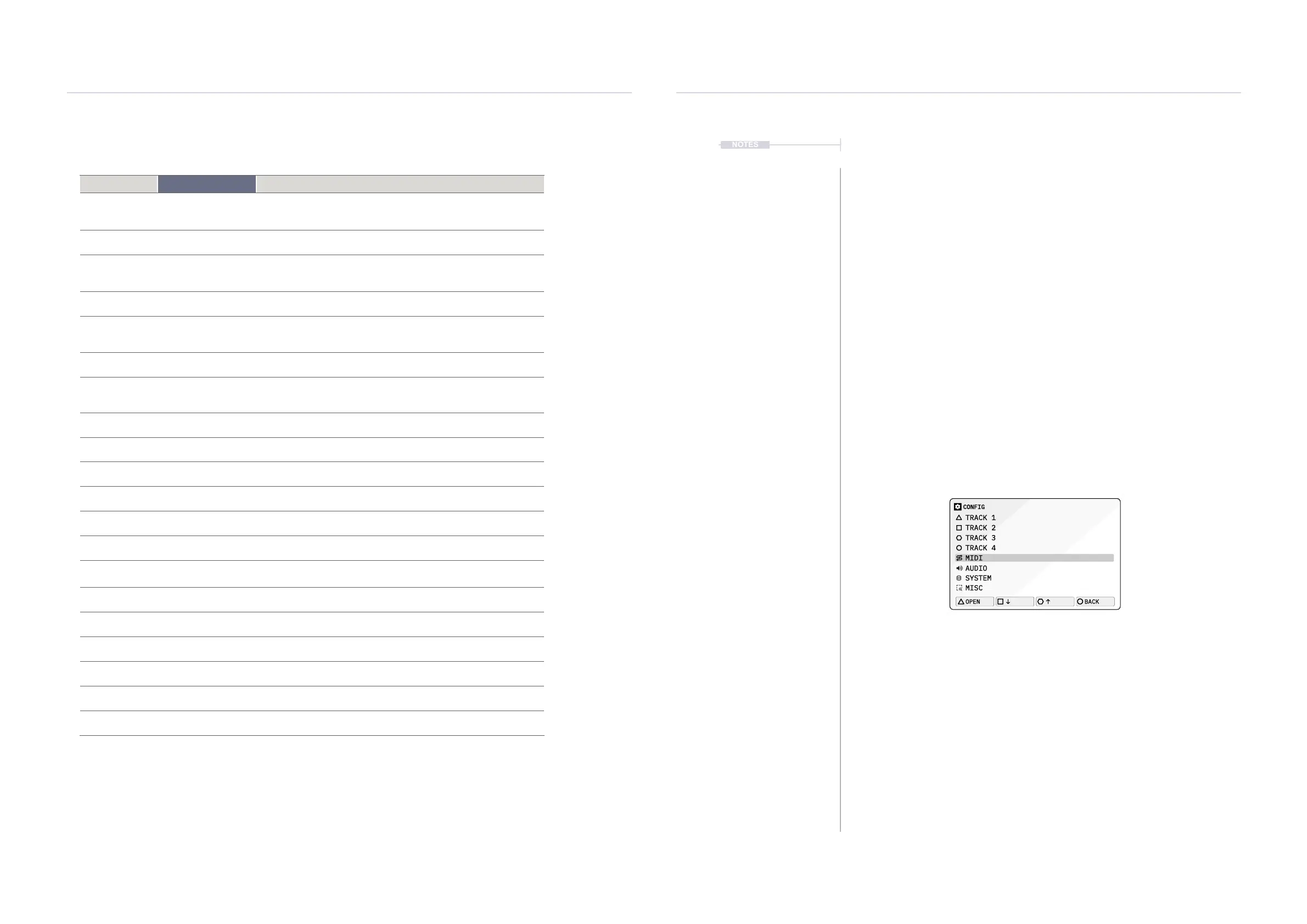
▌ ACCESSING THE CONFIG MENU
1. Press [CONFIG] to open the conguration settings.
2. Turn (SELECT) to navigate to highlight the desired sub-menu. Also
press the [DOWN], or [UP], Action buttons to navigate the menu.
3. With a target sub menu highlighted, Press [OPEN], or Press
(SELECT) to open the options. Press [BACK], Action button to exit
and backup the cong menu structure.
4. To change a setting:-
• Turn any of the 8 Parameter knobs to change a selected option.
• Tap [OPEN], Action button to cycle through the available options.
5. Note some listings are only for information and display purposes and
cannot be changed manually. For example, rmware version.
CONFIG
TRACK 1
TRACK 2
TRACK 3
TRACK 4
MIDI
AUDIO
SYSTEM
MISC
OPEN
BACK
* The function is an Indication only and cannot be edited directly in the menu.



 To Next Page