58
The S-4 Sculpting Sampler - Ofcial Manual
59
The S-4 Sculpting Sampler - Ofcial Manual
Audio Engine
3
Audio Engine
3
NOTES
NOTES
3.2.2 Poly - Material Device
Poly is a classic 8 voice polyphonic sampler which plays pitch sample
voices. An external sequencer or keyboard can then play this device like a
synth.
PITCH
LEVEL
START LENGTH
LOOP XFADE
LOAD LOOP
POLY1
AMP
FLTR
Big Bass.wav
120.0
ATTACK
DECAY
SUSTAIN CURVE
VELOCITY
FLTR
AMOUNT
FLTR
SHAPE
LOAD LOOP
POLY1
AMP
FLTR
Big Bass.wav
120.0
Material Hold [CTRL] + Press [MATERIAL] to select Poly
Press [MATERIAL] to select and cycle pages
Page 1/2 Page 2/2
Parameter Knobs Page 1
Pitch
Start Length
Pitch offset of the
audio sample.
Start position of the
sample playback.
Length of the sample
or loop to be played
back.
Level Loop Xfade
Gain level of the
current audio.
Sets the loop start
point. The loop end is
governed by the
length parameter.
Applies a fade at the
crossover start / end
position of the loop.
Parameter Knobs Page 2
Attack Decay Sustain Curve
Attack time of the
amplitude envelope,
scaled also to the
lter envelope.
Decay and release
time of the amplitude
and envelope, scaled
also to lter envelope.
Sustain level of the
amplitude envelope,
scaled also to the
lter envelope.
Curve amount of the
time based envelope
element shapes.
Velocity Fltr Amount Fltr Shape
Velocity sensitivity
applied from the
external controller.
Amount of lter
envelope applied to
the lter.
Filter envelope shape
with respect to the
settings and shape of
the amp envelope.
Action Buttons
Load Loop
Open the sample
library to select and
load a sample.
Toggle playback
between Fwd or Flip
loop mode.
Press [MATERIAL] to select and cycle pages
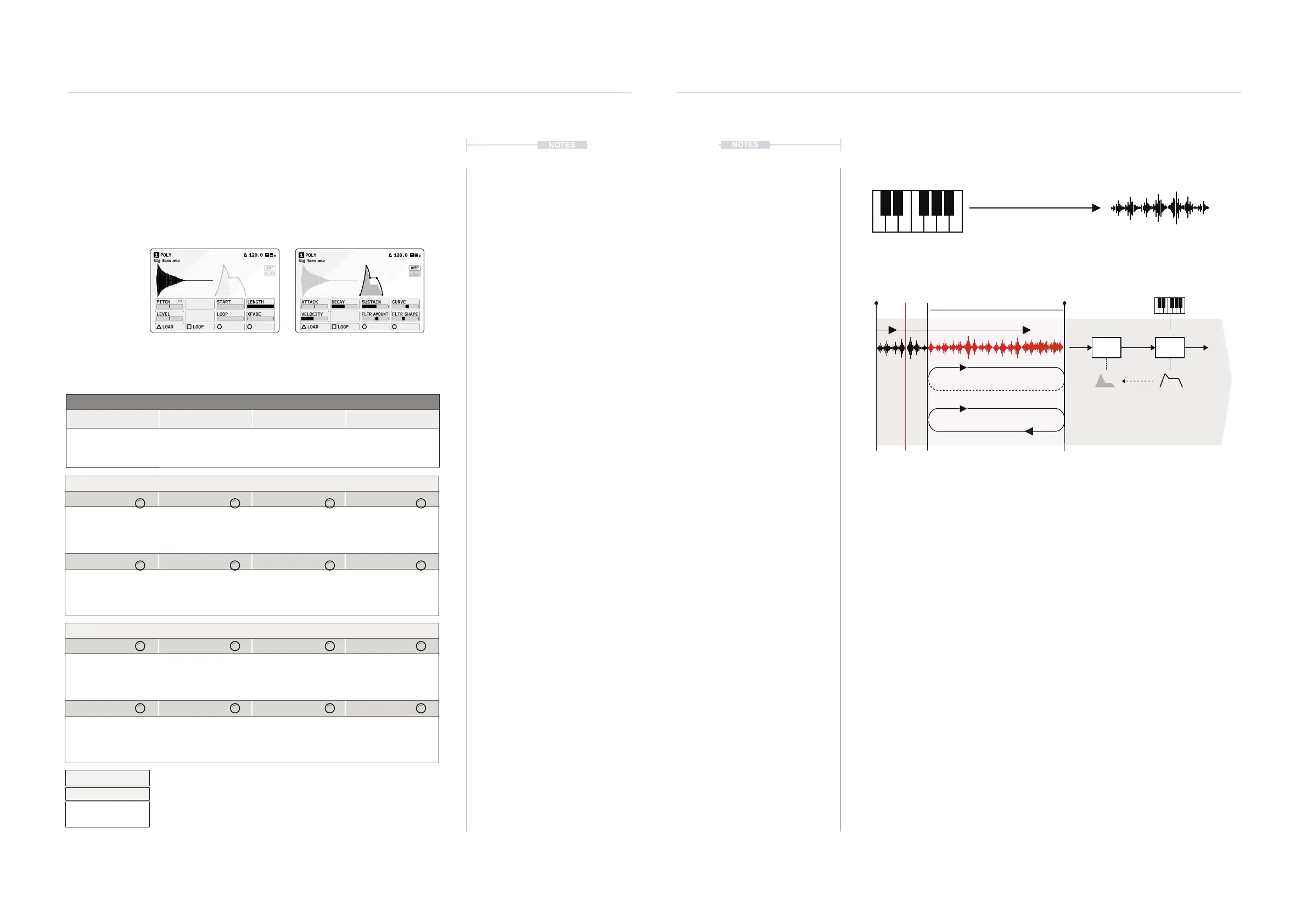
Incoming MIDI notes from a keyboard or sequencer will play the sample
chromatically. The MIDI Channel is set in the cong track settings. The
pitch offset can be changed to calibrate the sample to any incoming MIDI.
Velocity sensitivity will affect how the incoming velocity is applied to the
played note.
Envelopes control the audio shape over time. An amplitude envelope is
applied to manage the amp shape. A lter carves out audio frequencies to
affect the sound tone. The lter is also controlled by an envelope which
shadows the amp envelope.
PitchLoop
Pitch offset of the sample.
Assists in tuning the sample
playback to the incoming notes
Loop Start is set with the (LOOP) Parameter. End is set with length. The
[LOOP], Action button toggles the loop mode between FWD - loops
start to end, or FLIP - Loops start - end - start in a ping pong style.
Start Loop Length
Loop Region
Play/Rec Head
Fwd
Flip
Loop
Filter Amp
Fltr Shape
External MIDI Controller
Chromatic
Note + Velocity Played
C
Db GbEb Ab Bb
GE BD AF
Some parameters tagged
offer a number of ‘Mode Select’
options from a pop-up list, accessed by pressing the knob.
Press and turn to select an item from the presented list.
Pitch
Quantize to Scale
Chromatic
Free



 To Next Page