98
The S-4 Sculpting Sampler - Ofcial Manual
99
The S-4 Sculpting Sampler - Ofcial Manual
Master Mix
5
Master Mix
5
NOTES
NOTES
▌ ADJUSTING THE TRACK DJ STYLE FILTERS
1. Press [MIX] to open the master mixer. Each of the 4 track lters are
located on Page 1.
2. To adjust a lter cutoff and attenuate either the high or the low
frequency bands for each chosen track:-
• Turn the Parameter knobs 5, 6, 7 and/or 8 to adjust the cutoff
frequency point for each track. The control is bi-polar.
• Turn clockwise to adjust the range 0% to +100%. The bar indicator
will adjust to the right. This adjusts the high pass lter cutoff. High
pass attenuates frequencies below the cutoff point.
• Turn clockwise to adjust the range 0% to -100%. The bar indicator
will adjust to the left. This adjusts the low pass lter cutoff. Low pass
attenuates frequencies above the cutoff point.
3. To quickly restore the cutoff to the default ‘0’ position and allow all audio
to pass through, Hold [CLEAR] + Turn or Press the designated track
lter value knob 5-8. Alternatively manually adjust the parameter value
knobs.
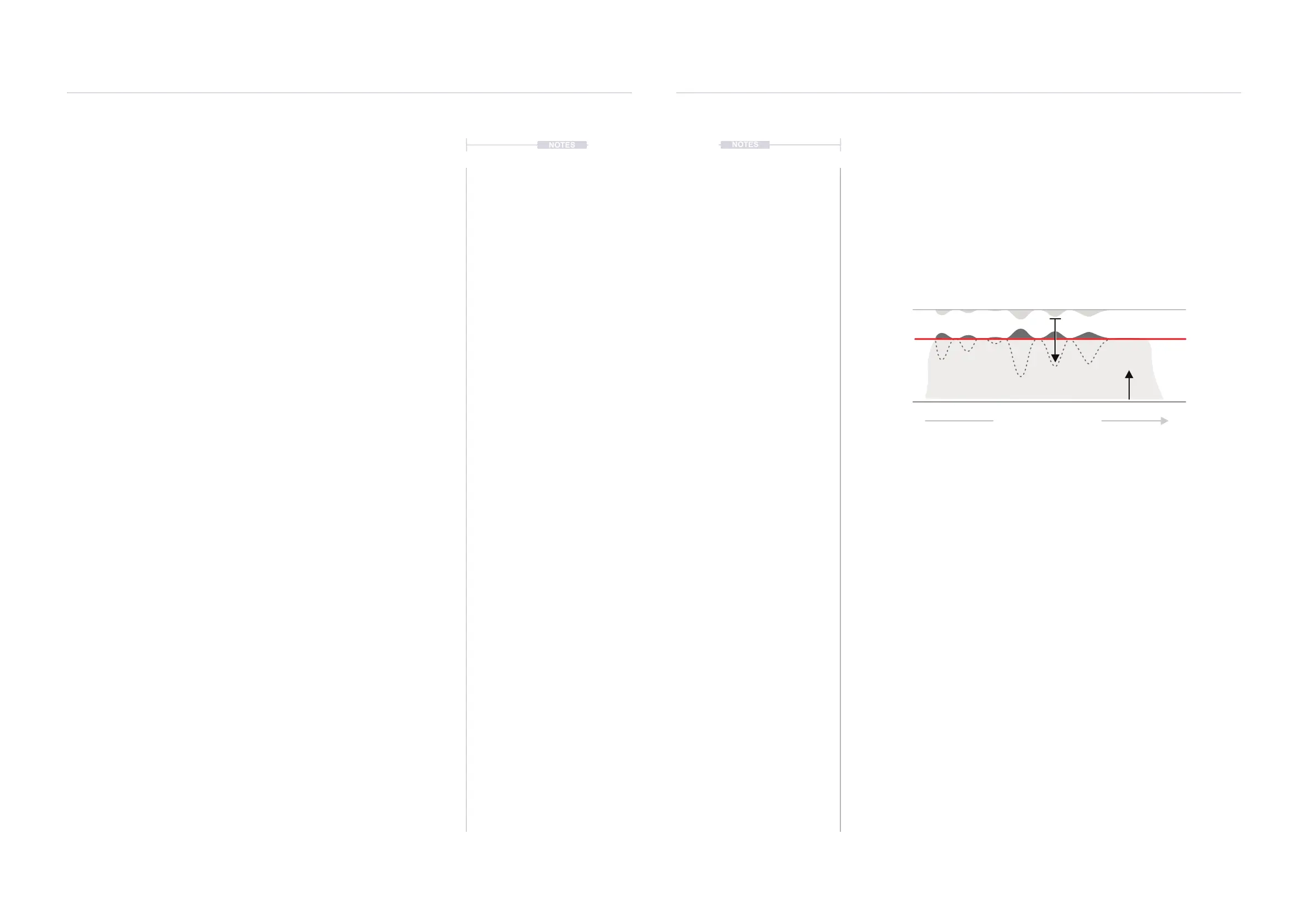
5.5 Master Compression
The audio mixed from the 4 tracks is passed to a common master
compressor as the nal effect stage. Compression is a common function at
or near the end of an audio chain used to tame and control audio peaks
and help add punch through control of perceived loudness. The S-4 has a
single compressor control to adjust the amount of compression applied
integrating functions such as make up gain, ratio and threshold.
▌ ADJUSTING THE MASTER COMPRESSOR
1. The compression settings are usually something that would be adjusted
at the end of a project, prior to nal mix down.
2. Press [MIX] to open the master mixer. The compressor option is located
on Page 2. Press [MIX] to change pages.
3. Turn the (COMPRESS) Value Knob 6. Adjust in small increments while
monitoring the audio. Take care not to increase too much especially if
listening through headphones.
4. If required, Hold [CLEAR] + Turn or Press (COMPRESS) to restore a
default ‘0’ setting to the compression value.
Audio Over Time
Threshold
Ratio
Gain Reduction
Make Up
Master Output Compressor



 To Next Page