94
The S-4 Sculpting Sampler - Ofcial Manual
95
The S-4 Sculpting Sampler - Ofcial Manual
Master Mix
5
Master Mix
5
NOTES
NOTES
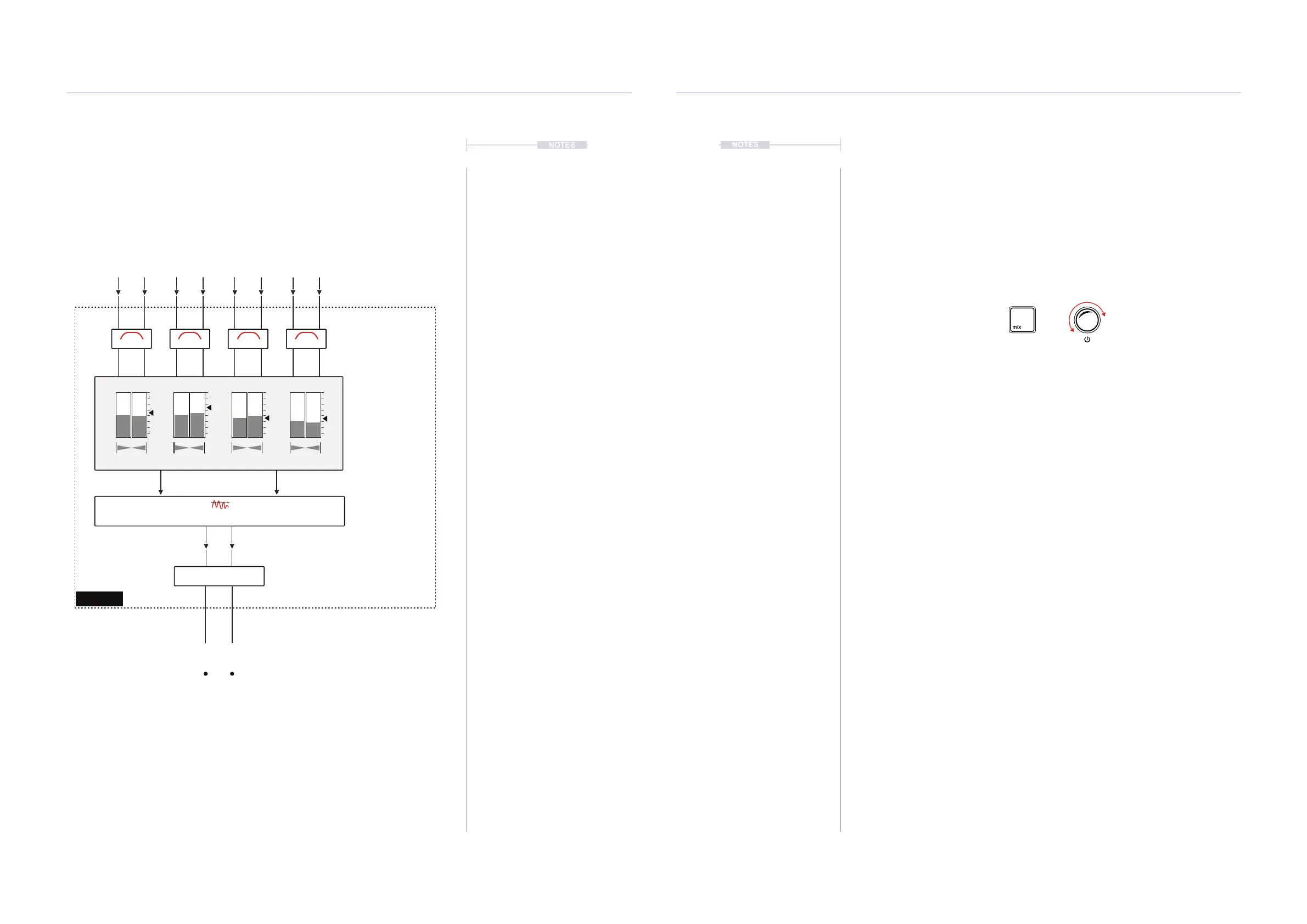
The master output sums all 4 tracks and allows mixing and control of the
nal audio stage of the project. Note that the USB also allows 10 Audio
Inputs and 10 Outputs e.g. for a DAW interface. This will cover 4 stereo
tracks and 1 stereo master output.
Mixer
Levels & Pan
Master Level
DJ Style
LP/HP Filter
MIX
Compressor
Main Volume
Track 1 Track 2 Track 3 Track 4
Out 1
Filter Filter Filter Filter
L L L LR R
Out 2
R R
5.2 Master Output Level
The main volume is the master output stage which adjusts the overall
output level after all processing and mixing is complete. This is the nal
audio stage in the S-4.
▌ ADJUSTING THE MAIN OUTPUT LEVEL
1. For quick adjustment of main volume, Press [MIX] then Turn (SELECT).
2. The alternate method for volume adjustment is in the mix pages.
• Press [MIX] to open the master mixer. Press again to cycle to the
next page, Page 2.
• To adjust the master output volume, Turn (SELECT) or Parameter
Value Knob 6 while displaying the Mix Page 2.
• To quickly reset the master out level, Hold [CLEAR] + Turn or Press
the Main Level Parameter Knob 8 when in MIX Page 2.
Quick Volume Adjust
This is the quick volume level adjust method. The
main out is also accessible in the Mixer Page 2.
Press [MIX] & Turn (SELECT)
Press Turn



 To Next Page