100
The S-4 Sculpting Sampler - Ofcial Manual
101
The S-4 Sculpting Sampler - Ofcial Manual
Master Mix
5
Master Mix
5
NOTES
NOTES
5.6 Recording the Main Output
The ability to record the main mix as a single audio stem is possible from
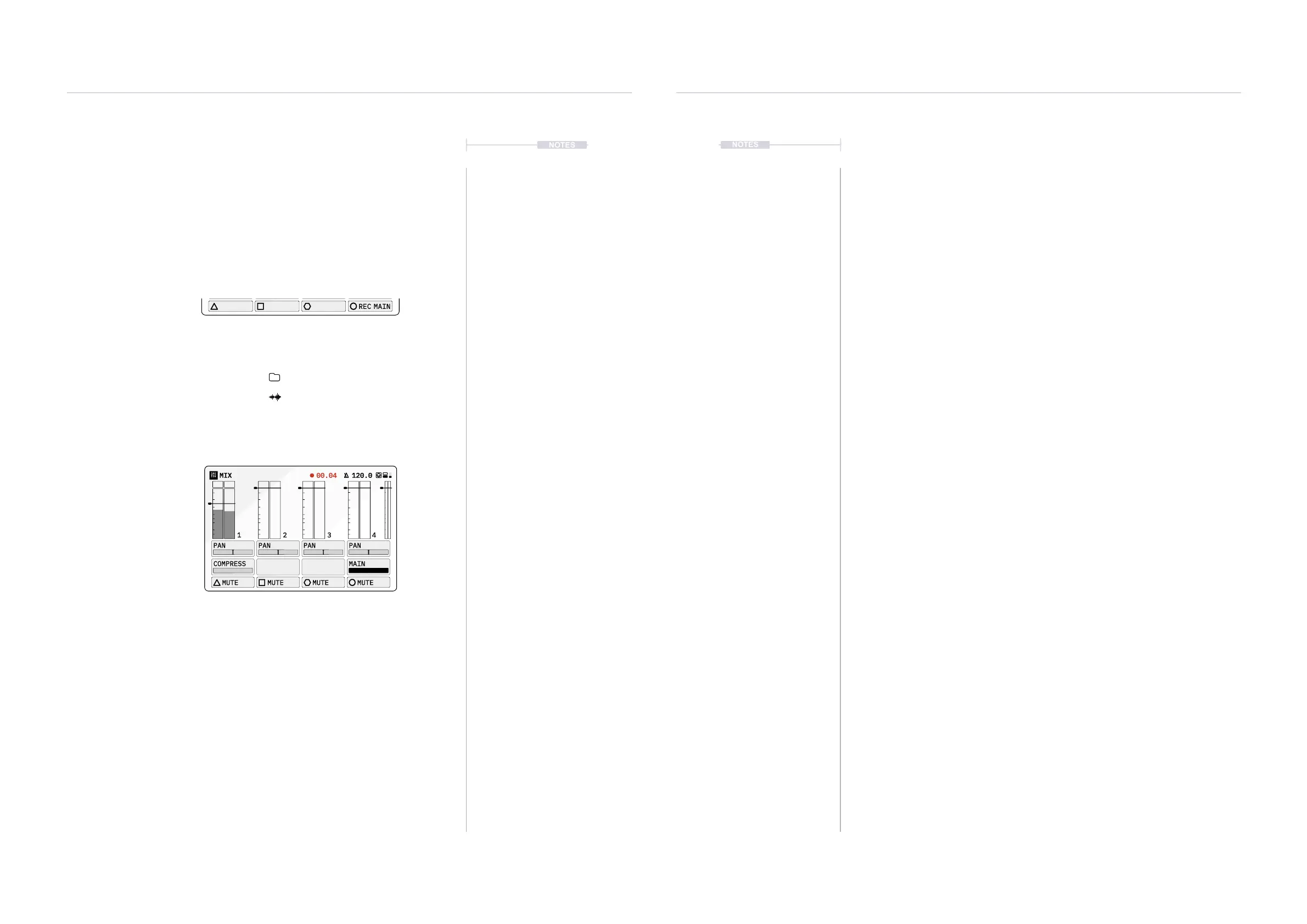
within the mix page. The recording option is found on page 2 of the action
buttons, accessed by holding [CTRL].
Recording the Main Mix Audio
Any audio passed out to the main mix will be
recorded as a single audio le.
Record count is shown in the header while recording.
Files are stored in the S-4 Storage Memory;
Location: /samples/recordings
Filename: S4_MainOut__x.WAV
Hold [CTRL] + [REC MAIN]
MIX
120.0
PAN PAN PAN PAN
COMPRESS MAIN
REC MAIN
1 2 3 4
▌ RECORDING THE MAIN MIX
1. Select the main mix page, Press [MIX].
2. Play the tracks that are required in the main mix. Mute any tracks if
audio is not required in the mix.
3. Hold [CTRL] + Press [REC MAIN], action button to start recording.
The button will be highlighted when recording.
4. Recording is performed in real time and the elapsed time duration will
be displayed while recording in the screen header.
5. Hold [CTRL] + Press [REC MAIN], action button to stop recording.
Maximum recording time based on the available S-4 memory with no
dened duration.
6. The recording will be stored automatically when the recording ends.
The le will be saved in the on board storage memory within the
samples / recordings folder and will be named in the le list with a
sequential number ‘x’: S-4_MainOut__x.WAV.
MIX 120.000.04
PAN PAN PAN PAN
COMPRESS MAIN
MUTE MUTE MUTE MUTE
1 2 3 4



 To Next Page