62
The S-4 Sculpting Sampler - Ofcial Manual
63
The S-4 Sculpting Sampler - Ofcial Manual
Audio Engine
3
Audio Engine
3
NOTES
NOTES
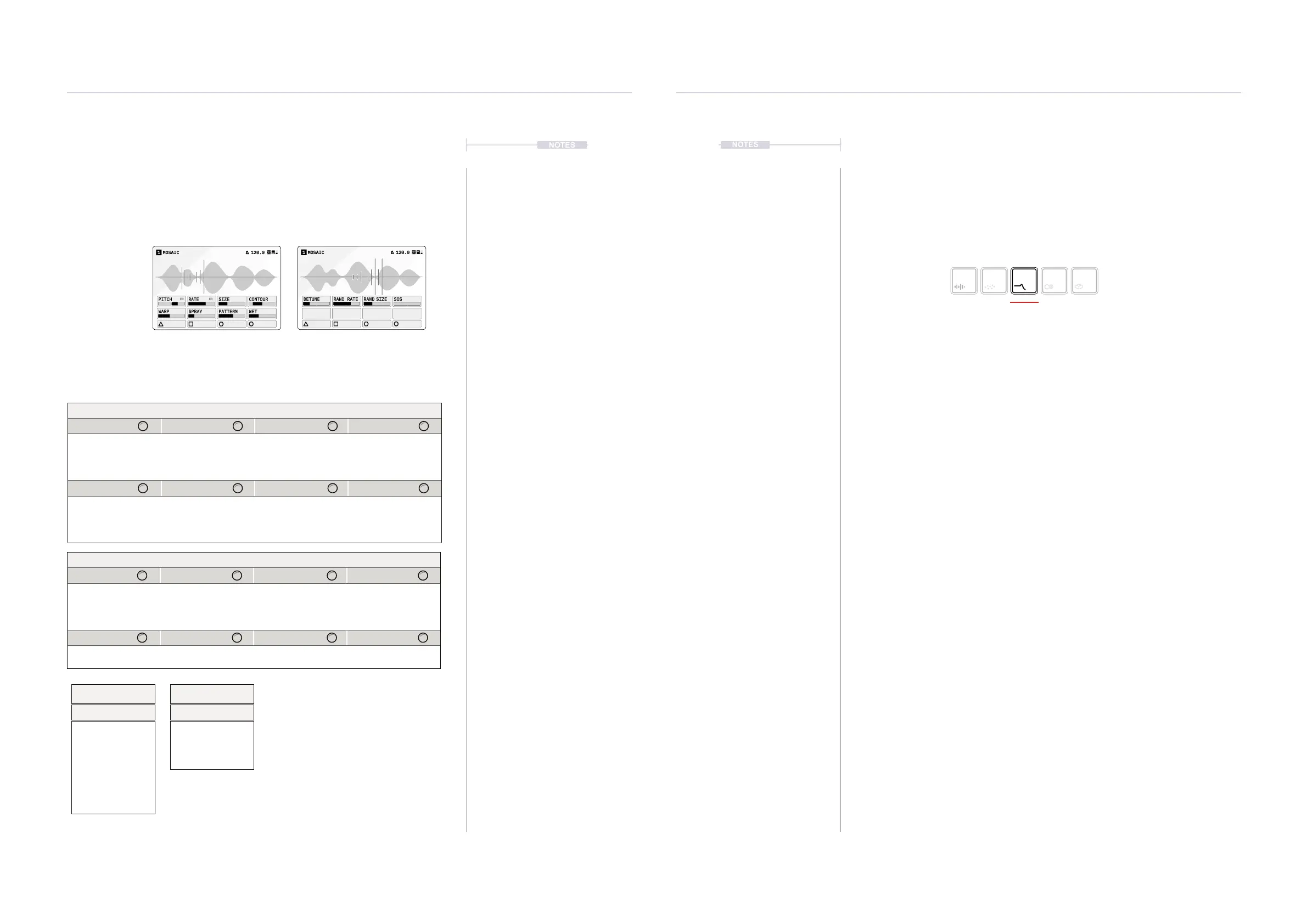
3.3.1 Mosaic - Granular Device
Mosaic has a 4 second audio buffer for live granular processing with time-
warping and pitch-shifting algorithms and up to 128 grains per track.
Rate
Rate Mode
Straight
Dotted
Triplet
Free
MOSAIC1 120.0
PITCH
RATE
SIZE CONTOUR
WARP SPRAY PATTERN WET
MOSAIC1 120.0
DETUNE RAND RATE RAND SIZE SOS
Granular Hold [CTRL] + Press [GRANULAR] to select Mosaic
Page 2/2Page 1/2
Parameter Knobs Page 1
Pitch Rate Size Contour
Pitch of the audio by
setting the speed
playback.
Rate of grain
spawning.
Grain size. Grain shape.
Warp Spray Pattern Wet
Internal grain
modulation to the
playhead.
Random spray of
grains in stereo.
Internal modulation of
the grain pitch,
quantized to the
selected scale.
Controls the wet dry
of the device.
Parameter Knobs Page 2
Detune Random Rate Random Size SOS
Detunes the individual
grains.
Randomly changes
the density of the
grains.
Randomly changes
the size of the grains.
Sound on Sound.
Amount of original
audio retained in the
audio buffer.
Press [GRANULAR] to select and cycle pages
Some parameters tagged
offer a number of ‘Mode Select’
options from a pop-up list. This can be accessed for some
parameters by pressing the knob. Press and turn to select an
item from the presented list.
Pitch
Quantize to Scale
Chromatic, Major, Minor,
Dorian, Lydian,
Mixolydian, Super
Locrian, Hex Aeolian,
Hex Dorian, Blues,
Pentatonic, Hirajoshi,
Kumoi, Iwato, Whole
Tone, Pelog, Tetratonic,
Fifths, Octaves, Free
3.4 Filter Devices
The third device slot is the lter element located after the granular device.
These devices are aimed at ltering the audio on creative way to change
the tone and shape the sound.
The page displayed will reect the lter device loaded.
Selected device button
symbol brightly lit
Filter
Press [FILTER] to open the device page.
Hold [CTRL] + Press [FILTER] to open the device list.



 To Next Page