40
The S-4 Sculpting Sampler - Ofcial Manual
41
The S-4 Sculpting Sampler - Ofcial Manual
Audio Engine
3
Audio Engine
3
NOTES
NOTES
3.1 Audio Engine Basics
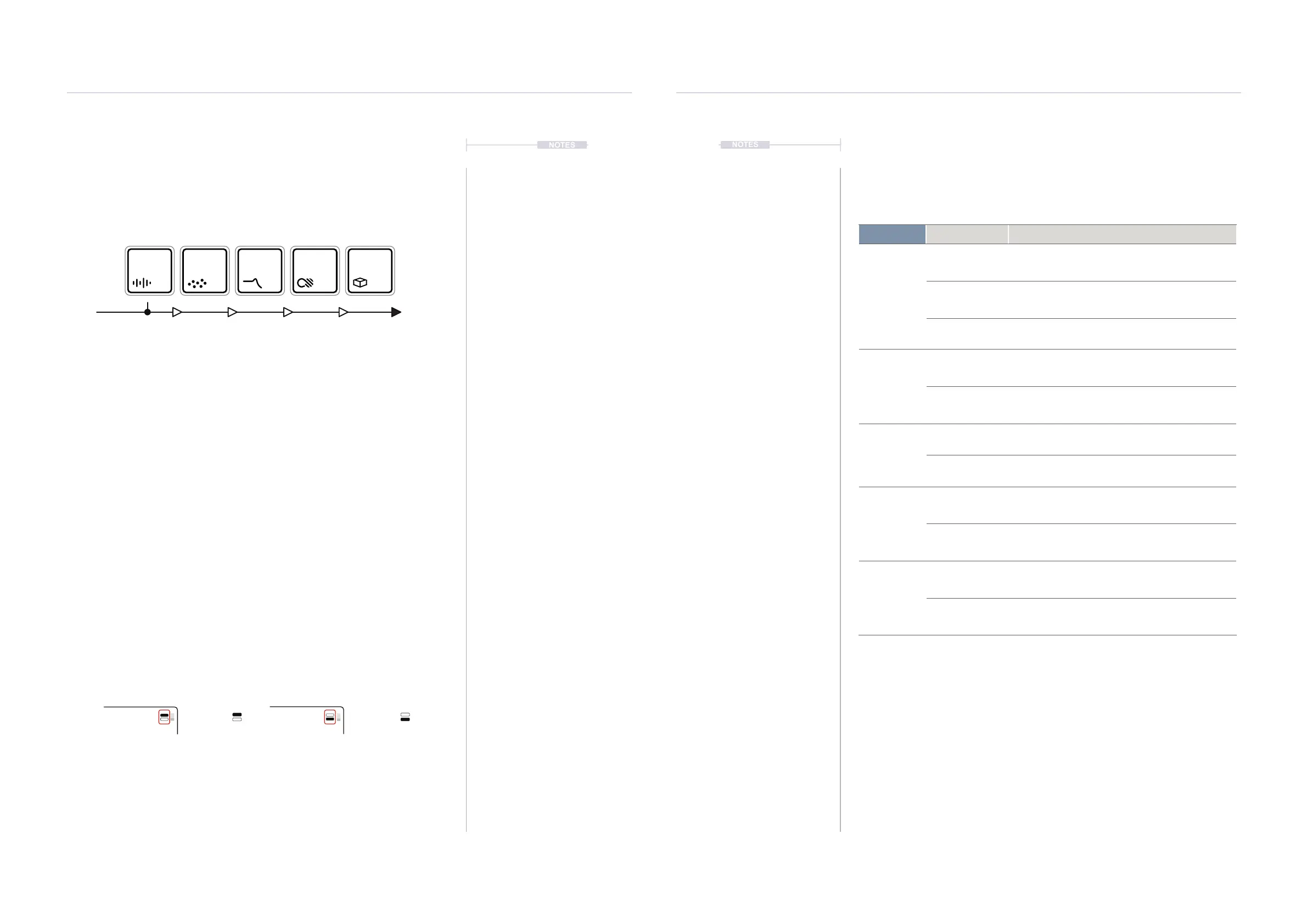
Each track has a dedicated audio engine. This consists of 5 device slots
per track which route the stereo audio through each device in series
starting with material, granular, lter, color and nally space.
▌ SELECTING AN TRACK DEVICE SLOT
1. Select a track to edit. Press [TRACK], then select a track using the
action buttons located under the screen display. Track 1 is [TRACK 1],
action button, Track 2 is [TRACK 2], etc.
2. Select the device slot:-
• For Material, Press [MATERIAL], shown by button
symbol.
• For Granular, Press [GRANULAR], shown by the
symbol.
• For Filter, Press [FILTER], shown by the
symbol.
• For Color, Press [COLOR], shown by the
symbol.
• For Space, Press [SPACE], shown by the
symbol.
3. The selected device button will be lit brightly and the respective page
will be presented.
4. The selected page is indicated by the top right page number tag
indication. Each press of the device button will cycle through pages.
5. Each page consists of up to 8 parameters each of which can be
adjusted with the respective 8 rotary encoders. Also a set of commands
for each device are also assigned to the action buttons located under
the display.
120.0
120.0
Page 1 of 2 Page 2 of 2
[MATERIAL]
Audio Source Audio Path
Track Output
[FILTER][GRANULAR] [COLOR] [SPACE]
Each of 5 audio device slots can be congured from a library of device
models. These are loaded per slot depending on the function required.
Device Slot Device Function
Material
Tape
Primary sound source for the track. Load a sample or
record in. Tape style looping and speed adjustment.
Poly
Primary sound source for the track. Load a sample for
classic sampler style chromatic synth playback and
shaping with pitch and amplitude modulation.
Bypass
Uses the incoming live audio source. Operates as an
effects processing track.
Granular
Mosaic
Granulates the incoming sound. Operates with its own
dedicated buffer where parameter modulation spawns
and manipulates audio grains ideal for live performance.
Bypass
Audio is passed through the device slot with no audio
processing applied.
Filter
Ring
Filtering of the audio. Processes incoming audio using a
48 band resonant lter bank.
Bypass
Audio is passed through the device slot with no audio
processing applied.
Color
Deform
Colors the sound tone. Destructive and distortion applied
through drive, bit crushing, noise generation and
compression to affect the sound.
Bypass
Audio is passed through the device slot with no audio
processing applied.
Space
Vast
Applies space and time orientated effects to the sound.
This model applies both delay and reverb within an
integrated effect function.
Bypass
Audio is passed through the device slot with no audio
processing applied.
Device Buttons



 To Next Page