106
The S-4 Sculpting Sampler - Ofcial Manual
107
The S-4 Sculpting Sampler - Ofcial Manual
Audio In & Out
6
Audio In & Out
6
NOTES
NOTES
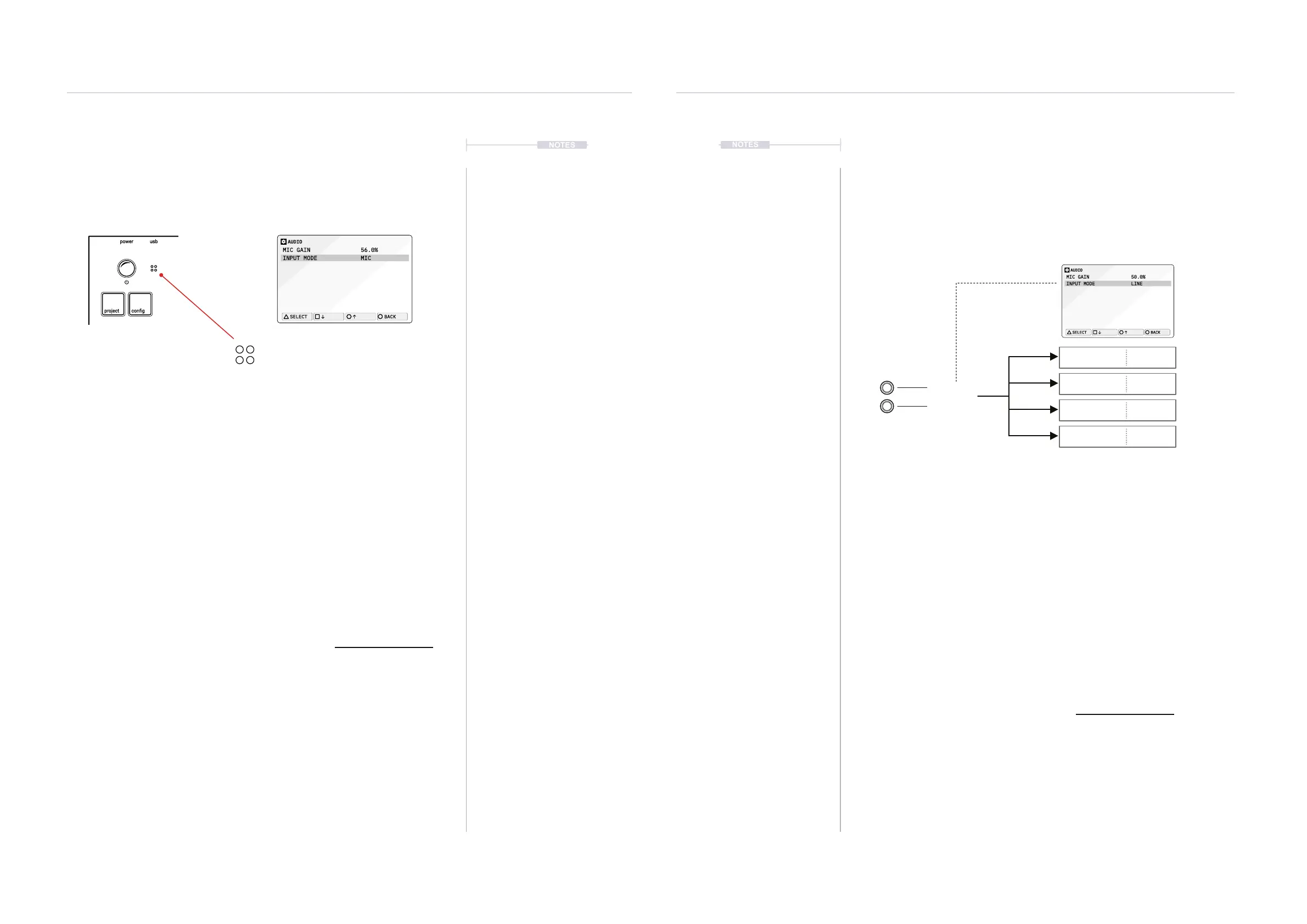
6.2 Internal Microphone
The S-4 contains a in-built microphone, located on the top panel near the
main select control. This is a quick and simple way to capture raw ambient
audio, found sounds, voice or even taps and vibrations on the S-4 case.
▌ CONFIGURING AND SELECTING THE MIC INPUT
1. Press [CONFIG] to open the conguration settings.
2. Turn (SELECT) to navigate to select the ‘AUDIO’ option. Also press the
[DOWN], or [UP], Action buttons to navigate the menu.
3. Press [OPEN], or Press (SELECT) to open the audio sub-menu.
4. Navigate to highlight the ‘INPUT MODE’ option.
5. Turn any of the 8 parameter knobs to adjust the setting. Alternatively,
Press [OPEN] to cycle the available options.
• LINE: Audio Line Inputs In 1 / In 2.
• MIC. Microphone. Front panel access to mic. Select This Option
• HEADSET. Connected TRRS headset microphone.
6. The microphone audio input gain can also be adjusted. Navigate to
highlight the ‘MIC GAIN’ option and Turn any of the 8 parameter knobs
to adjust the setting. Also applies to headset mic.
7. The microphone can now be used within the material Tape device.
Audio can be recorded from the internal microphone into a tape. It is
good practice to keep mic gain turned low when not in use.
6.3 Managing the Line Inputs
The line inputs of the S-4 are routed into the material device slot. This
means that the incoming audio can be used as the input to the tape device
or as a live input signal when the device is set to Bypass. If the track input
conguration is set to ‘Sends Only. The line and mic audio are ignored and
only audio from sends is used.
▌ SETTING UP THE LINE IN FOR TRACKS
1. Press [CONFIG] to open the conguration settings.
2. Turn (SELECT) to navigate to select the ‘AUDIO’ option. Also press the
[DOWN], or [UP], Action buttons to navigate the menu.
3. Press [OPEN], or Press (SELECT) to open the audio sub-menu.
4. Navigate to highlight the ‘INPUT MODE’ option.
5. Turn any of the 8 parameter knobs to adjust the setting. Alternatively,
Press [OPEN] to cycle the available options.
• LINE: Audio Line Inputs In 1 / In 2. Select This Option
• MIC. Microphone. Internally front panel access to mic.
• HEADSET. Connected headset and integrated microphone.
Internal Microphone.
Capture external surrounding audio.
Microphone.
[Cong] > Audio Settings.
Track 1 LINE IN BYPASS
Track 2 LINE IN BYPASS
Track 3 LINE IN BYPASS
Line Inputs
Track 4 LINE IN BYPASS
Track Mixer
Track Mixer
Track Mixer
Track Mixer
Tape
Tape
Material
Material
AUDIO
MIC GAIN 56.0%
INPUT MODE MIC
SELECT
BACK
AUDIO
MIC GAIN 50.0%
INPUT MODE LINE
SELECT
BACK



 To Next Page