34
The S-4 Sculpting Sampler - Ofcial Manual
35
The S-4 Sculpting Sampler - Ofcial Manual
2.5 Clear Function
The clear function offers a number of project and track orientated options to
erase or reset the various parameter states and settings for the selected
device or all devices. Clear is controlled with the dedicated button along
with a series of action button and secondary options. The device parameter
values will be ‘cleared’ which will mean they are erased to zero or they will
be reset to their individual default value state. This will depend on the
specic parameter.
The sample buffer can be cleared individually.
MODSBUFFER
PARAMS
DEVICE
NOTES
Projects & Tracks
2
Projects & Tracks
2
NOTES
Clear Device
Clear Parameter
Clear Track
Hold [CLEAR] to open the available options
Hold [CLEAR] + Turn or Press (Knob)
Hold [CLEAR] + [TRACK]
Action Buttons
Buffer Mods Params Device
Clears the sample
buffer for the selected
device.
Clears all modulation
values for the
selected device.
Clears all general
parameter values for
the selected device.
Clears all general
parameter and
modulation values for
the selected device.
The action buttons will reect the different options for clearing the
device specic parameters.
With clear held turning or pressing the selected parameter knob
will clear the individual parameter value for the selected device.
The currently selected track parameters and modulation are cleared
for all devices in the track. The sample buffer is retained.
+
+
+
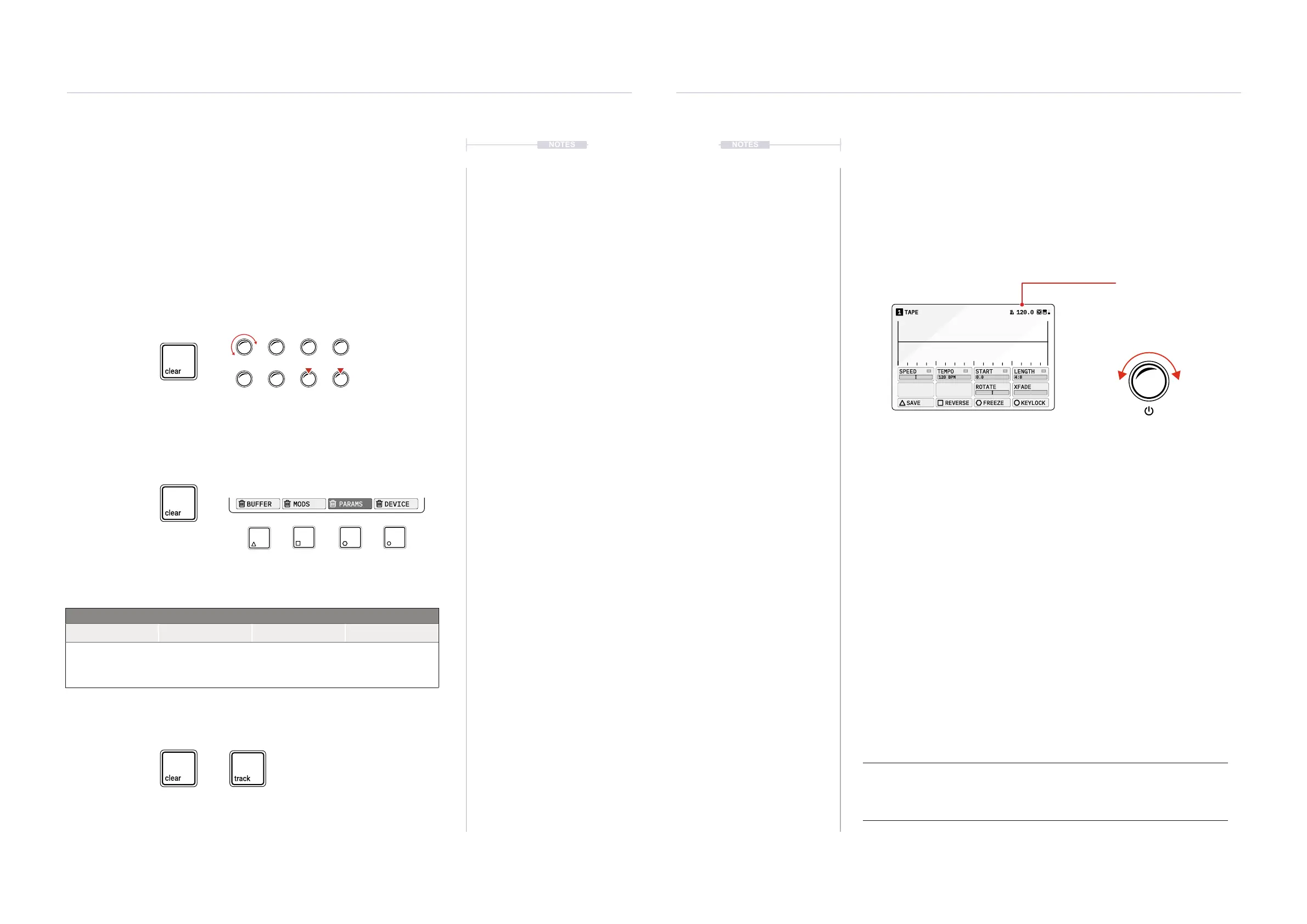
2.6 Global Tempo
The global tempo sets the project tempo in beats per minute across all
tracks. This can be adjusted between from 24 BPM up to 284 BPM. The
global tempo is displayed in the top right header of each device page. The
global tempo can be set manually but can also be synchronised to an
incoming MIDI Clock if ‘Sync In’ is set to on in the Cong settings.
▌ SETTING THE GLOBAL TEMPO
1. Turn (SELECT) from within any page that the tempo value is on display.
The Tempo will be changed in 1 BPM whole increments per iterative
‘click’ of the controller knob.
2. To change the global tempo value in smaller point value increments,
Hold [CTRL] + Turn (SELECT).
3. Note that the Cong MIDI settings also determine if the tempo is
controlled from an external clock. If the ‘SYNC IN’ is ON, then manual
tempo adjustments are ignored, as MIDI clock in will control tempo.
4. The global tempo is saved with the project.
TAPE1 120.0
120 BPM
SPEED
TEMPO
START LENGTH
ROTATE XFADE
SAVE REVERSE FREEZE KEYLOCK
0.0 4:0
Global Tempo
Adjust
Turn (SELECT)
Incremental point adjustments
Hold [CTRL] + Turn (SELECT)
120.0
Note:
Several time based parameters within the S-4 will be synchronised to the Global Tempo
BPM, for example the Tape Tempo parameter.



 To Next Page