86
The S-4 Sculpting Sampler - Ofcial Manual
87
The S-4 Sculpting Sampler - Ofcial Manual
NOTES
NOTES
Modulators
4
Modulators
4
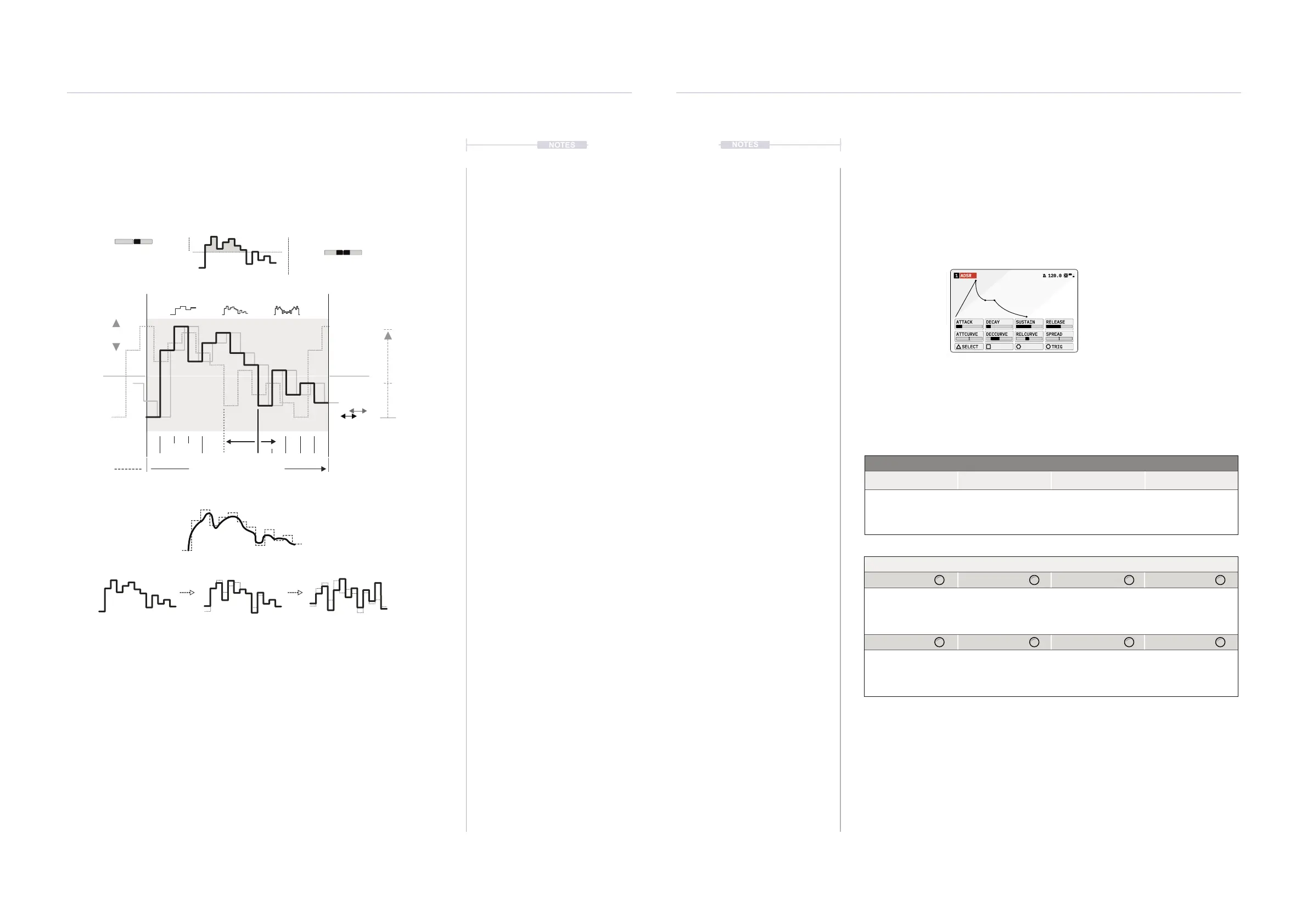
Random operates either as a randomly generated ‘xed’ shape or a
continuously changing random shape. This is ideal for generative and
evolving sounds.
A loop cycle can consist of between 1-32 steps in length, each step
duration set by rate. If the ‘Sync’ is ON, the modulator automatically
resynchronises to the global timeline when length or rate is changed to
maintain the quantisation of the 1st beat. If Sync is OFF the sequence runs
freely with no reset when changing rate or length.
New random variations can be generated on each loop where each step
level is adjusted iteratively. The amount of randomisation set by the
variation parameter. Variation at 0% will set a xed random shape cycle.
Based on Rate x Length
Freely Assign or Straight xed intervals
Rate
Offset
Amount
%
Sync
On/Off
Length - No of Steps
1 32
Cycle 1 Cycle 2
Variation
Cycle 2 etc
Smooth
Bipolar
Unipolar
New random shape variations can be generated on each loop cycle or
operate on a repeated xed shape.
Spread
4.2.3 ADSR - Modulator
An ADSR envelope has three time based elements, Attack, Decay and
Release and one Sustain level. The ADSR also provides control over the
time curve shapes.
Action Buttons
Select Trig
Open the modulator
selection pop-up list.
Manually triggers the
envelope. Release
stage starts when
button is lifted.
ADSR1 120.0
ATTACK DECAY SUSTAIN RELEASE
ATTCURVE DECCURVE RELCURVE SPREAD
TRIG
SELECT
Mod
Page 1/1
Press [MATERIAL] to select and cycle pages
Parameter Knobs Page 1
Attack Decay Sustain Release
Attack time phase of
the envelope in
seconds.
Decay time phase of
the envelope in
seconds.
Sustain level. Release time phase
of the envelope in
seconds.
AttCurve DecCurve RelCurve Spread
Adjusts the attack
phase shape.
Adjusts the decay
phase shape.
Adjusts the release
phase shape.
Increases the ‘stereo’
modulation spread
and phase of the dual
curves.
Hold [MOD] + Press Action Button to select modulator
Press [MOD] to select modulation mode on or off when
on a destination parameter page.



 To Next Page