88
The S-4 Sculpting Sampler - Ofcial Manual
89
The S-4 Sculpting Sampler - Ofcial Manual
NOTES
NOTES
Modulators
4
Modulators
4
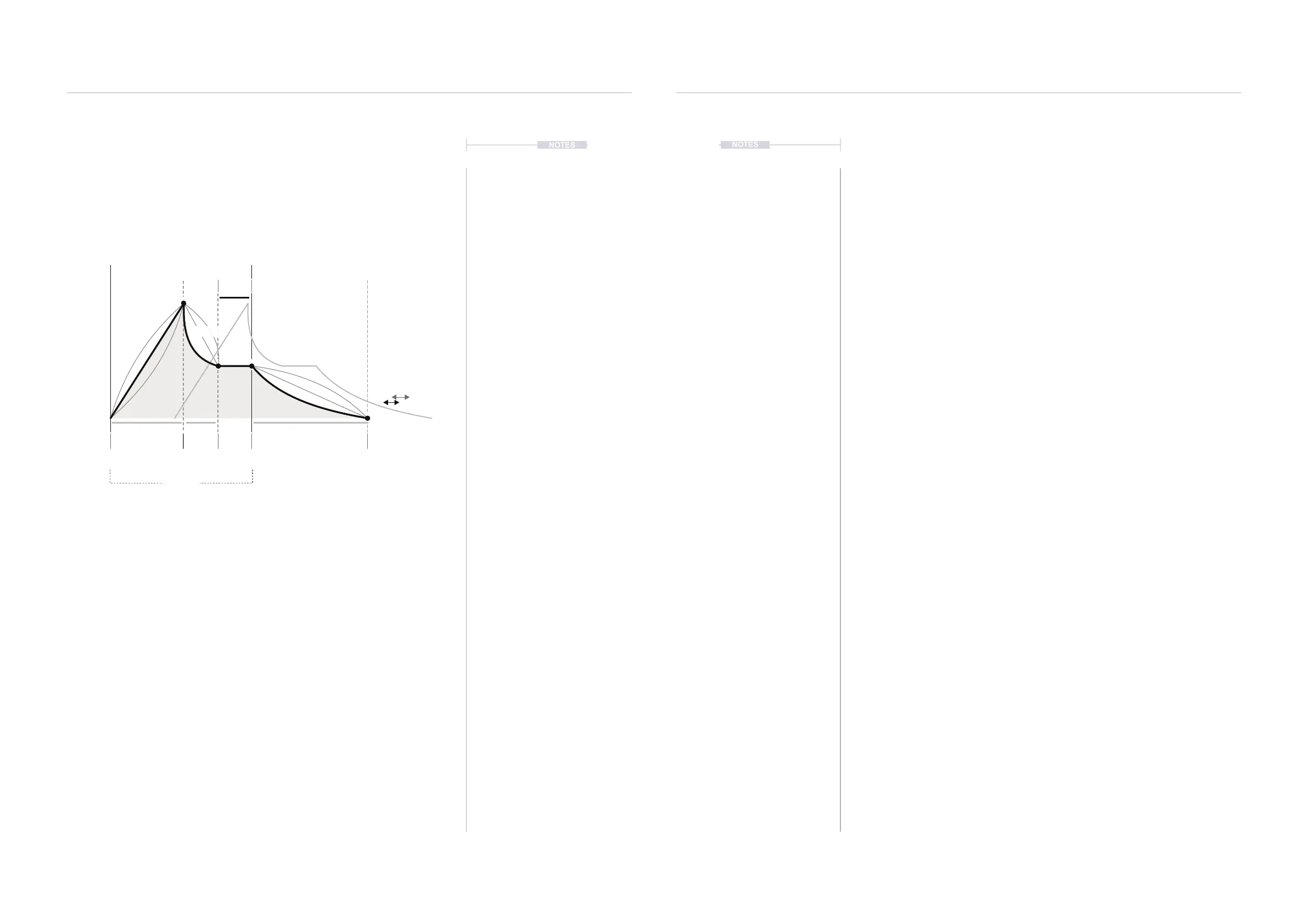
An envelope is used for notes or beats to establish its contour over time,
often as a one shot for example when pressing a note key. The S-4 ADSR
is a traditional envelope but with extra features.
The ADSR modulator also allows the curve of the three Attack, Decay and
Release time based elements of the envelope to be adjusted. This adds an
extra level of sound shaping control.
Spread duplicates the envelope and creates a stereo-like effect based on
the phase difference adjusted between the two envelopes.
Triggering the Envelope
There are two ways to trigger the envelope:
1. By pressing the [TRIG], Action button.
2. From an incoming MIDI Note on the tracks MIDI Channel.
In both cases a trigger will initiate the Attack stage and the ADSR release
stage will commence when the trigger is lifted.
Attack Decay Release
Sustain
Attcurve
Relcurve
Spread
Deccurve
Note On
Trigger On
TRIG
Note Off
Trigger Off
level
Secs Secs Secs



 To Next Page