138
The S-4 Sculpting Sampler - Ofcial Manual
139
The S-4 Sculpting Sampler - Ofcial Manual
System
8
System
8
NOTES
NOTES
8.7 Display Brightness
The display brightness can be adjusted within the ‘MISC’ conguration.
▌ ADJUSTING THE DEVICE DISPLAY BRIGHTNESS
1. Press [CONFIG] to open the conguration settings.
2. Turn (SELECT) to navigate to highlight the ‘MISC’ sub-menu. Also
press the [DOWN], or [UP], Action buttons to navigate the menu.
3. Press [OPEN], or Press (SELECT) to open the sub-menu options.
4. Navigate to highlight the ‘DISPLAY BRIGHTNESS’ option.
5. Press [OPEN], Action button to toggle the setting value or turn any of
the 8 parameter knobs. The display will adjust real time while the
changes are being made.
MISC
DISPLAY BRIGHTNESS 15
OPEN
BACK
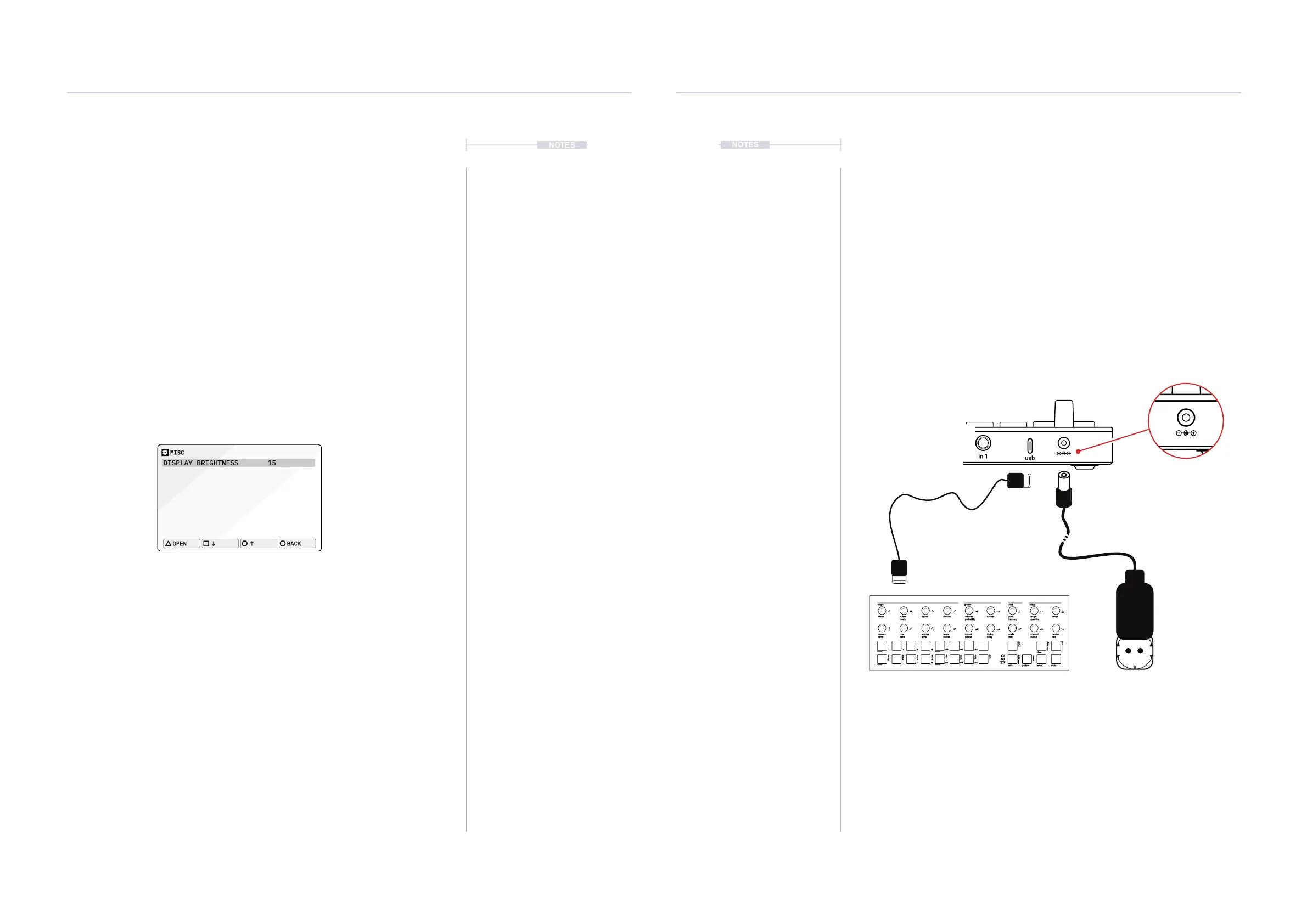
8.8 Power Considerations
The S-4 is powered from a dedicated power supply and is not in itself
powered by the USB port. Portable power chargers can be used and also
the S-4 can power other devices from its USB port. It is impossible to give
details for each connected device but there are some generic elements to
consider.
• S4 stand alone power and general consumption: 1A, 12V (12 Watt)
• S4 powering a connected Torso Electronics T-1: 1.2A, 12V (14.4 Watt)
• S4 + max current draw from USB port: 1.5A, 12V (18 Watt)
• The current limit for powering external devices via S-4’s USB is 1A, 5V.
torso
electronics
S-4
in 1out 1
sync inmidi in
usb
in 2out 2
sync outmidi out
S-4
AC to DC Mains
Supply Adapter
PSU is rated at 12V, 2 Amp
DC Output.
Centre Positive
Some devices can be powered
through the S-4 USB Connection
shape groove tonal setup
steps cycles sustain length tempopulses velocity pitchdivision
repeats
chrom
/1 /4
/3
/16
/12
/64
/48
/2 /8
/6
/32
/24
minor
hira
tetra
major
penta
iwato
user
voicing timing channel randomtime accent scale
bank pattern temp
clear
ctrl
copy
select
save
mute
range
ramp style delay output ratepace groove rootphrase
rotate probability harmony quantize
t|so



 To Next Page