92
The S-4 Sculpting Sampler - Ofcial Manual
93
The S-4 Sculpting Sampler - Ofcial Manual
Master Mix
5
Master Mix
5
NOTES
NOTES
5.1 Master Mix Overview
The master output functions can be found in the ‘Mix’ section. This is
accessible with the dedicated [MIX] button.
▌ SELECTING THE MASTER MIX
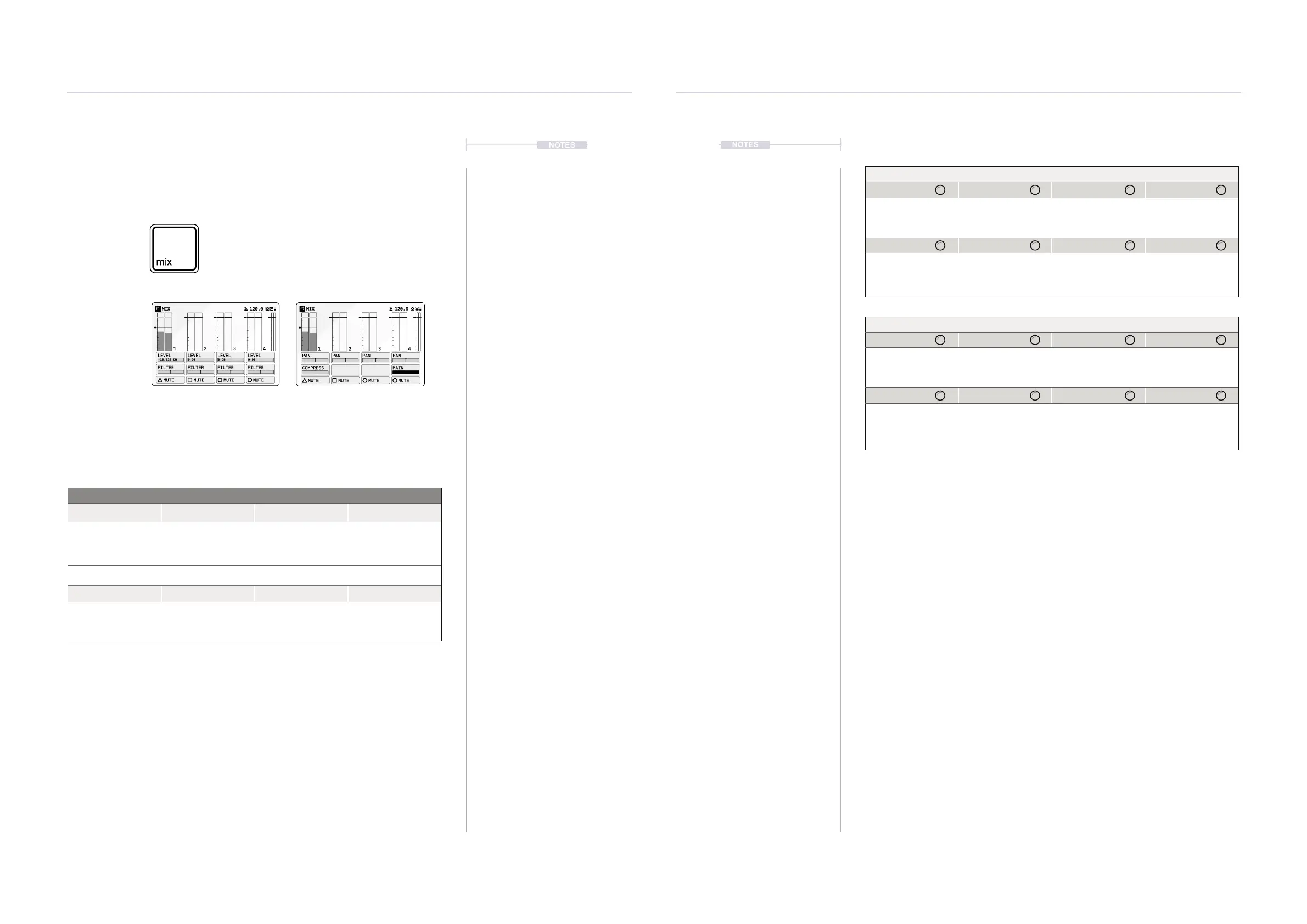
1. Press [MIX] to open the master mixer. Press again to cycle to the next
page. Page 1 has the track level mix and LP/HP lter cutoff. Page 2 has
the pan for each track as well as the common compressor and master
output level control.
2. The respective parameter value knob will adjust the displayed value.
3. To mute a track, Press [MUTE] action button for the desired track to
mute. Press the action button again to unmute the track.
4. To adjust the master output volume, Select MIX Page 2, Turn (SELECT)
or Parameter Value Knob 6.
Mix Button
Press the button again to cycle through
the available mixer pages.
Press [MIX] to open master mixer
Parameter Knobs Page 1
Level Level Level Level
Adjusts track 1 level. Adjusts track 2 level. Adjusts track 3 level. Adjusts track 4 level.
Sets the gain level of the incoming audio
Filter Filter Filter Filter
Track 1 Filter Cutoff Track 2 Filter Cutoff Track 3 Filter Cutoff Track 4 Filter Cutoff
Adjusts the DJ style lter for incoming audio
Parameter Knobs Page 2
Pan Pan Pan Pan
Track 1 Pan Track 2 Pan Track 3 Pan Track 4 Pan
Adjusts the panorama left / right of the track audio in the mix.
Compress Main
Amount of
compression applied
to the main output.
Adjusts the level of
the main output.
Action Buttons
Mute Mute Mute Mute
Mutes and Unmutes
track 1 audio.
Mutes and Unmutes
track 2 audio.
Mutes and Unmutes
track 3 audio.
Mutes and Unmutes
track 4 audio.
Hold [CTRL] + Press
Rec Main
Activates recording of
the main audio output
MIX
1 2 3 4
LEVEL LEVEL LEVEL LEVEL
FILTER FILTER FILTER FILTER
MUTE MUTE MUTE MUTE
0 DB-15.129 DB 0 DB0 DB
120.0
MIX 120.0
PAN PAN PAN PAN
COMPRESS MAIN
MUTE MUTE MUTE MUTE
1 2 3 4
Page 1/2 Page 2/2
Hold [CTRL] to access additional action buttons



 To Next Page