56
The S-4 Sculpting Sampler - Ofcial Manual
57
The S-4 Sculpting Sampler - Ofcial Manual
Audio Engine
3
Audio Engine
3
NOTES
NOTES
Reverse & Freeze
Several creative effects can be applied, typically on the y to enhance and
create interest during a tape performance. These are similar to punch in
style effects and can be applied in and out while playing tape track.
Reverse
Reverse changes the direction of the tape playback permanently until
changed again.
▌ ON THE FLY TAPE REVERSE EFFECTS
1. Select the desired track 1-4 and ensure that a tape device is assigned
to the material slot and a sample is present in the tape device.
2. Press [PLAY/STOP] to play the tape.
3. To reverse tape playback while the tape is playing.
• Toggle Reverse Playback. Hold [CTRL] + Press [REVERSE],
Action button. The tape will switch to play in reverse from its current
point and will continue playing in reverse. The action button will be
highlighted when reverse is on.
• Toggle Forward Playback. Hold [CTRL] + Press [REVERSE],
Action button when playing in reverse. The tape will switch back to
play forwards from its current point.
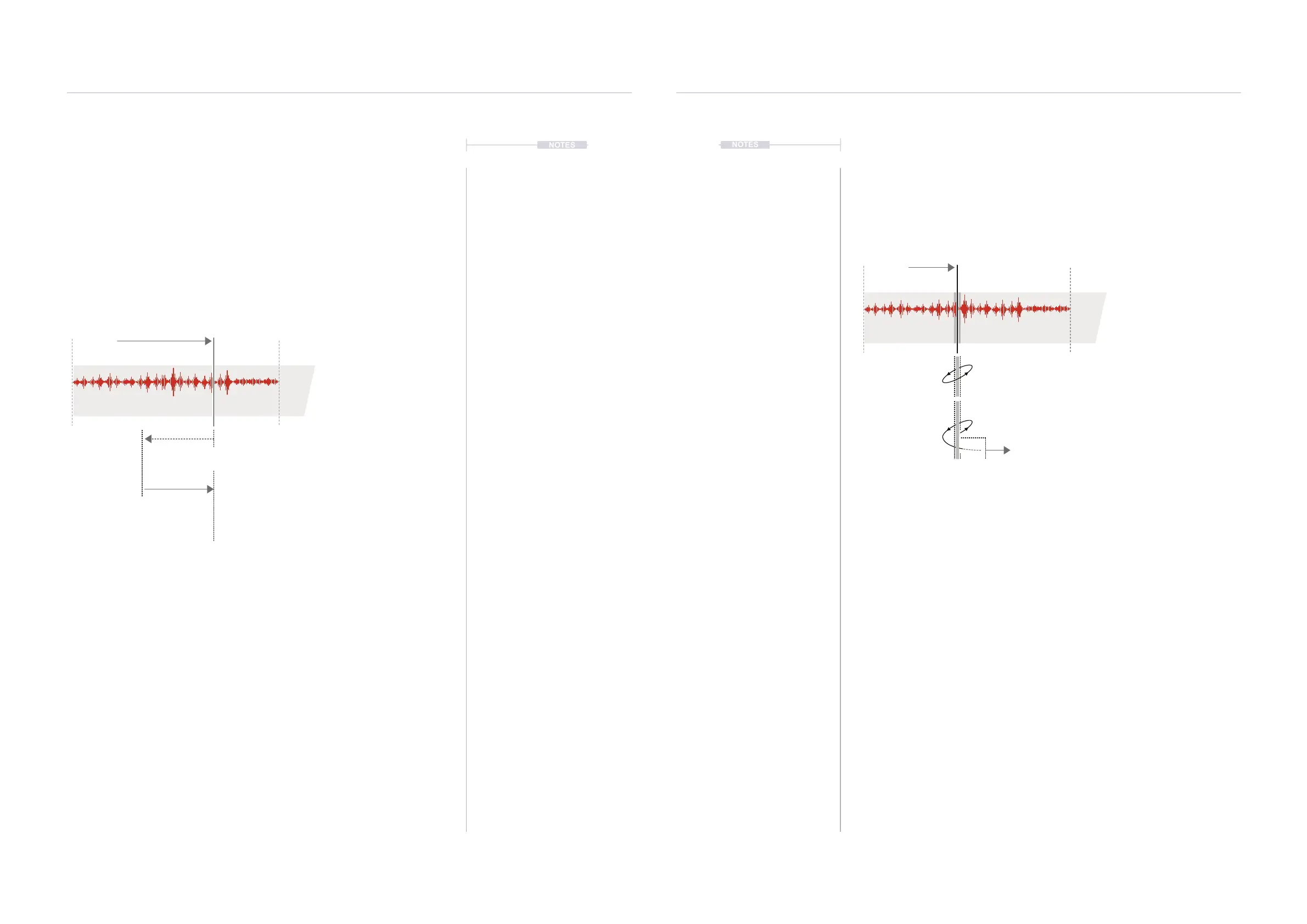
Forwards
Playback
Reverse
Reverse
Normal default playback in the
forwards direction of the tape
Change from
current position
Toggle playing the tape in reverse with
[CTRL] + [REVERSE]
Toggle playing the tape forwards with
[CTRL] + [REVERSE]
Freeze
Freeze scrubs playback of the tape head over a short region at the current
location. The tape head is tracked so as to restart when freeze is released
at its real-time and not current position.
▌ ON THE FLY TAPE FREEZE EFFECTS
1. Select the desired track 1-4 and ensure that a tape device is assigned
to the material slot and a sample is present in the tape device.
2. Press [PLAY/STOP] to play the tape.
3. To freeze tape playback while the tape is playing.
• Freeze Playback. Hold [CTRL] + Press [FREEZE], Action button.
The tape will play on loop, stuttered across the current narrow tape
region. The action button will be highlighted when freeze is on.
• Unfreeze Playback. Hold [CTRL] + Press [FREEZE], Action
button when the tape is in freeze mode. The tape will switch back to
play normally across the tape.
• When freezing the tape head position and timing will continue to be
tracked ensuring that upon release playback continues from its
expected real-time position and not necessarily the freeze position.
Forwards
Playback
Freeze
Freeze
Normal default playback in the
forwards direction of the tape
Scrub tape head playback at the selected location
[CTRL] + [FREEZE]
Unfreeze tape head and play from real-time position
[CTRL] + [FREEZE]



 To Next Page