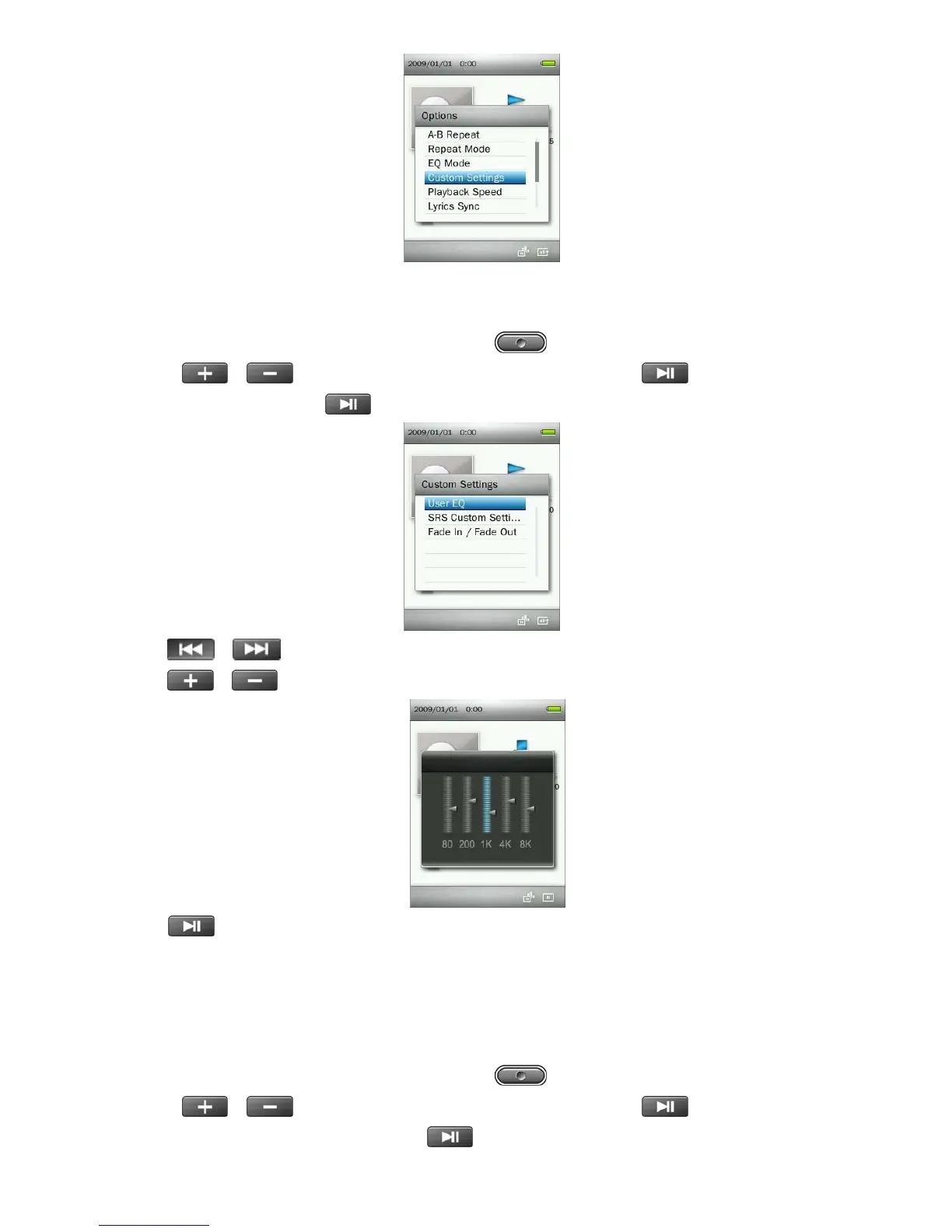
A. User EQ:
The User EQ allows you to customize a 5-band equalizer to your personal preference.
1. While playing a song in the MUSIC mode, press the
button to open the Options menu.
2. Use the / buttons to select “Custom Settings” and press .
3. Select “User EQ” and press .
4. Press /
buttons to switch between five bands: 80Hz, 200Hz, 1KHz, 4KHz, and 8KHz.
5. Press
/
to increase or decrease levels of each frequency range
6. Press
to confirm and return to the “Custom Settings” menu.
B. SRS Custom Settings:
This menu lets you customize the “SRS Custom” Equalizer Mode. The following settings can be adjusted:
SRS 3D, TruBass, Focus, Center, Definition, Speaker, and Limiter.
1. While playing a song in the MUSIC mode, press the
button to open the Options menu.
2. Use the / buttons to select “Custom Settings” and press .
3. Select “SRS Custom Settings” and press .
22



 To Next Page