APX 525/625 Generator Revision C Service Adjustments
©
2005 Del Medical Imaging Corporation
7/5/2005 Page 144
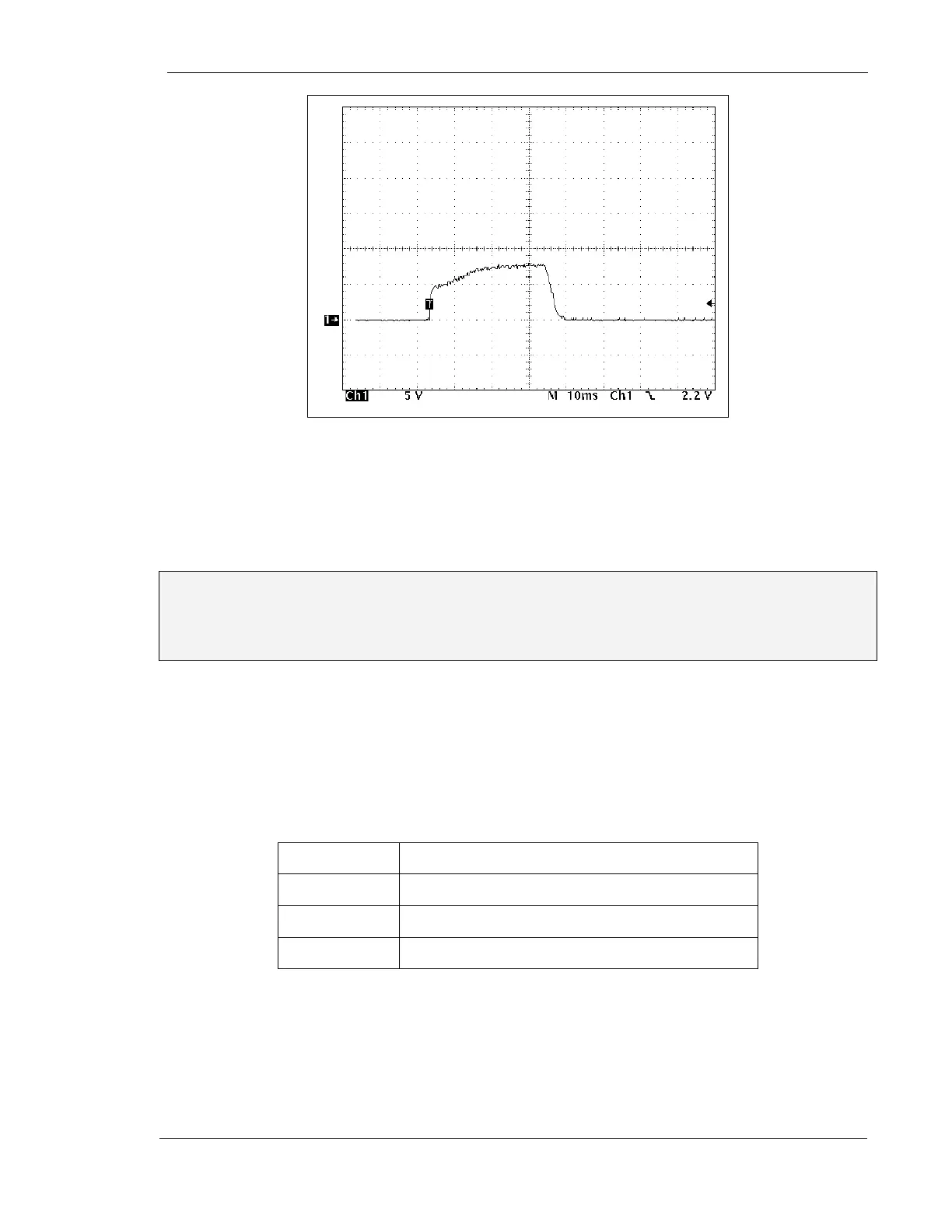
Figure 71 – Preheat Set Too Low
11. Switch to the small focal spot.
12. Make another exposure and observe the waveform. If necessary, adjust R70
(Small Focus Preheat) on the mA/Rotor Board for an overall flat waveform
Note: After adjusting for a flat waveform at this technique, the mA amplitude of the
small focus should be less than or equal to the amplitude of the large focus. Higher
small focus amplitudes may indicate a problem in the filament drive circuitry. Contact
our technical support group for assistance.
13. Once these adjustments have been made, it may be necessary to do some minor
fine tuning. Make exposures at the following power levels, referring back to the
selected mA amplitudes in the table on p. 142. Verify that the selected mA and
mA amplitudes which occur during the exposures are correct. Adjust R63 (which
controls average mA for both small and large focus), R72 (which controls large
focus preheat), and R70 (which controls small focus preheat) as necessary, in
order to obtain flat waveforms of the correct amplitude
Shot one
60 kV, Large Focus, 500 mA, 100 mSec
Shot two
100 kV, Large Focus, 300 mA, 100 mSec
Shot three
60 kV, Small Focus, 500 mA, 100 mSec
Shot four
100 kV, Small Focus, 300 mA, 100 mSec
14. Turn power OFF
15. Return the mA/Rotor Board to the card cage.



 To Next Page