APX 525/625 Generator Revision C Operating Manual
©
2005 Del Medical Imaging Corporation
7/5/2005 Page 7
Power On/Off Procedure
To Power Up The APX 525 or 625 Generator:
Turn the main power disconnect switch to ON
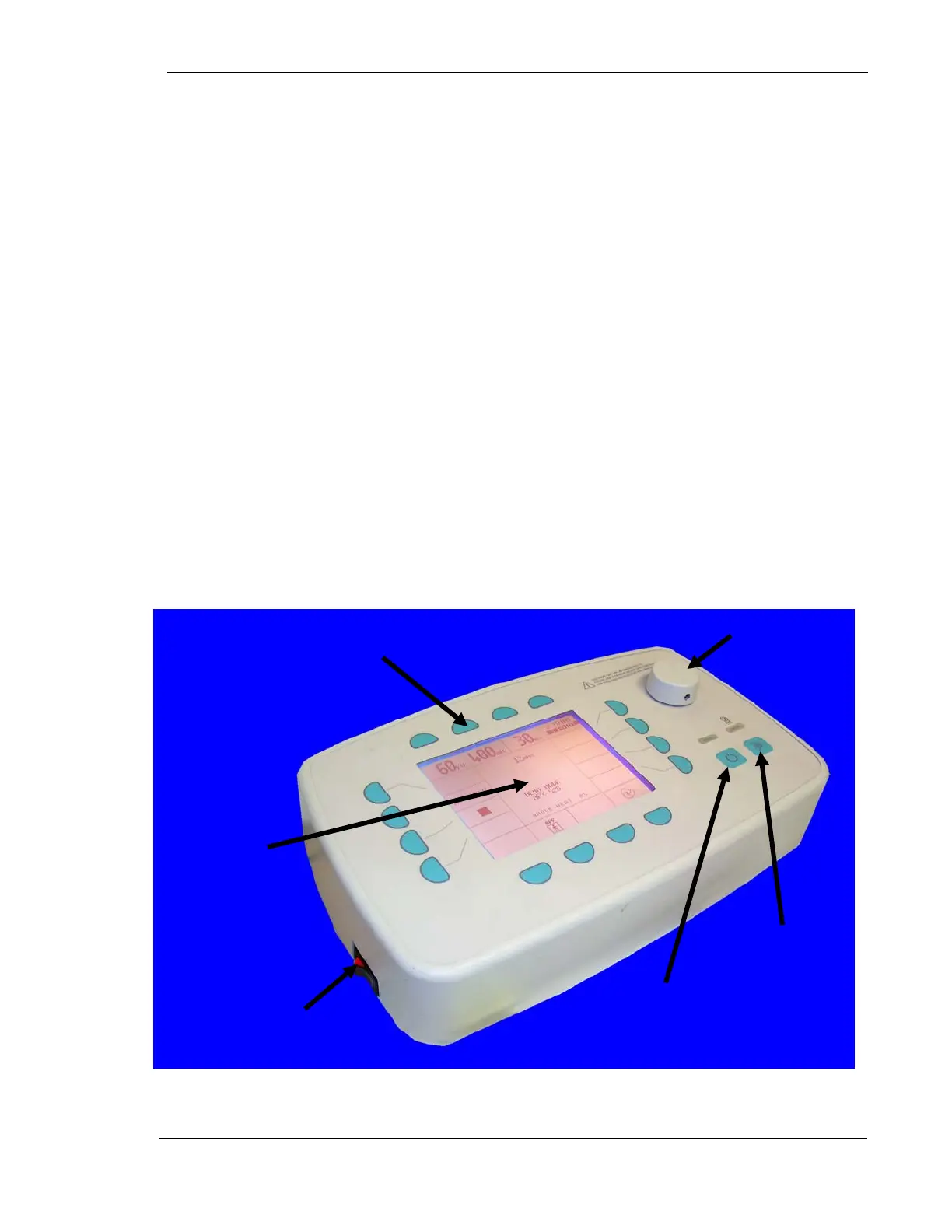
Turn the power switch of the APX 525 or 625 control to ON. This switch is
located on the left side of the operator control console
Within a few seconds, all control panel indicators will illuminate, and an audible tone
will sound during the Power-Up Self Test.
When this Self Test is completed, the display screen will default to the
predetermined mode of operation that was selected at the time of installation. The
system is now ready for use.
To Power Down the APX 525 or 625 Generator:
Turn the power switch on the operator console to OFF
If the generator will not be used for an extended period, set the main power
disconnect switch to OFF.
Operator Control Console
Power
Switch
Rotational
Knob
Display
Membrane Button
T
ical
Expose
Button
Ready
Button



 To Next Page