APX 525/625 Generator Revision C Using Del APR Utility
©
2005 Del Medical Imaging Corporation
7/5/2005 Page 192
Creating New Anatomical Views
Any anatomical region or view within a region may be renamed, by wiping the text
and typing in the new name for the selection. However, renaming techniques will not
automatically change the exposure techniques which may have already been
programmed for that location.
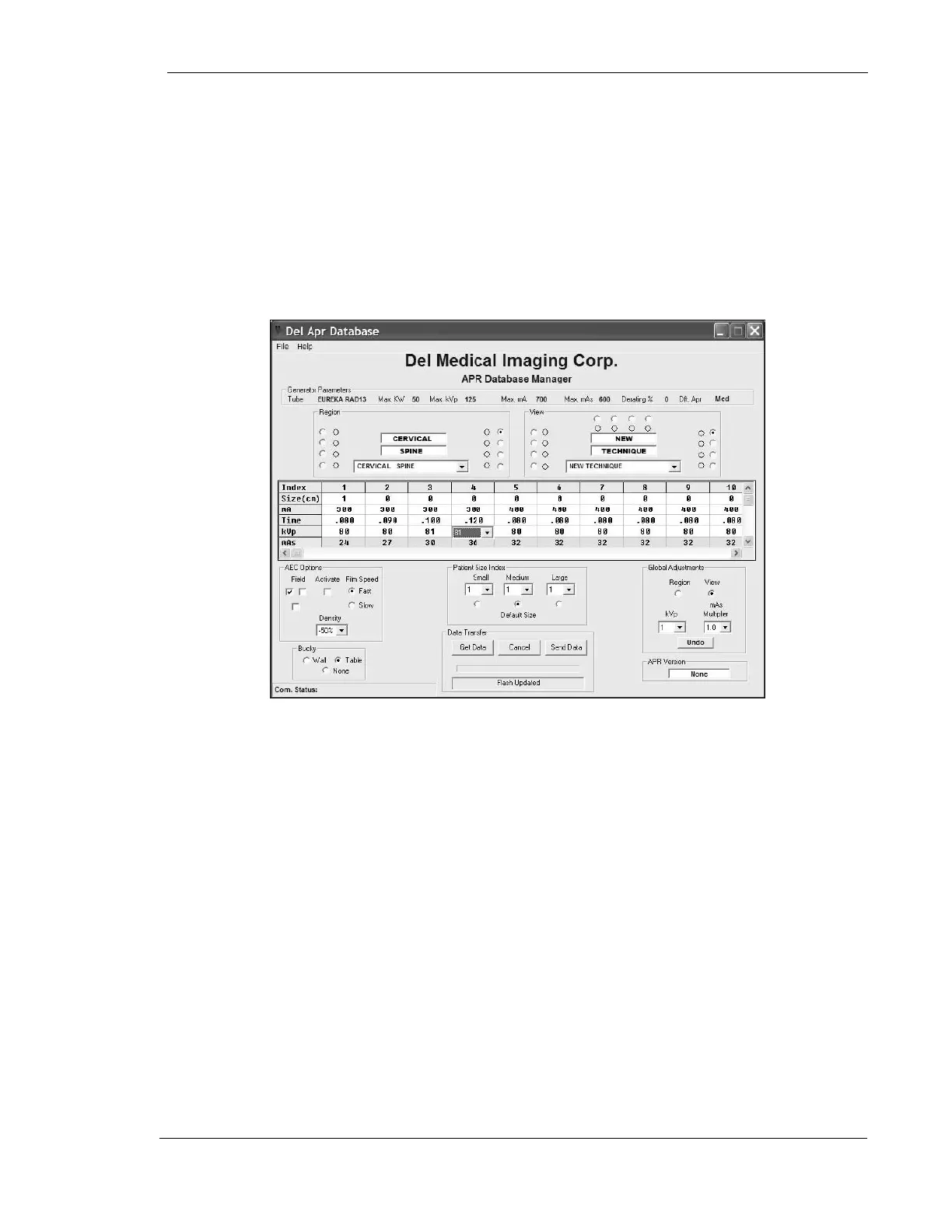
In all available anatomic regions, there are up to 12 available views, with 20
available densities per view. New views may be created within any anatomic region
by selecting one of the available spare views and assigning it an identifiable name.
Exposure technique data for any new view must be entered into all of the 20 patient
thickness locations. After entering the KV, MA, and Time for all available selections
in the new view, you must optimize the view for your x-ray tube, using the View
selection within the Global Adjustments portion of the APR utility screen, and
selecting a mAs multiplier of 1.0.
You must enter the value for patient thickness (in cm) for all thicknesses that
will be allowable within this view. You may limit the available patient thickness
of any view by entering a value of 0 for all non-required selections.
Any techniques which may have been created that fall outside the tube protection
profile for the selected x-ray tube will cause the header for the column to turn red,
indicating that you have made an unallowable choice. Changing the excessive value
of MA, Time, or KV will clear the error condition.



 To Next Page