
EasyManua.ls Logo

UTC Fire and Security FenwalNET 8000-ML - User Manual

UTC Fire and Security FenwalNET 8000-ML
242 pages
Print Icon
To Next Page IconTo Next Page
Loading...
P/N 06-237041-001
February 2011
R
Protection Systems
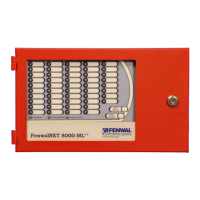
FenwalNET 8000-ML
TM
Intelligent
Fire Alarm-Suppression
Control Unit
(Installation, Operation, and
Maintenance Manual)
FM Approvals
Project ID 3038124
UL Listing File
No. S2422

Table of Contents

Questions and Answers

  • G
    georgecindyAug 9, 2025
    What to do if AC INPUT FAULT is on for UTC Fire and Security Control Unit?
    • W
      William RomeroAug 9, 2025
      If the UTC Fire and Security Control Unit displays an 'AC INPUT FAULT On' message, it indicates a loss or degradation of primary power. First, notify your electric company about the service loss. Then, check the connections to the Power Management Unit (PMU) Board TB1 and use a voltmeter to check for 120/240 Vac at TB1. After that, remove both secondary and primary power, disconnect all field wiring (labeling them first), and ensure the AC Selector Switch is correctly set for your line voltage. Finally, reinstall the board, connect the wiring, and reapply power. Perform functional tests to ensure proper operation.
  • E
    Elizabeth PenaAug 23, 2025
    Why is the BATTERY CHARGER FAULT on in my UTC Fire and Security FenwalNET 8000-ML?
    • V
      Veronica RodriguezAug 23, 2025
      If the UTC Fire and Security Control Unit shows a 'BATTERY CHARGER FAULT On' message, it means there’s a failure in the battery-charging circuitry. You should check the battery connections to the Power Management Unit (PMU) Board J10. Disconnect the battery leads from J10 and use a digital volt-ohm meter to measure the battery's open-circuit voltage; replace the batteries if the voltage is less than 22 Vdc. Also, check and replace the fuse on the PMU Board if it's blown. If the problem persists, replace the power supply unit or the Power Management Unit (PMU).

Summary

SAFETY SUMMARY

CHAPTER 1 GENERAL INFORMATION

1-5 SYSTEM COMPONENTS

Lists the main components of the basic FenwalNET 8000-ML control unit, including enclosure, MCB, PSU/PMU, and batteries.

1-8 KEYPAD AND DISPLAY

Explains the built-in keypad and display as the primary interface for system operation, configuration, and testing.

1-9 MAIN CONTROLLER BOARD (MCB)

Describes the MCB as the system's central processing unit, controlling all operations and software within the FenwalNET 8000-ML system.

1-10 POWER SUPPLY;PMU ASSEMBLY

Details the components of the Power Supply/PMU Assembly, essential for system power and battery management.

1-11 BATTERIES

Specifies the types of batteries supported and requirements for calculating battery capacity for standby and alarm operations.

1-15 SIGNALING LINE CIRCUIT (SLC) DEVICES AND MODULES

Details the SmartOne Series of intelligent smoke and heat detectors and their associated modules supported by the system.

1-16 HIGH SENSITIVITY SMOKE DETECTORS

Lists supported high sensitivity smoke detectors like AnaLASER II and AIR-Intelligence ASD models.

1-17 SMARTONE ADDRESSABLE MODULES

Describes the four types of SmartOne addressable modules: Monitor, Relay, Control, and Remote Releasing Modules.

CHAPTER 2 INSTALLATION

2-3 OVERVIEW OF INSTALLATION STEPS

Provides a sequential overview of the installation process from shutting off AC power to performing final installation procedures.

2-4 STANDARD SYSTEM INSTALLATION PROCEDURE

Details the step-by-step procedure for installing a standard FenwalNET 8000-ML control unit, including surface and semi-flush mounting.

2-5 MAKING INTERNAL 24 VDC POWER CONNECTIONS

Explains how to make internal 24Vdc power supply connections between the PMU Board, MCB, and expansion cards.

2-6 MAKING INTERNAL COMMUNICATION CONNECTIONS

Details internal communication connections between the MCB, PMU Board, and expansion card cages via RS485 and USB.

2-8 SETTING UP WIRING TO FIELD DEVICES

Covers requirements for field wiring, SLC wiring styles (Class-A, Class-B, Style 7), and electrical supervision.

2-9 SETTING UP COMMUNICATIONS

Explains how to configure RS232 and USB communication ports for connecting to PCs, laptops, or printers.

2-10 SETTING UP PERIPHERAL DEVICES AND ENCLOSURES

Details the setup of peripheral devices like RDCM and R-LAM, including their maximum supported numbers and wiring.

CHAPTER 3 CONFIGURATION AND PROGRAMMING

3-1.1 Initial Signaling-Line Circuit Configuration

Guides through the initial configuration and checking of SmartOne devices connected to the SLC, including the AutoLearn Routine.

3-1.2 Site-Specific Programming

Explains how to uniquely configure each FenwalNET 8000-ML system for specific applications using Auto-Setup, Remote Software, or Keypad/Display.

3-3.1 ISOLATE MENU FUNCTIONS

Explains how to prevent initiating signals and activation commands from being processed or issued, used for testing and maintenance.

3-3.3 SET MENU FUNCTIONS

Covers changing detector sensitivity, addressing devices, defining global parameters, and triggering configuration routines like AutoLearn and AutoSetup.

3-3.4 TEST MENU FUNCTIONS

Explains how service personnel can test initiating devices, perform alarm simulations, and initiate walk tests.

CHAPTER 4 OPERATION

4-3 USER INTERFACE KEYS AND FUNCTIONS

Details the operator keys and their functions located on the Keypad/Display, providing an overview of the user interface.

4-4 OPERATOR CONTROL KEYS

Lists and explains the functions of the Operator Control Keys, allowing operators to perform critical functions with a single button press.

4-9 SYSTEM STARTUP PROCEDURE

Provides a step-by-step guide for system startup procedures following successful installation, including preliminary steps and initial power-up.

4-10 FENWALNET 8000-ML SYSTEM OPERATION OVERVIEW

Gives general operating instructions for a stand-alone FenwalNET 8000-ML system, covering normal, trouble, alarm, and supervisory states.

CHAPTER 5 TESTING AND MAINTENANCE

5-2 SEMI-ANNUAL AND ANNUAL TESTING

Outlines essential tests to be performed during semi-annual or annual system inspections, including Lamp Test and Battery Test.

CHAPTER 6 TROUBLESHOOTING

Table 6-2. SLC Events

Details SLC-related error messages, probable causes, and corrective actions for devices connected to the Signaling Line Circuit.

APPENDIX B WIRING REQUIREMENTS FOR FENWALNET 8000-ML SIGNALING LINE CIRCUIT

APPENDIX C LIST OF AGENCY LISTED COMPATIBLE DEVICES

APPENDIX E ROUTINGS FOR POWER-LIMITED AND NON-POWER LIMITED WIRING

APPENDIX H CONVERSION INSTRUCTIONS FOR FENWALNET 2000

H-6 PROCEDURE

Details the step-by-step procedure for converting the FenwalNET 2000 enclosure to house FenwalNET 8000-ML electronics.

UTC Fire and Security FenwalNET 8000-ML Specifications

General IconGeneral
BrandUTC Fire and Security
ModelFenwalNET 8000-ML
CategoryControl Unit
LanguageEnglish