MM101 – D-4E HOT MELT UNIT 34
VALCO MELTON S.L.U. Pol. Ind. Agustinos C/G 34 3116 0 ORCOYEN, NAVARRA
TEL: +34 948 321580 Fax: +34 948 326584 melton@melton.es www.valcomelton.com
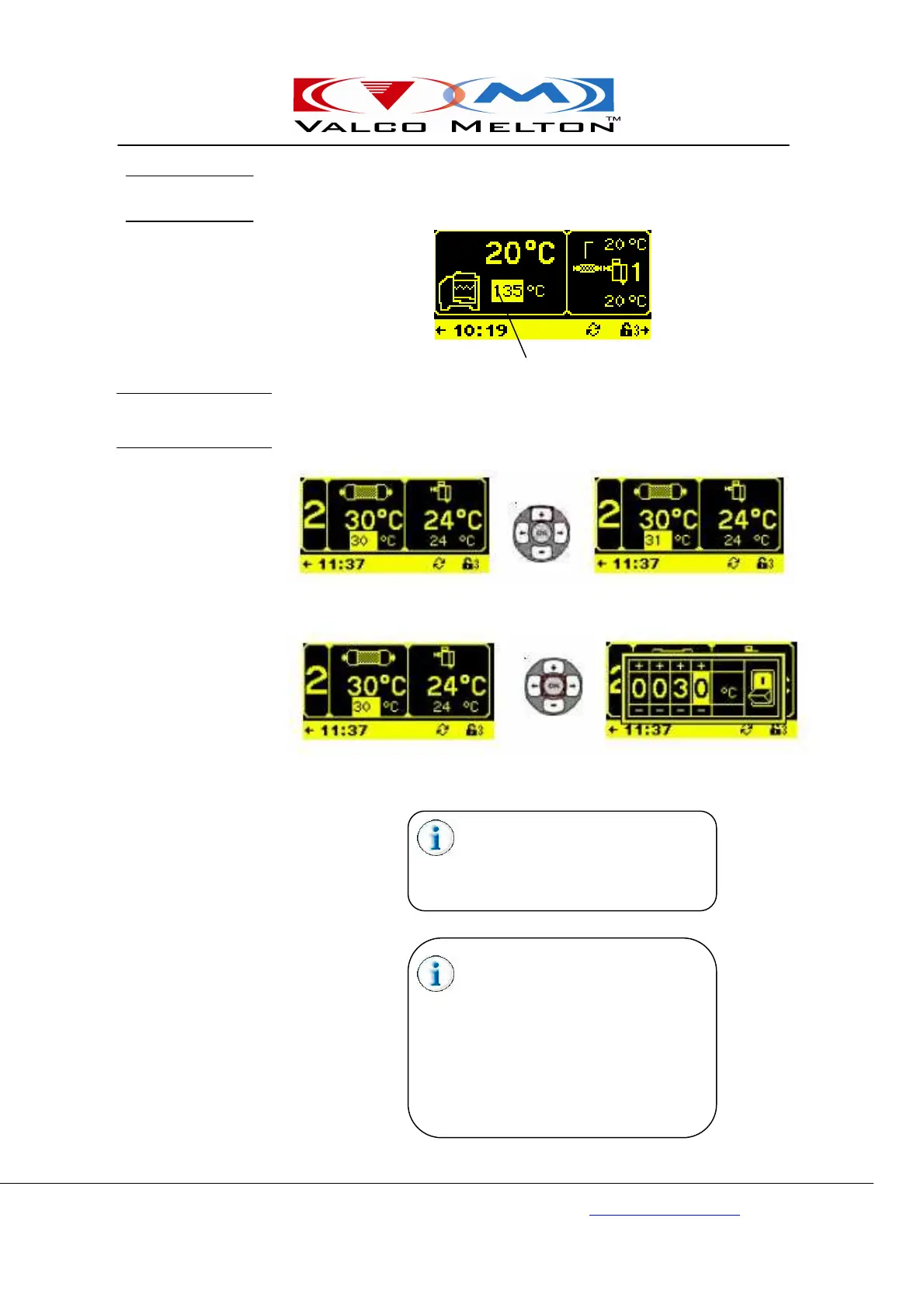
Highlighted information is editable. Use the appropriate buttons (depending
on the navigation symbols shown) to navigate through the editable
(highlighted) information.
When editable information is numerical, the information may be edited with
the Plus/Minus Buttons for single digit editing, or the OK Button may be
pressed to bring up a thumbwheel for more detailed editing.
Editable (highlighted)
Single Digit Editing
Thumbwheel Editing
In Thumbwheel Edit, use the Right/Left
Arrow Buttons to select the digit
position, and the Plus/Minus Arrow
Buttons to increase/decrease the value
of the selected digit.
Some thumbwheel screens contain a
switch that can be used to turn the
selected function ON or OFF.
Common examples would be turning a
hose or gun zone ON or OFF, making
a schedule change to turn on setback
during a shift, or enabling Sequential
Start. Use the Right/Left Arrow Buttons
to select the switch, then use the Plus/
Minus Buttons to toggle the switch ON
Editing
Thumbwheel vs.
Single Digit Edit



 To Next Page