MM101 – D-4E HOT MELT UNIT 61
VALCO MELTON S.L.U. Pol. Ind. Agustinos C/G 34 3116 0 ORCOYEN, NAVARRA
TEL: +34 948 321580 Fax: +34 948 326584 melton@melton.es www.valcomelton.com
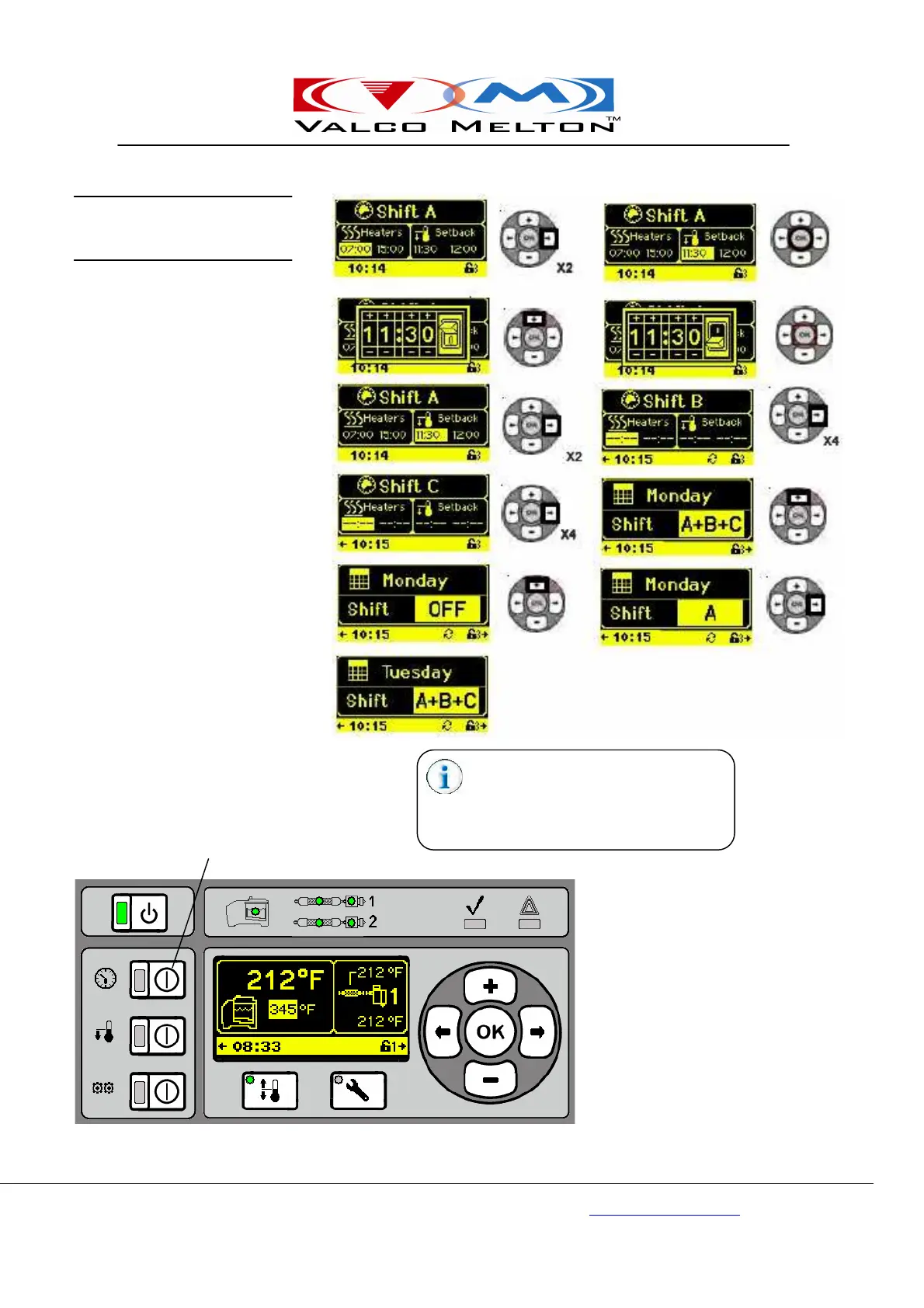
Continue to use the Right/Left, Up/
Down, and OK Buttons to set all shift
times and what shifts work on each day.
Turn the Clock On and your unit is set
to work with your shift times and days.
Clock Button
Press the Clock Button to enable all
shift setting (the 7-Day Timer).
Shift Time/Day Screens



 To Next Page