MM101 – D-4E HOT MELT UNIT 39
VALCO MELTON S.L.U. Pol. Ind. Agustinos C/G 34 3116 0 ORCOYEN, NAVARRA
TEL: +34 948 321580 Fax: +34 948 326584 melton@melton.es www.valcomelton.com
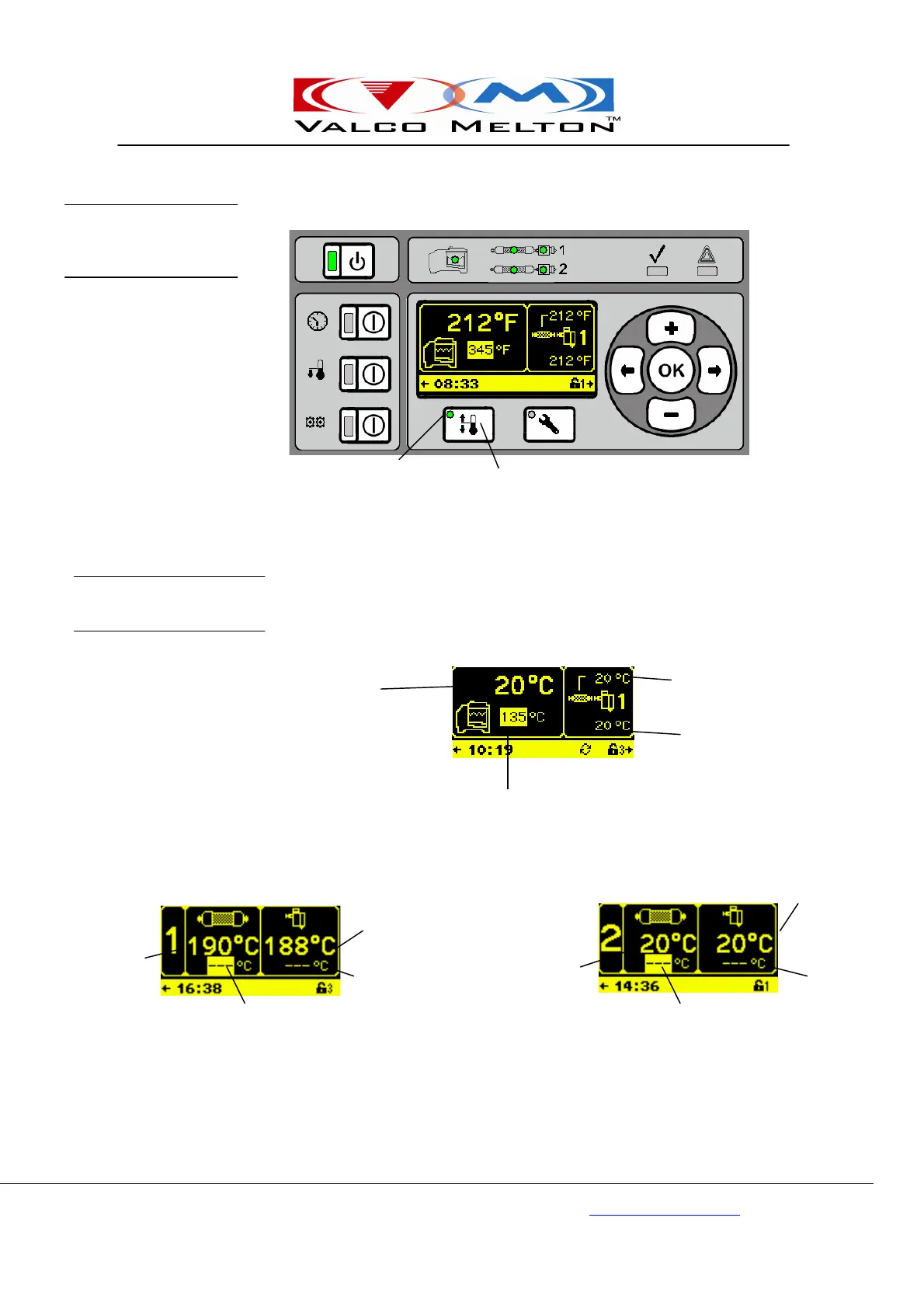
Actual Tank
Temperature
Actual Hose 1
Actual Valve 1
Temperature
Setpoint Tank Temperature
Actual Hose 1
Temperature
Hose 1 Temperature
Setpoint
Actual Valve 1
Valve 1
Temperature
Setpoint
Actual Hose 2
Hose 2 Temperature
Setpoint
Valve 2
Temperature
Setpoint
Actual Valve 2
Press the Temperature Button (if the Temperature LED is not illuminated
green) to show the first temperature screen.
The tank temperature screen shows the actual tank temperature and the
tank temperature setpoint. For operator convenience, the right side of this
screen alternately displays the first hose and valve temperatures and the
second hose and valve temperatures.
Press the Temperature Button repeatedly (or use the navigation keys) to
cycle through the temperature screens until you reach the desired screen.
Temperature
LED
Temperature
Temperature LED On
Tank Temperature Screen
Hose 1 Temperature-Valve 1
Temperature Screen
Hose 2 Temperature-Valve 2
Temperature Screen
Programming
Temperatures
Temperature Screens



 To Next Page