MM101 – D-4E HOT MELT UNIT 70
VALCO MELTON S.L.U. Pol. Ind. Agustinos C/G 34 3116 0 ORCOYEN, NAVARRA
TEL: +34 948 321580 Fax: +34 948 326584 melton@melton.es www.valcomelton.com
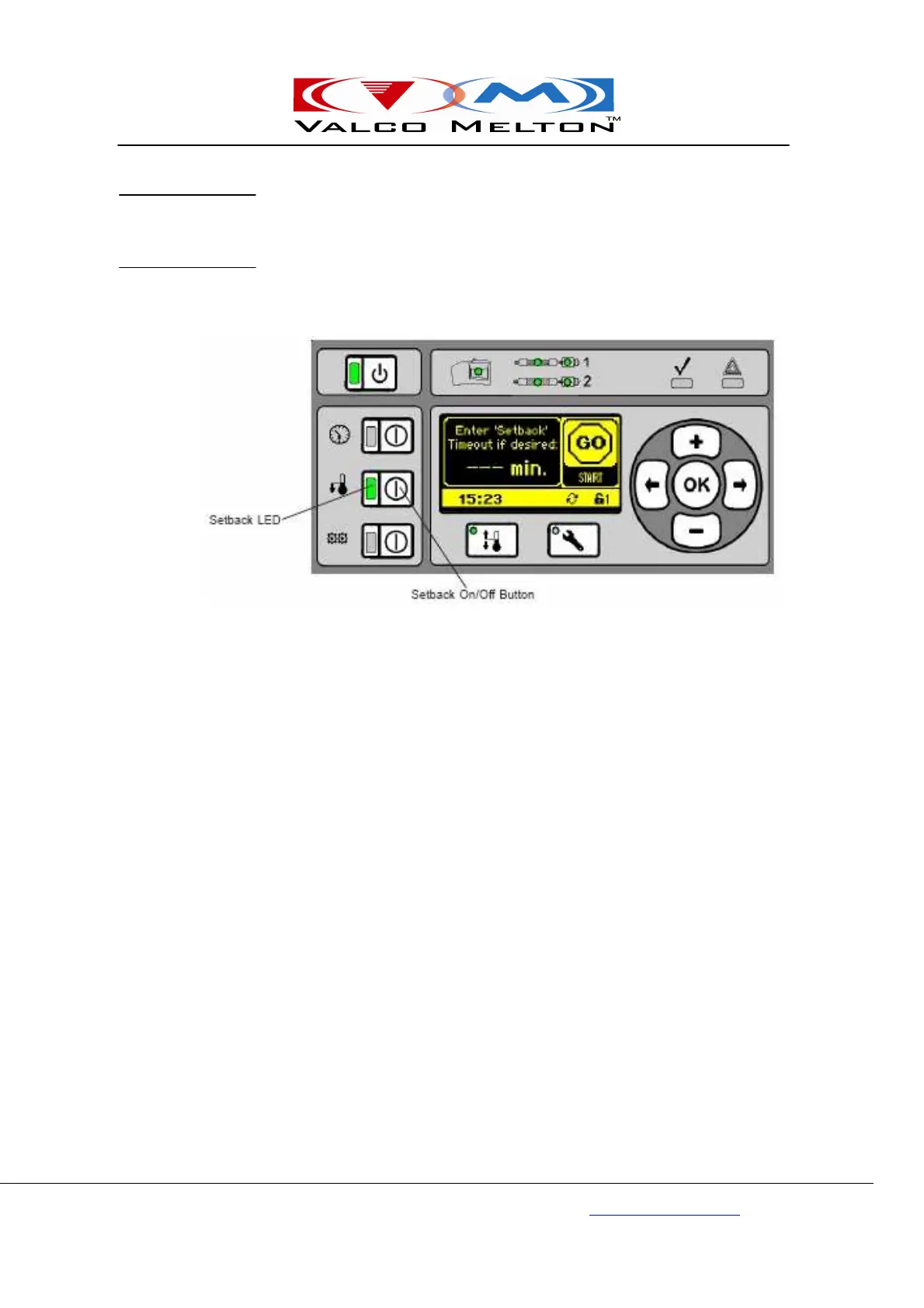
The Setback Temperatures are pre-programmed (see “Setback
Temperatures,” Section 5 - Setup). When setback times are set (See “Clock
- Shift Times/Setback Times,” Section 5 - Setup) and the clock is on, the
unit automatically enters setback during each shift as programmed. If,
however, an unscheduled break occurs, the Setback Button can be pressed
(Setback LED illuminated yellow) to put the unit into setback manually. To
exit setback mode, press the Setback Button again (LED not illuminated)
On/Off



 To Next Page