MM101 – D-4E HOT MELT UNIT 74
VALCO MELTON S.L.U. Pol. Ind. Agustinos C/G 34 3116 0 ORCOYEN, NAVARRA
TEL: +34 948 321580 Fax: +34 948 326584 melton@melton.es www.valcomelton.com
ValcoMelton recommends using paraffin wax to flush the unit.
Caution! If a cleaning solution is to be flushed through the hotmelt
system, it must be compatible with silicone, Viton, Teflon,
carbon graphite, and aluminum. Consult the adhesive
manufacturer to find out which cleaning solutions are
recommended for the adhesive you are using. Failure to
comply could result in damage to the equipment.
To flush the system, follow these steps:
1. Place an adequate supply of either paraffin wax or suitable cleaning
solution into the unit.
Warning! If the system is hot, wear insulated gloves and eye
protection when disconnecting hoses. Trapped air pockets
may cause adhesive spray and result in personal injury
(burns) or death.
2. Make sure that the pump is turned off.
3. Manually activate the applicators to relieve any system pressure
buildup if the system is hot.
4. Disconnect glue hoses from applicators and collect purged material
with appropriate container.
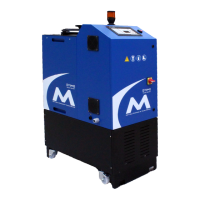
5. Turn the D4-E hot melt unit on and allow 20-30 minutes for hoses
and guns to reach temperature.
6. Turn the pump on.
7. Pump 5-6 lbs. (2 kg) of material through the unit and glue hoses.
Reduce the temperature control setting
to 300°F (148°C) for paraffin wax.
Consult your supplier for proper
temperature setting if cleaning solution
is being used.
If particles are still present in the
discharged material, additional material
may be needed to flush the unit
completely free of charred adhesive.



 To Next Page