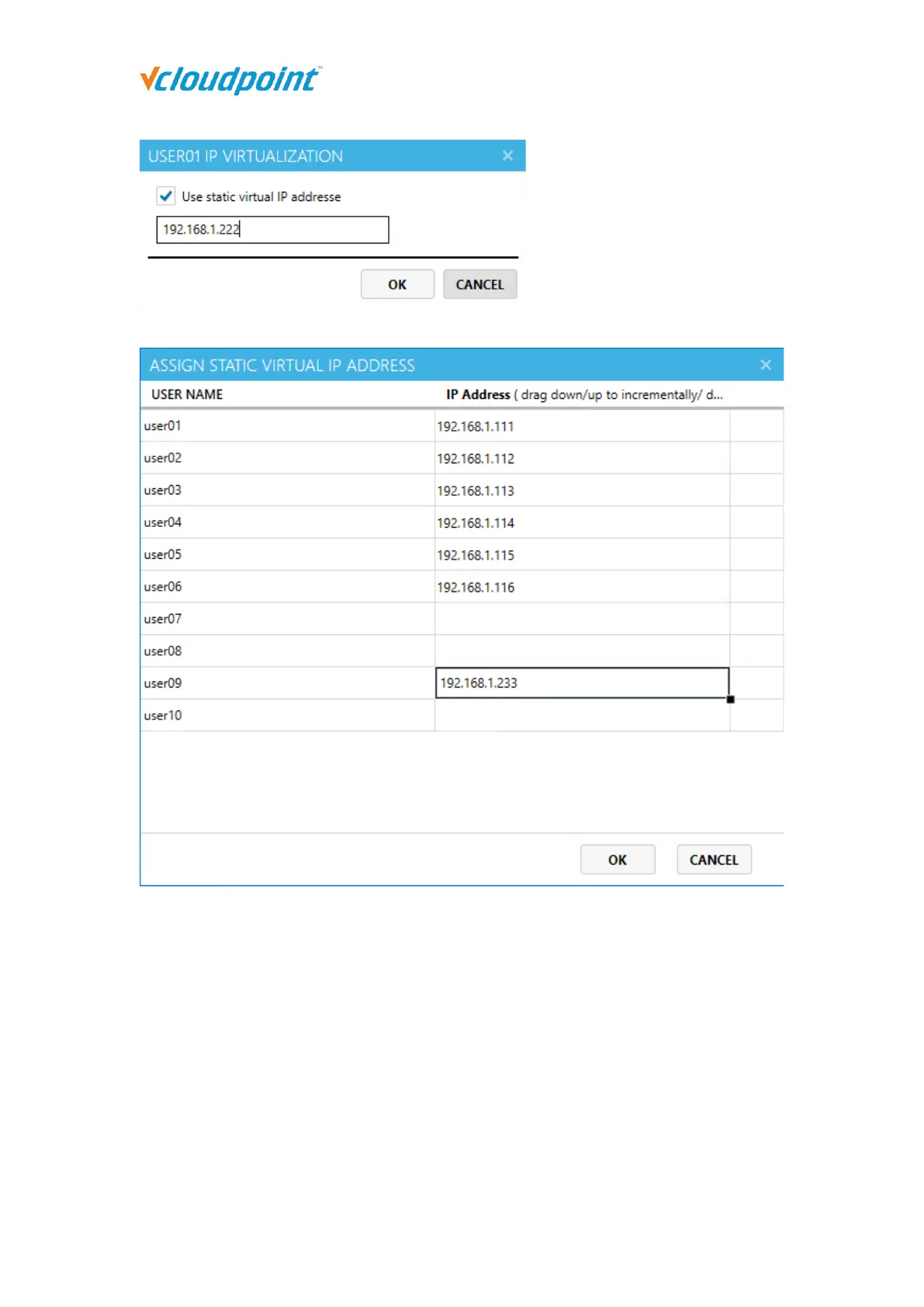
You can select multiple users to assign static IP addresses at once.
Notes:
When enabling IP virtualization, please set a static IP address, which do not in the
virtualization IP address pool, for the host.
Dynamic IP addresses and Static IP addresses can be used at the same time.
IP virtualization can only be set for a single network card. If the server has multiple
network cards, the terminal needs to log in to the host through the network card with
IP virtualization enabled, otherwise IP virtualization will not take effect.
If the host has multiple network cards, the virtual IP address range must be in the
same network segment as the current network card. Otherwise, client devices will be
disconnected when logging in.
If the allocated virtual IP address has been occupied or the dynamic IP address pool



 To Next Page