5.4.3 Notification
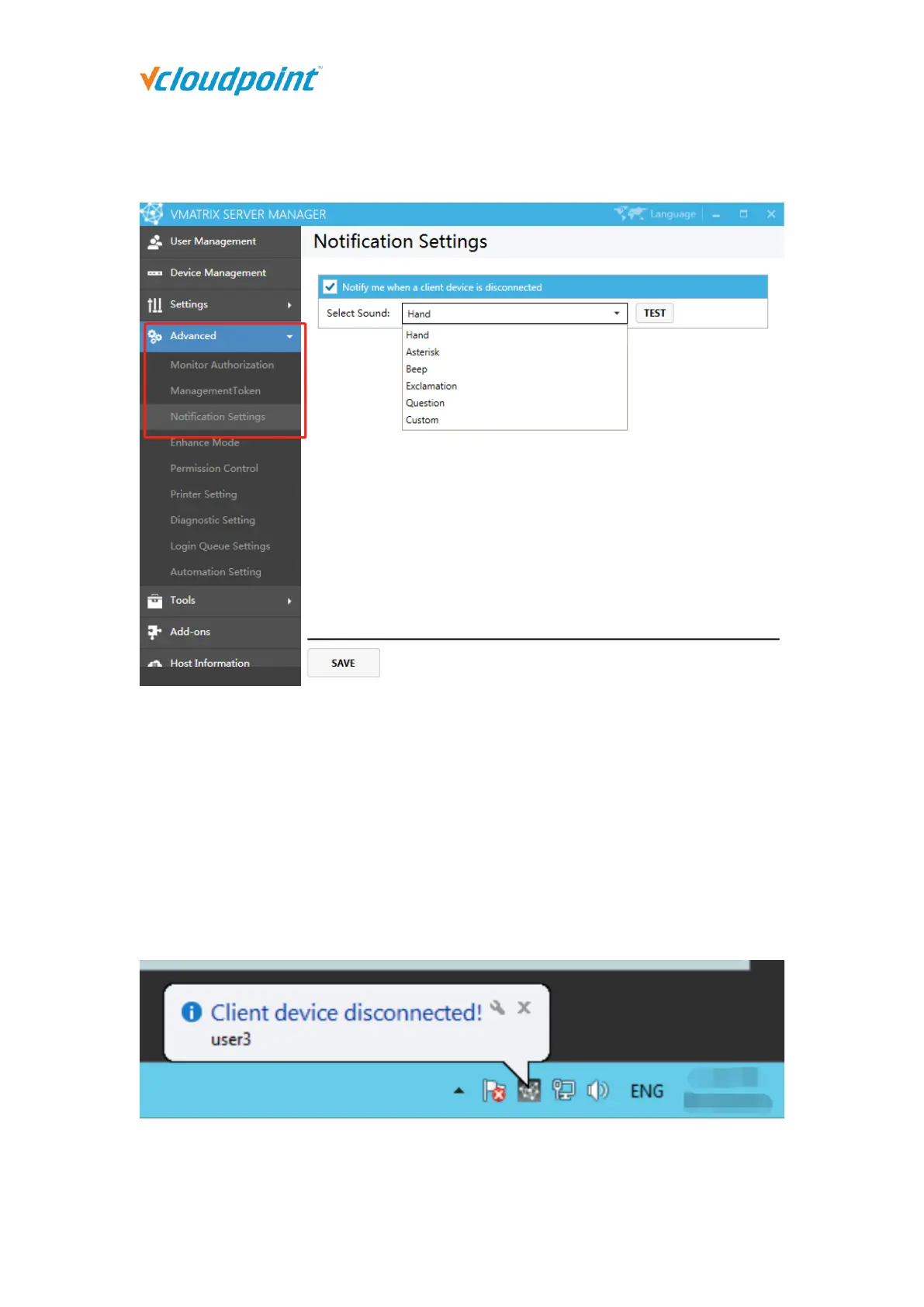
When notification function is enabled, the administrator will be informed with a bubble
prompt if a client device disconnects from the host. This function is often used in
unmanned cases to notify the administrator on session disconnections.
1) Check to enable notification. Select the sound effect. Depending on the system, the
default sound effects will be Hand, Asterisk, Beep, Exclamation, Question or muted.
2) You can also use a custom sound file in *.wav format. Click “Save” to complete the
setting. When a client device disconnects, the administrator will see a bubble prompt
with sound alert.



 To Next Page