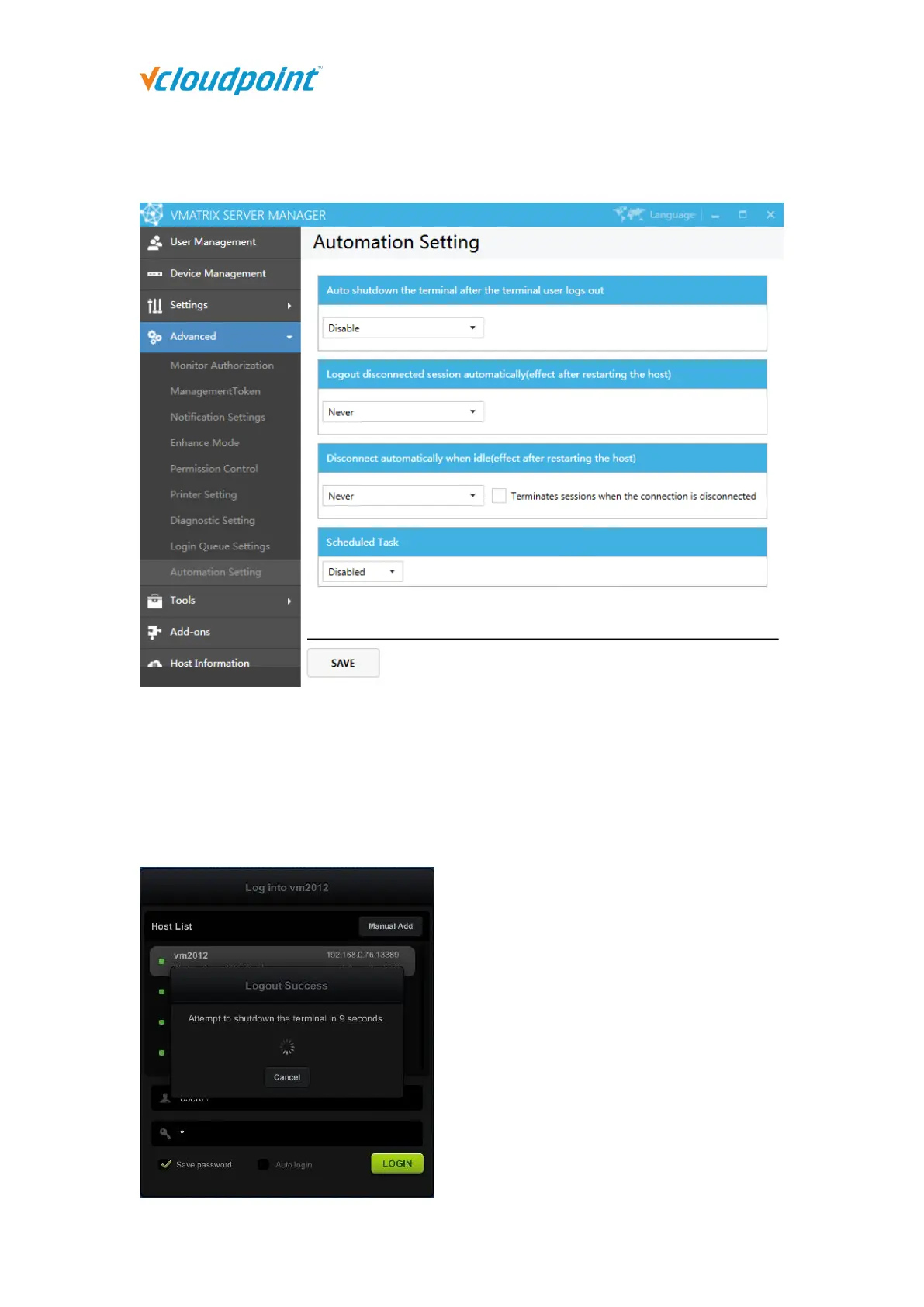
5.4.9 Automation Settings
Auto shutdown the terminal after the terminal user logs out: If this function is
enabled, every time the terminal user logs out and returns to the login interface, a
ten-second countdown prompt will appear. After the countdown is over, the
terminal will be automatically powered off. During the countdown, you can manually
click to cancel power off the terminal.



 To Next Page