Chapter 5. Using vMatrix Server Manager
5.1 User Management
5.1.1 New User Creation
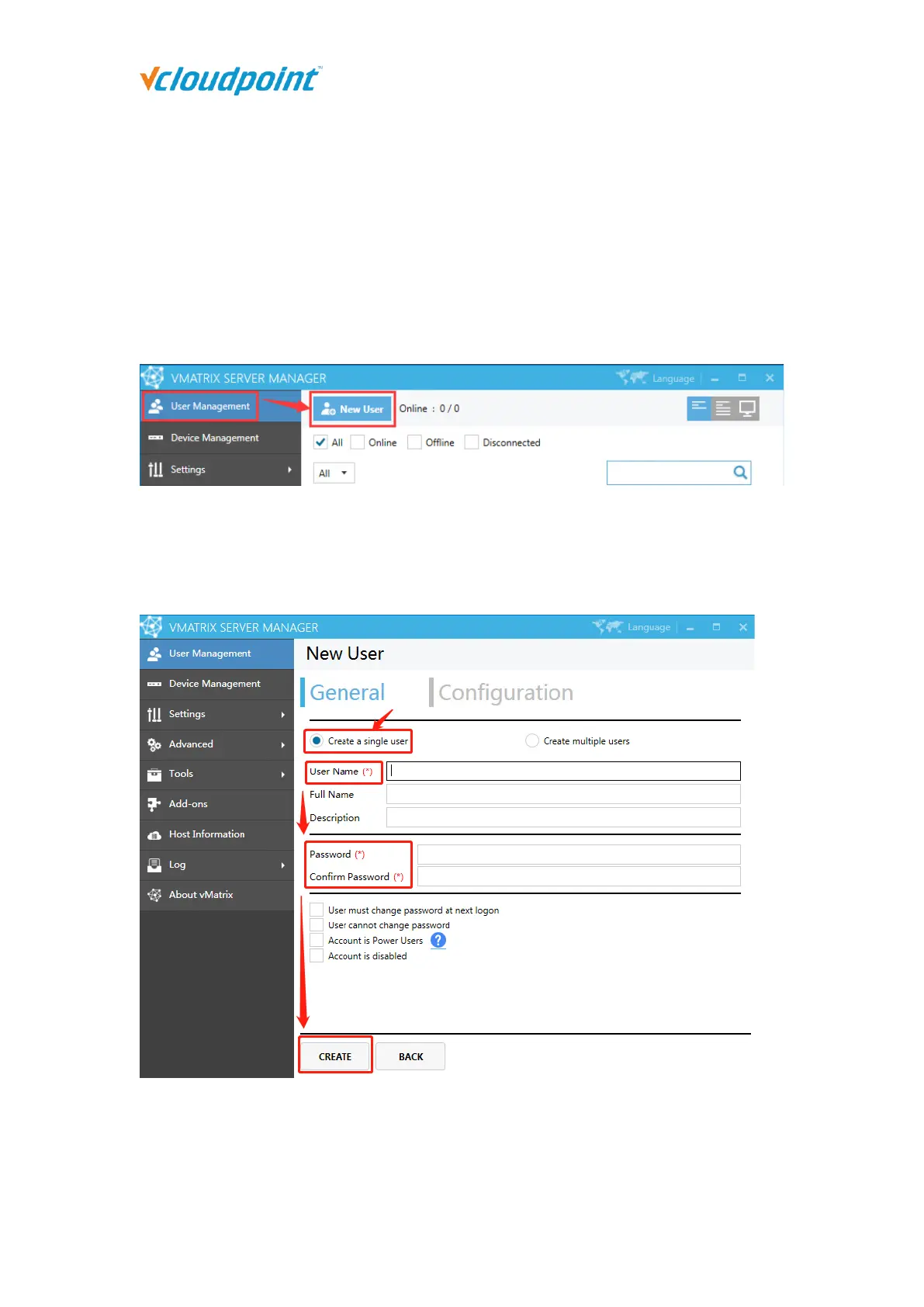
To create users, open vMatrix Server Manager, on the initial page, click “New User”.
Single user creation (defaulted)
To create a single user each time, you simply enter required user name and password and
click “Create” at the bottom.
Multiple user creation
To create multiple users at a time, select “Create multiple users” and then you will be given
a few more fields.



 To Next Page