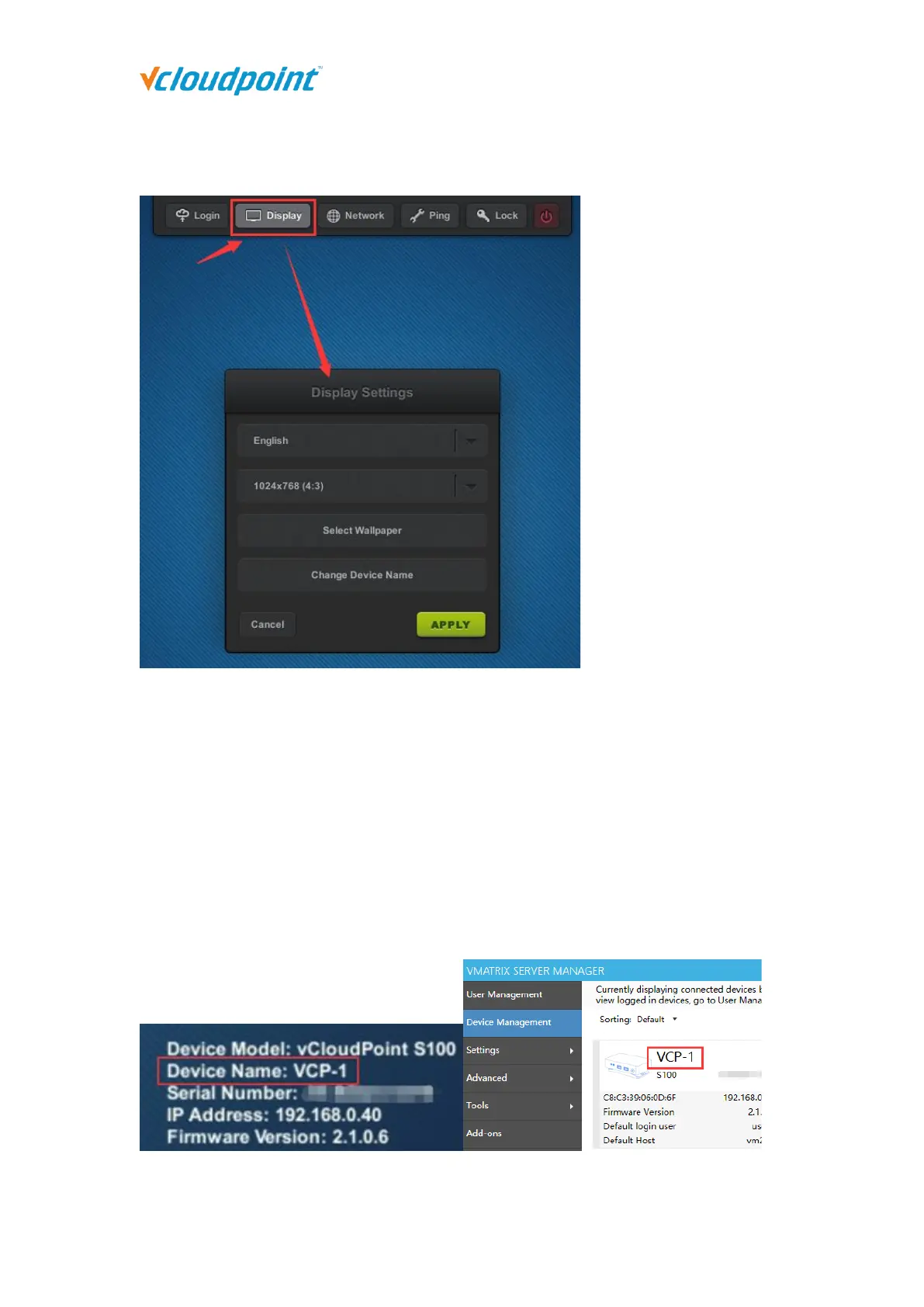
4.1.2 Display
Language: to change the device language; available languages: English Chinese,
Russian, default: English.
Resolution: to change the resolution for the device interface and user desktop;
default: 1024x768 (4:3), maximum: 1920x1080.
Wallpaper: to change wallpaper for the device interface.
Device Name: to change device name; default: S100- (last 8 serial numbers). Device
name is shown at the right bottom of device interface and User Management page on
vMatrix Server Manager.



 To Next Page