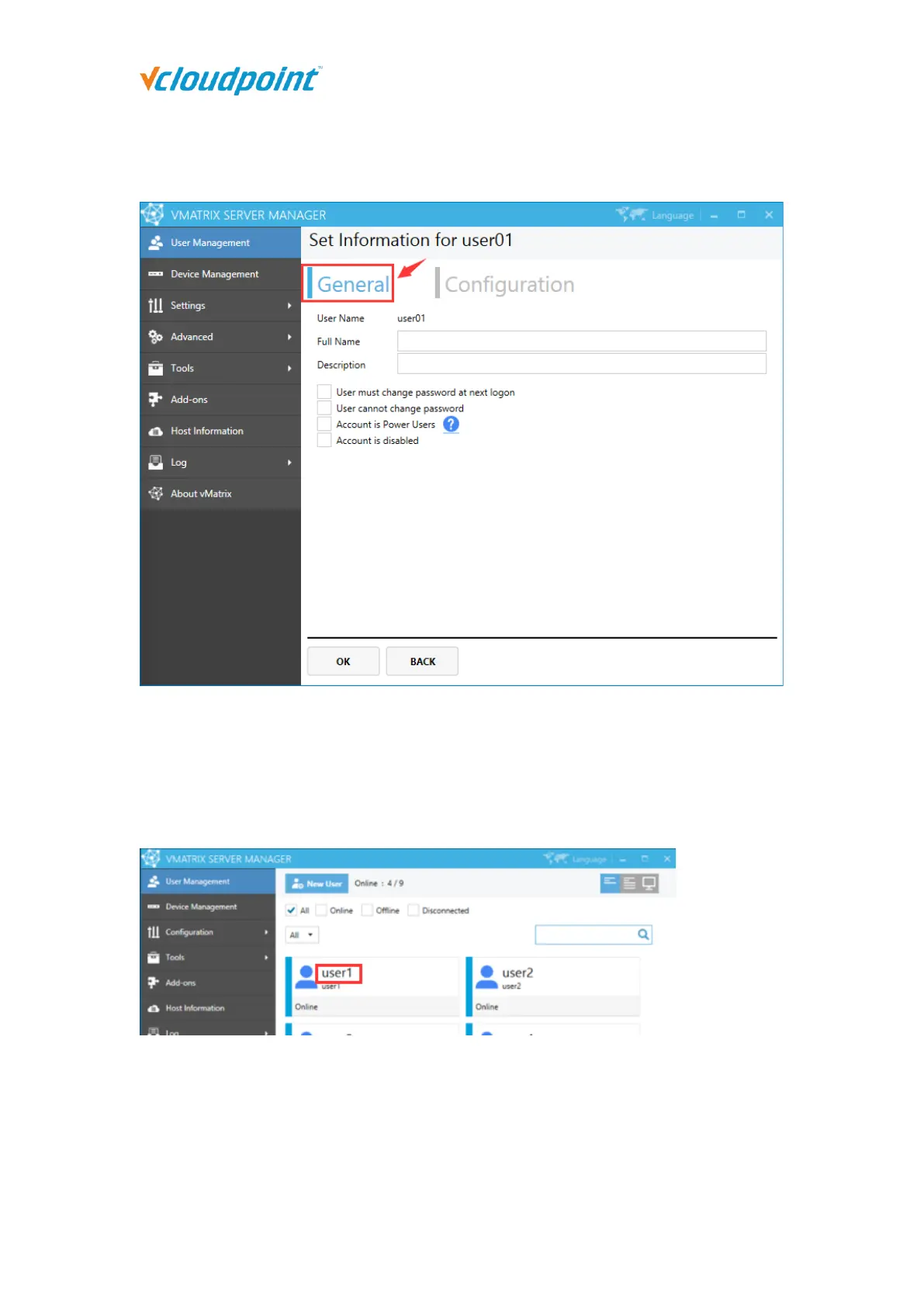
General Settings
User Name: user name cannot be changed on this page but only by right clicking the
user module on initial User Management page.
Full Name: the user’s full name is the top one beside the user icon on initial User
Management page.
Description: description of the user does not show at any other place.
User must change password at next logon: selecting this option will force the user
to change password at next logon.
User cannot change password: selecting this option will disable the user to change



 To Next Page