EasyManua.ls Logo

vCloudPoint S100 - 2.1.2 Networking Configuration

vCloudPoint S100
138 pages
Print Icon
To Next Page IconTo Next Page
To Previous Page IconTo Previous Page
Loading...
RDS Solution With vMatrix User Manual
7
2.1.2 Networking Configuration
Host Network Controller
10/100/1000Mbps Base-T
Switch
10/100/1000Mbps Base-T
Cable
Connecting zero clients
10/100Mbps or 10/100/1000Mbps Base-T
Connecting host to switches
10/100/1000Mbps Base-T
Note:
1) You are recommended to use reliable gigabyte networking devices and CAT-6 Ethernet cables for
desirable multi-user experience.
2) Although vCloudPoint zero clients have a WIFI option, you are recommended to use standard
Ethernet network as unreliable WIFI network may cause disconnection or experience compromised.
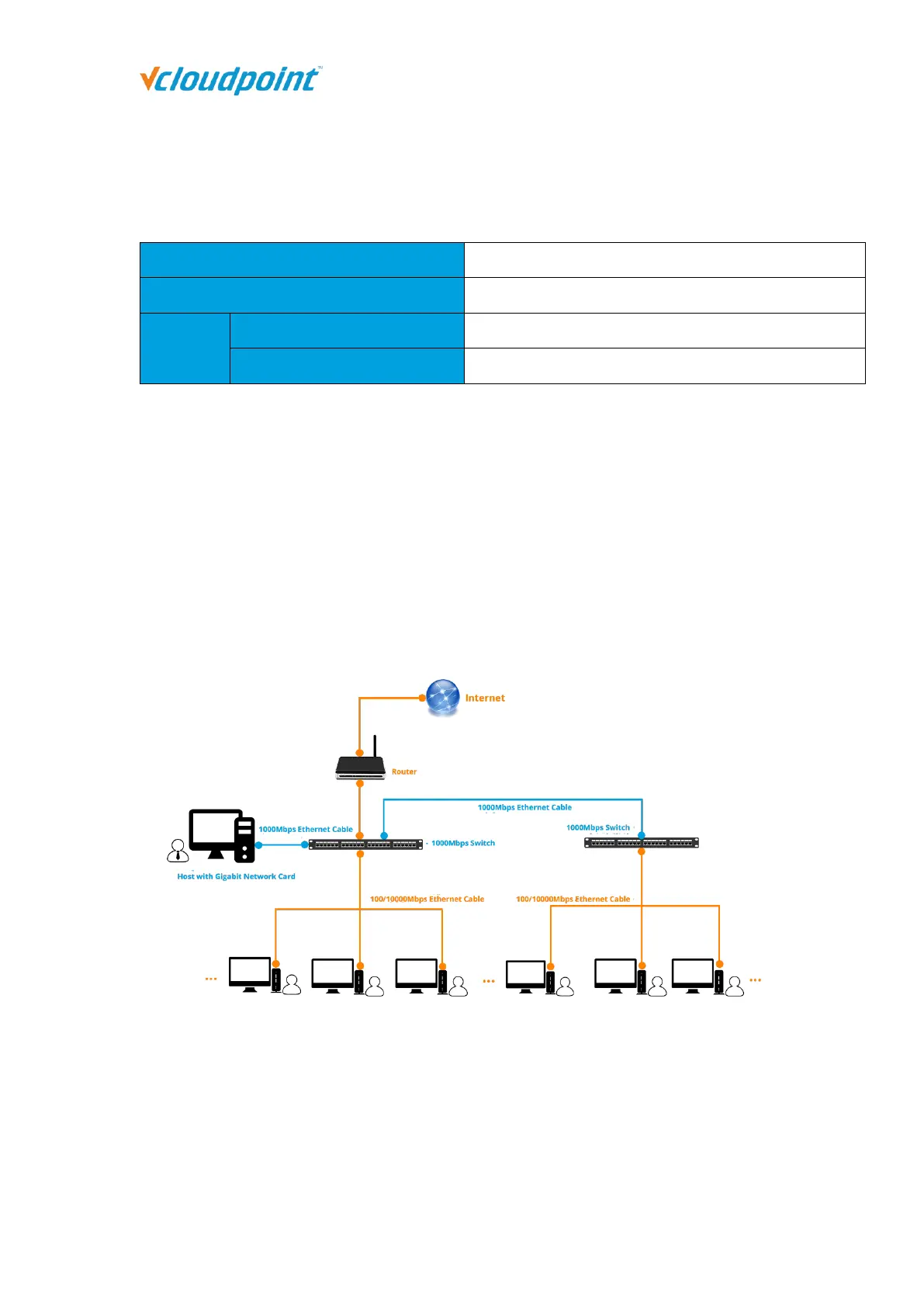
2.1.3 Network Wiring Diagram


Table of Contents