3.3 Device Connection
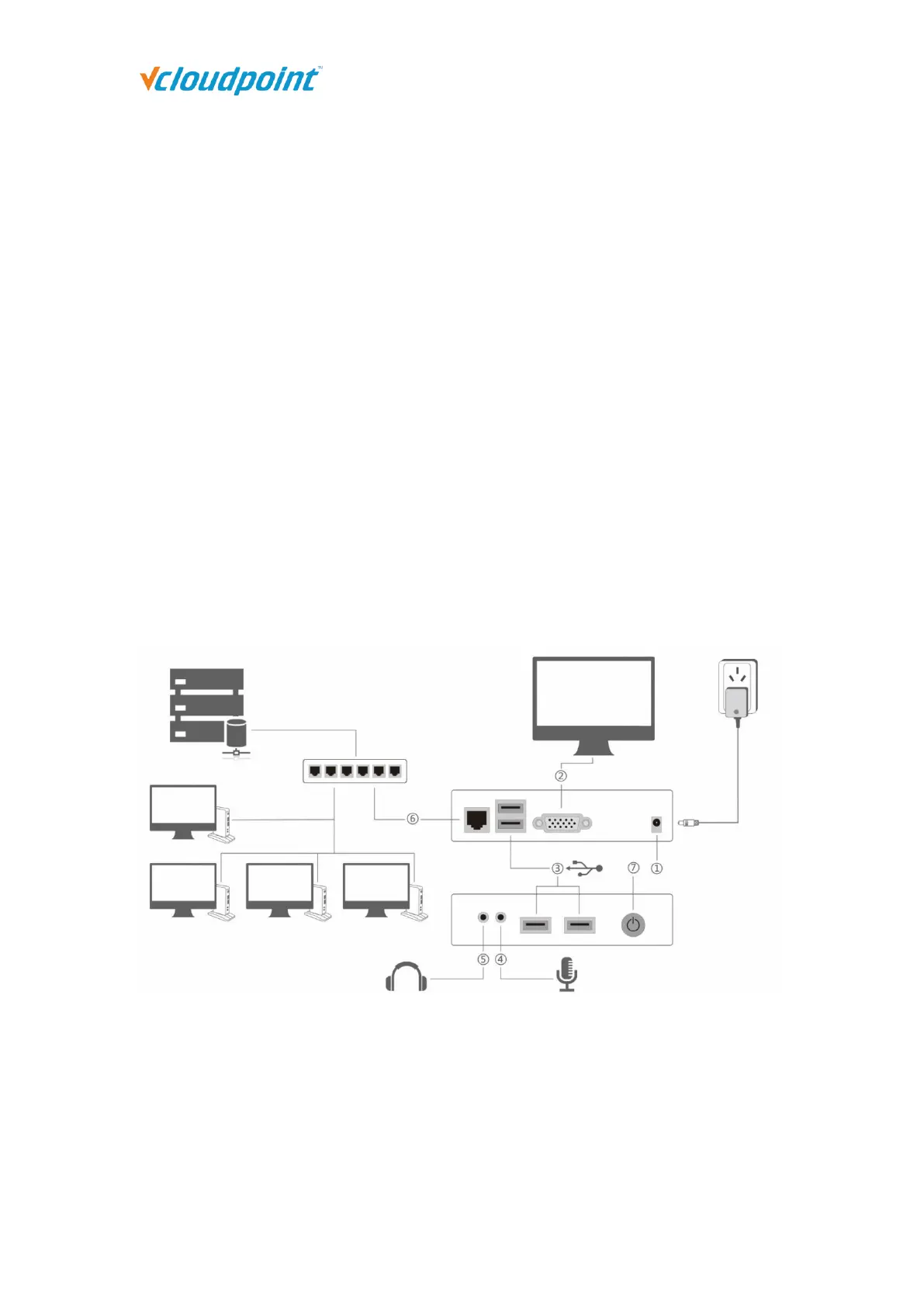
Connect the zero client to other peripherals as shown below.
Connect the zero client to the power adapter of 5V, 2A. Do not use power adapter of
other specifications to avoid damage to the zero client.
Connect the zero client to a monitor with VGA or HDMI port.
Connect the zero client to USB keyboard and mouse and other USB devices if
necessary.
Connect the zero client to Mic and speaker through 3.5mm jacks if necessary (Audio
devices through USB ports are also supported).
Connect the zero client to the network through RJ45 type Ethernet cable to the switch
or USB wireless antenna built with RT8188 chipset.
Power/reset button, short press to power on, long press to reset the terminal.
3.4 Device Login
1) After connecting to the peripherals, press the device power button.
2) After system boot, go the display page, select your correct language and desktop
resolution; factory default language is “English” and desktop resolution is “1024x768”.



 To Next Page