Note:
1) Any antenna that is built with 2.4GHz RTL8188EUS/ETV chip or 5GHz RTL88xx chip and connects
with USB 2.0 standard is supported by vCloudPoint zero clients.
2) Please connect the WIFI antenna before the zero client powered on.
3) Only one WIFI connection can saved on the zero client.
4) There is no option for entering the name of a WIFI option on the zero client; therefore, you
cannot hide the name (SSID) of the WIFI network that you are decide to connect.
5) Although the vCloudPoint zero clients are with an WIFI option, for a reliable user experience, you
are recommended to connect them through Ethernet cable, as WIFI network may fluctuates and
causes unexpected lags and disconnections during operation.
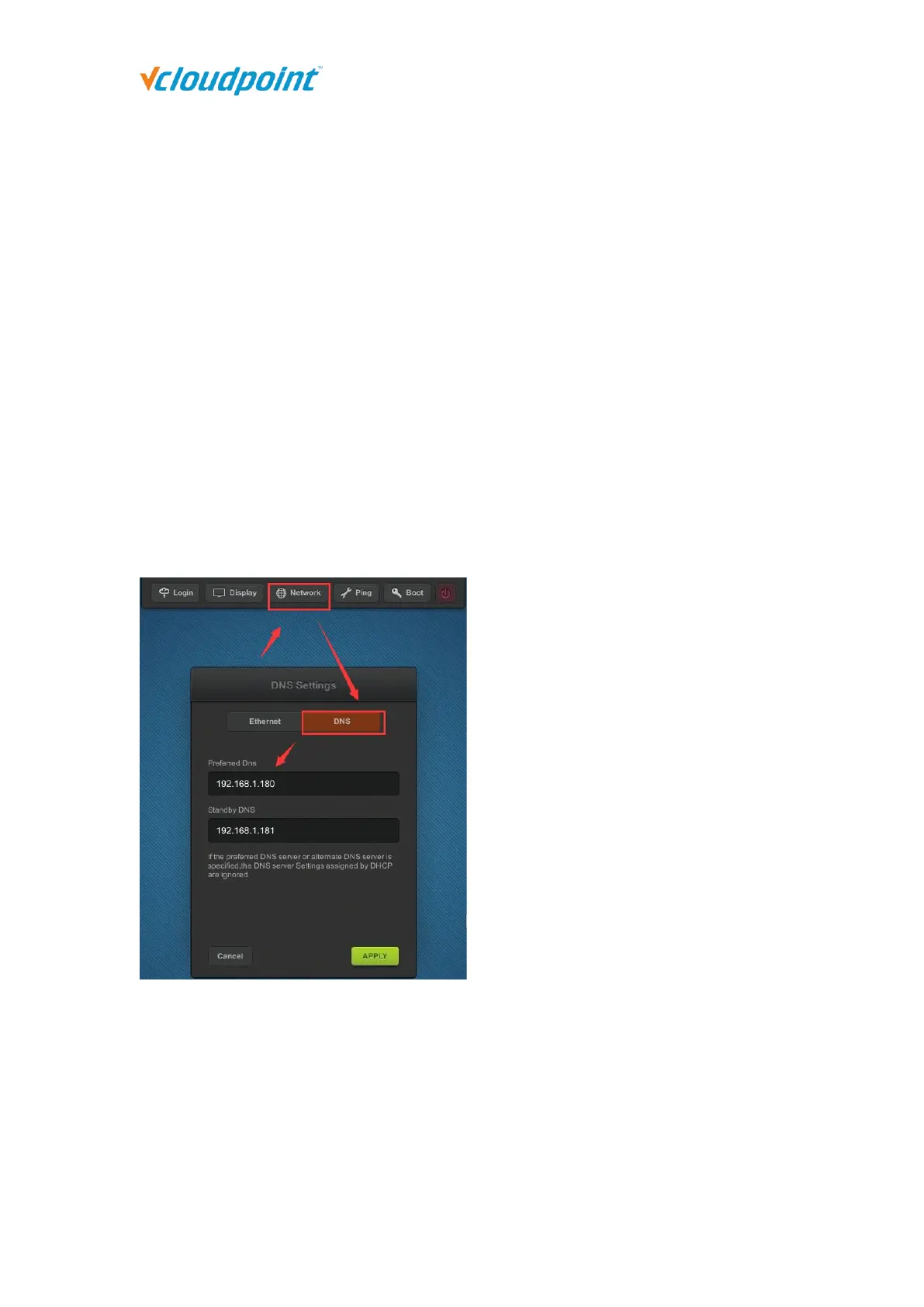
DNS Settings
You could change the DNS of zero clients on this interface manually( If you leave the
option with blank, zero clients will resolve IP address with DNS received from DHCP
server) and you could use search vmatrix server host with domain name on login
interface.



 To Next Page