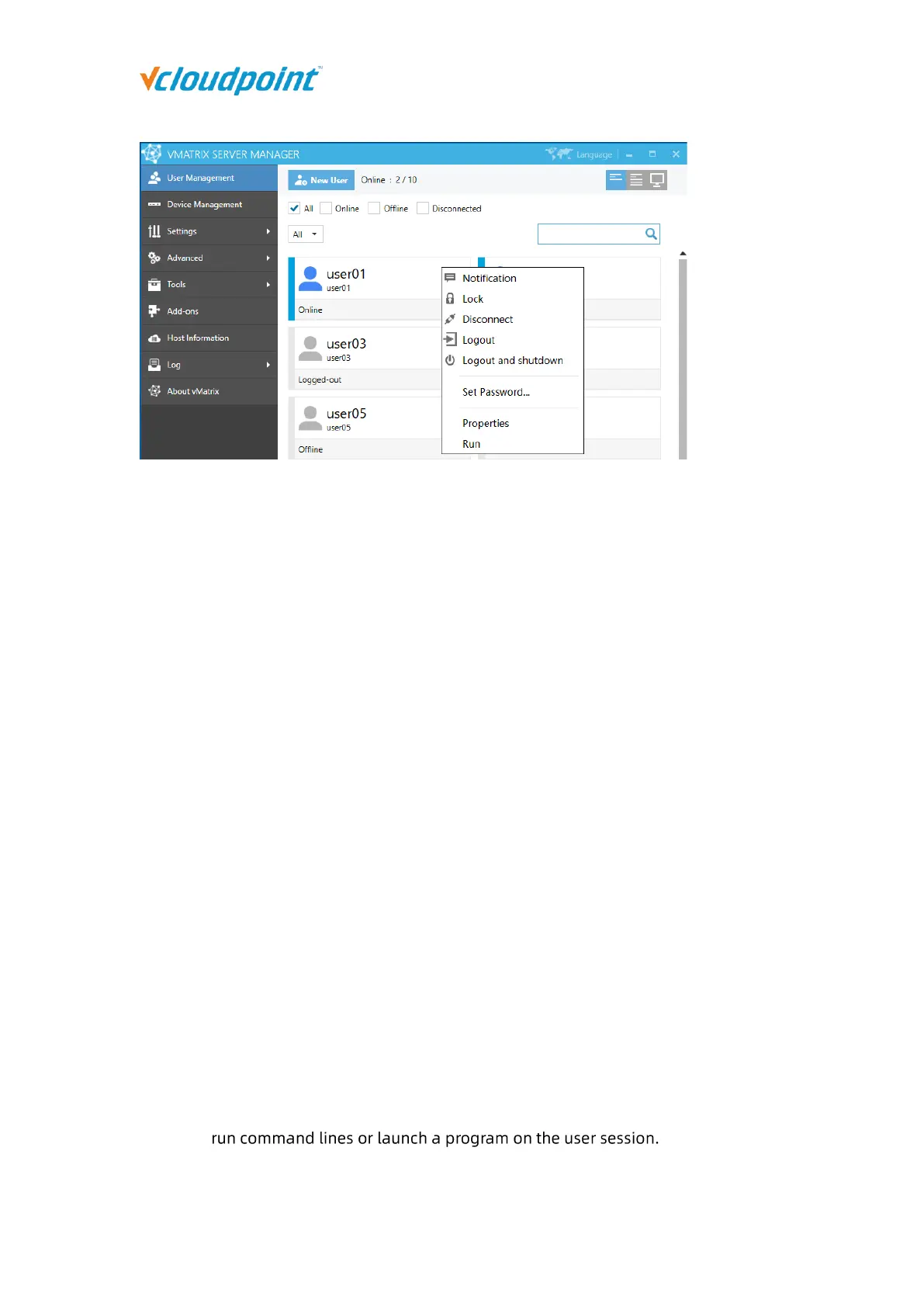
View Desktop: Enter detailed information page of the user.
Notification: to send a notification to the selected user in a small pop-up windows.
Lock: to lock the selected user’s desktop; the user’s screen goes to system login page
where password is required for re-login.
Disconnect: to disconnect the selected user’s session; the user session is still running
but screen goes back to device login page.
Logout: to log selected user’s session out; the user’s session is ended and screen goes
back to device login page.
Logout and shutdown: to log selected user’s session out and shutdown the device.
Open the User Private Space: to open the folder where the selected user’s personal
files are stored.
User Action Log: to view all action log of the selected users on this host.
Set Password...: to reset password for this user. This will take effect on next login.
Rename: to rename the selected user. This will take effect immediately.
Delete: to delete the selected user. This will take effect immediately.
Properties: to change the selected user’s personal settings.
Run:



 To Next Page