Notes:
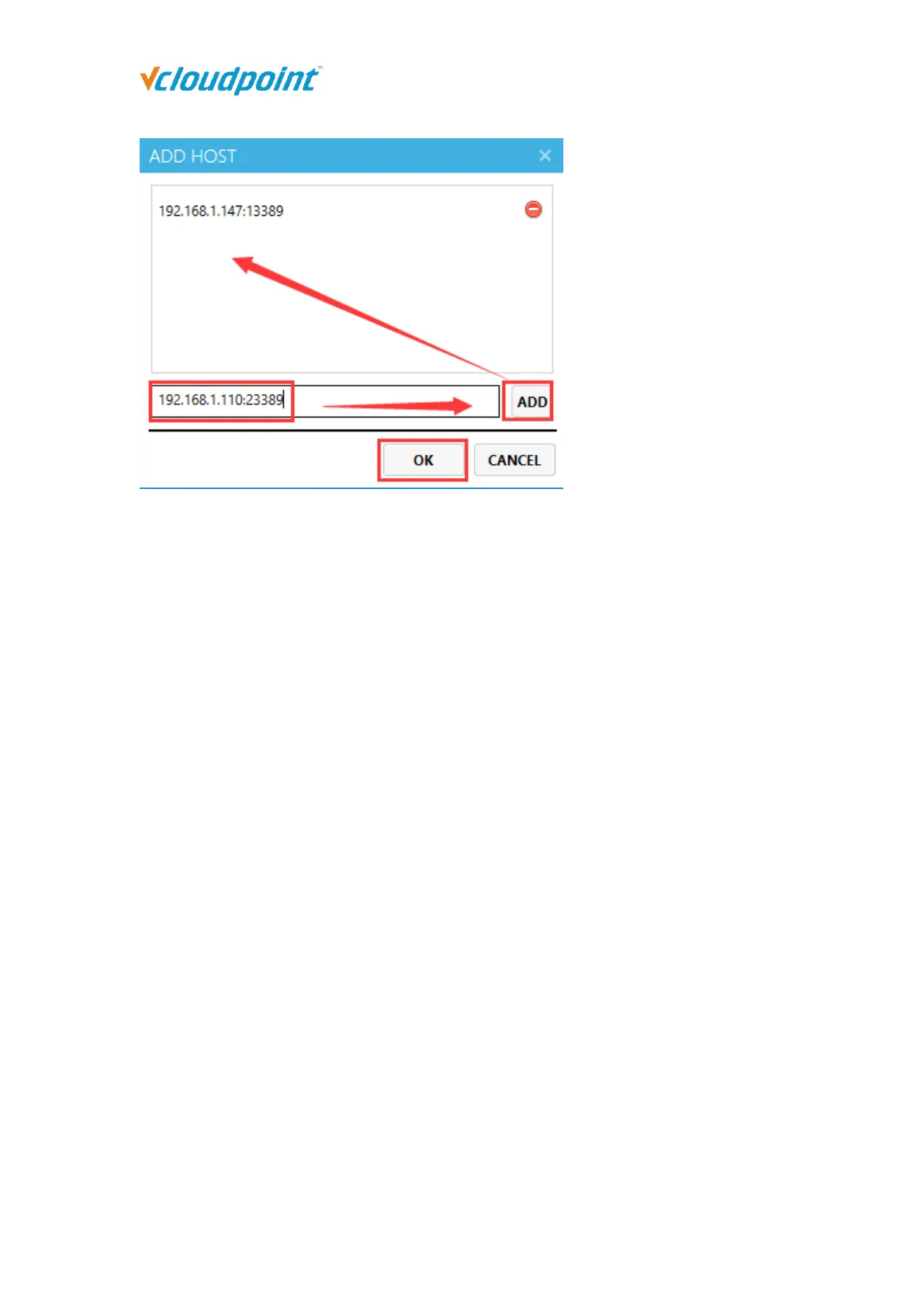
If you do not specify a network port, the default network port for remote desktop
connection is 13389. If you have manually modified the host’s network port in its
network settings, you need to include the network port in the host IP address as well,
for example, 192.168.1.110:23389.
When selecting multiple client devices, the displayed added host in the host list is the
host added from the first selected client device.
Save Settings: save device settings to the host for restoration in case of settings lost
by resetting.
1. Select the devices to generate duplicates.



 To Next Page