Identifying the Wave Server on your LAN 7-11
Chapter 7: Initial Configuration
Wave Server Installation Guide
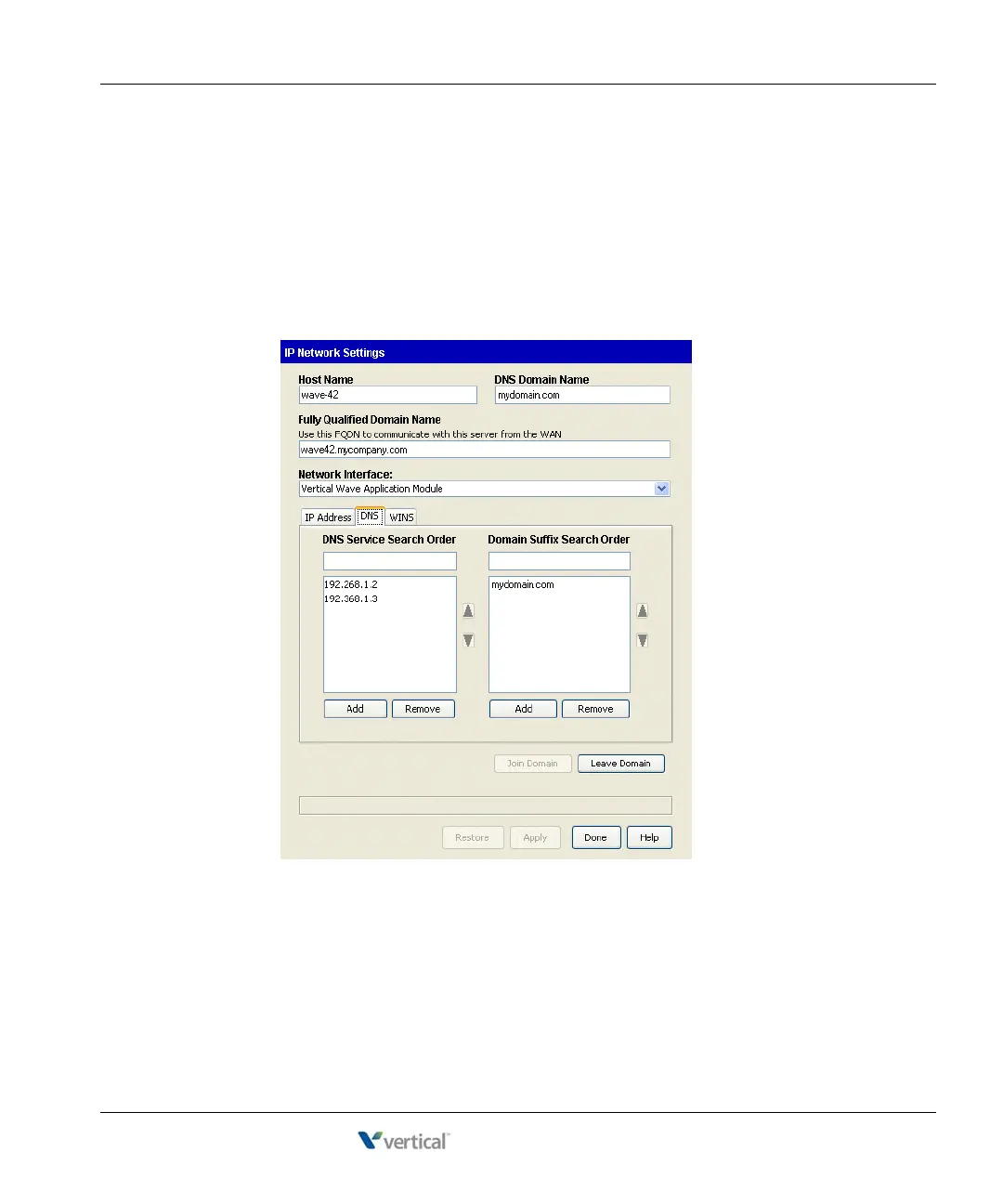
To configure the Wave Server for one-click license activation:
8. Verify that the gateway and DNS servers have external access so that they can connect to
the Internet and communicate with the Vertical Activation Server.
9. Select the
Vertical Wave Application Module entry from the Network Interfaces
drop-down list, and then click the DNS tab.
10. Enter the DNS server’s IP address in the
DNS Service Search Order text box, and then
click
Add.
11. If you have no further changes to make, go to step 15.



 To Next Page