Grounding the Wave IP 2500 Server 4-11
Chapter 4: Setting Up the Wave IP 2500 Server
Wave Server Installation Guide
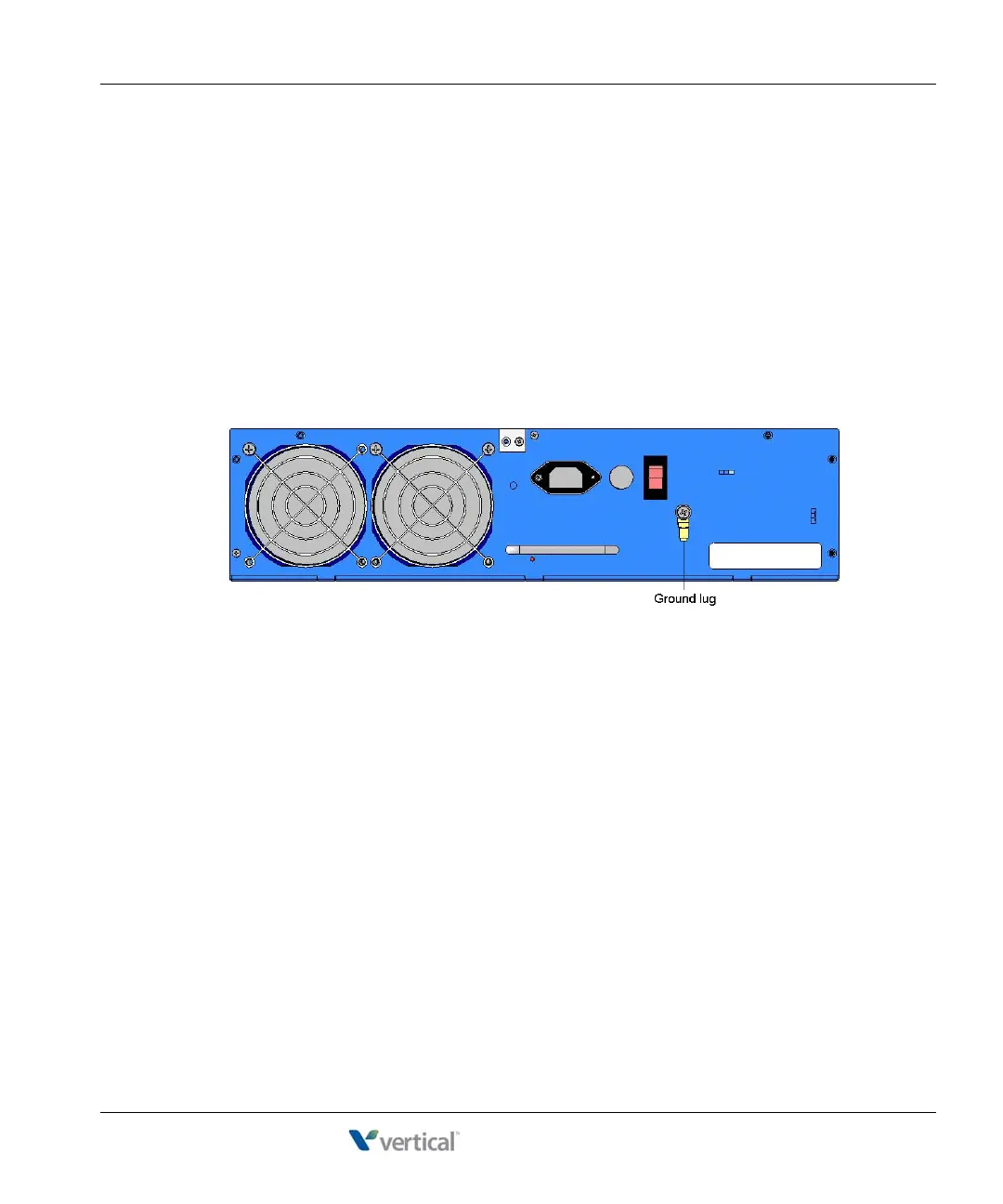
Grounding the Wave IP 2500 Server
Warning: The protective ground lug (earth contact) on the Wave Server base unit must
be permanently connected to earth.
Warning: The National Electrical Code requires that the telephone and electrical
services have a common ground. If separate grounds are used for telephone and electrical
services, a voltage differential could develop between the two services. This could expose
you to an electrical shock and damage the equipment.
To ground the Wave IP 2500 Server:
1. Locate the ground lug on the back of the Wave Server base unit.
2. Loosen the slotted screw on the ground lug with a flat-head screwdriver.
3. Insert a 10- or 12-gauge stranded grounding wire into the ground lug opening.
4. Tighten the slotted screw.
5. Connect the other end of the grounding wire to one of the following ground types:
• Power service ground
• Building steel ground
• Metallic cold water pipe that is bonded to a power ground (if permitted by local
building codes)
• Ground rod that is 5 feet long and 5/8 inch in diameter. (Use this option only if none
of the other options are available.)



 To Next Page