Adding Wave ISM user and administrator accounts 7-22
Chapter 7: Initial Configuration
Wave Server Installation Guide
password of the GlobalAdministrator account, but leaving it in place in Wave. This ensures that
Vertical Technical Support will have a “known” user account that can be used to access the
system when providing remote support.
Note: The accounts you create in the Password Administration applet according to the
following instructions are local accounts and are not controlled by your primary domain
controller (PDC). For information about adding the Wave ISM to your PDC and adding Wave
ISM administrator accounts to the PDC, see “Creating Wave ISM administrator accounts on the
primary domain controller” on page 7-23.
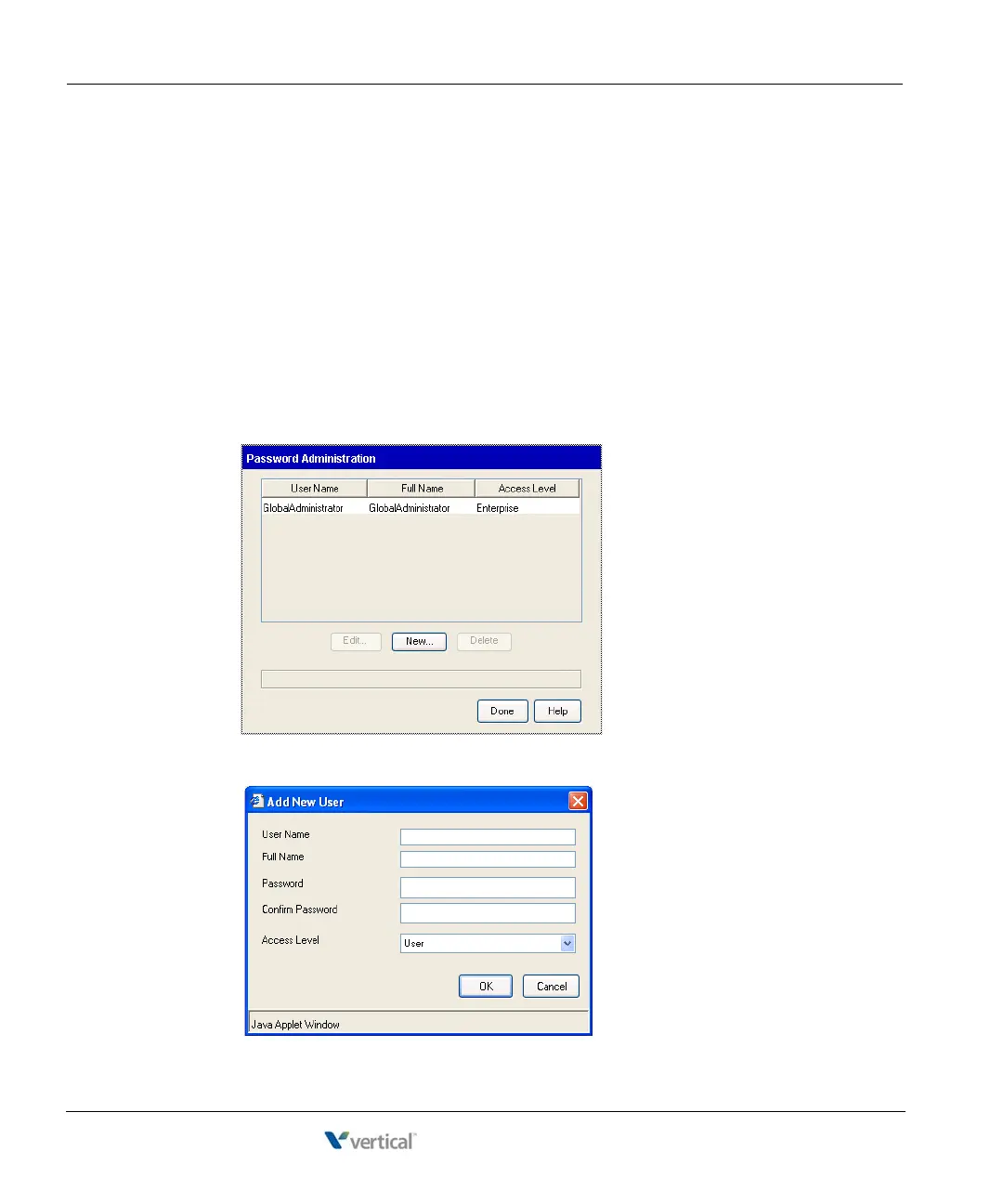
To add new Wave ISM user accounts:
1. In the Global Administrator Management Console, click Password Administration,
located in the General Administration section.
2. Click
New to open the Add New User dialog.



 To Next Page