Installing expansion components 4-18
Chapter 4: Setting Up the Wave IP 2500 Server
Wave Server Installation Guide
2. Remove the ISC1 from the Wave Server base unit. To do so:
• Label or note the position of any cables connected to the ISC1 faceplate.
• Disconnect all cables from the faceplate.
• Loosen the retention screws.
• Open the insertion lever at the left side of the faceplate, then pull firmly on the lever
to disengage the ISC1 from its slot.
3. Place the ISC1 on a static-safe work area.
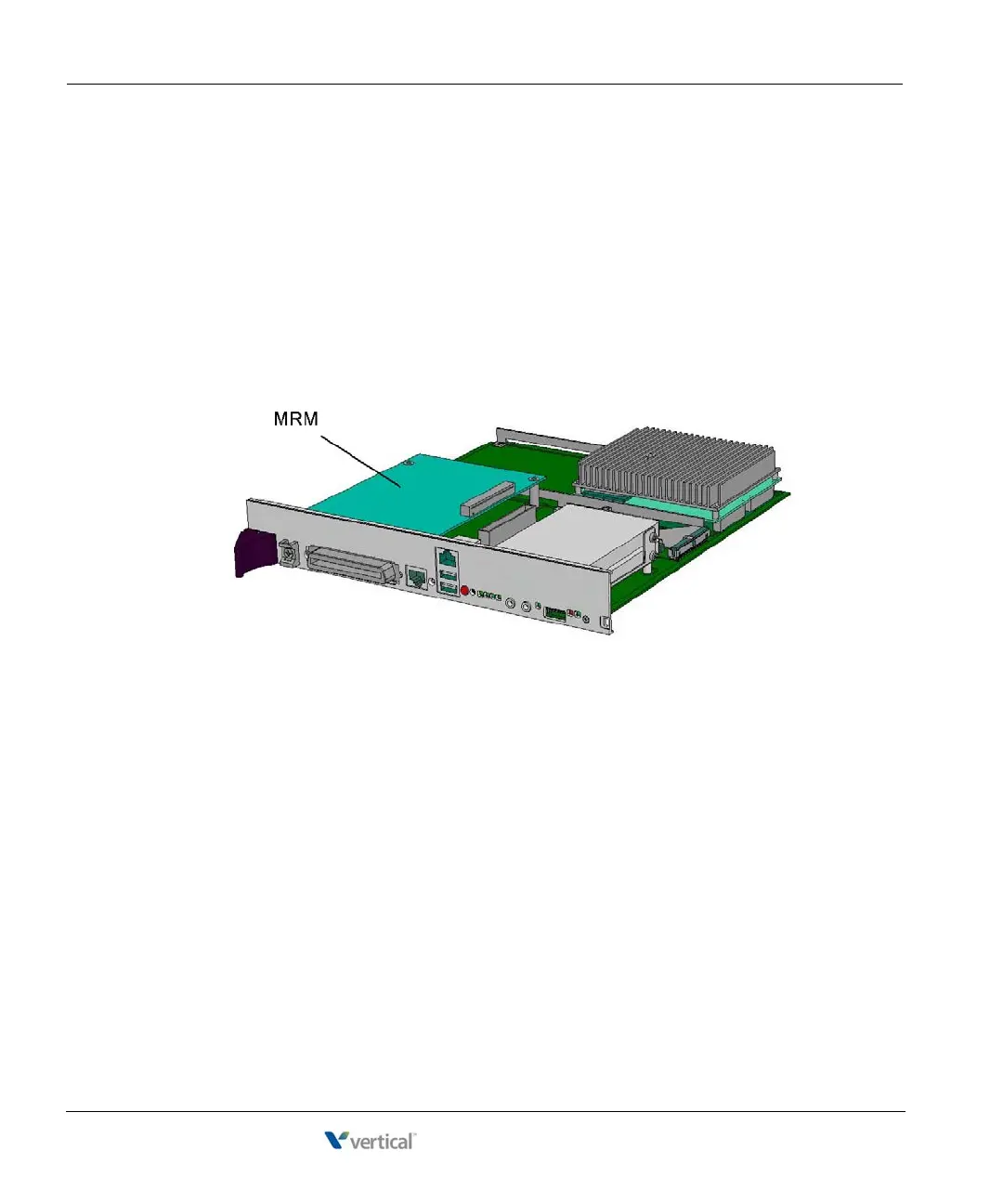
4. Install the MRM standoffs on the ISC with the screws provided.
5. Align the MRM over the standoffs, and then fasten the 4 retention screws in the corner
holes.
6. Plug the MRM ribbon connector into connector P4 (the light-blue 40-pin socket) on the
ISC1.
7. Re-install the ISC1 in the Wave Server base unit. To do so:
• Slide the ISC1 back into its slot.
• Engage the insertion lever.
• Fasten the retention screws.
• Reconnect cables to the faceplate.
8. Reconnect the Wave Server to power.



 To Next Page