Configuring the administrator PC 5-4
Chapter 5: Connecting to the Wave ISM from the administrator PC
Wave Server Installation Guide
• Windows 7 and Windows Server 2008:
a. Click the
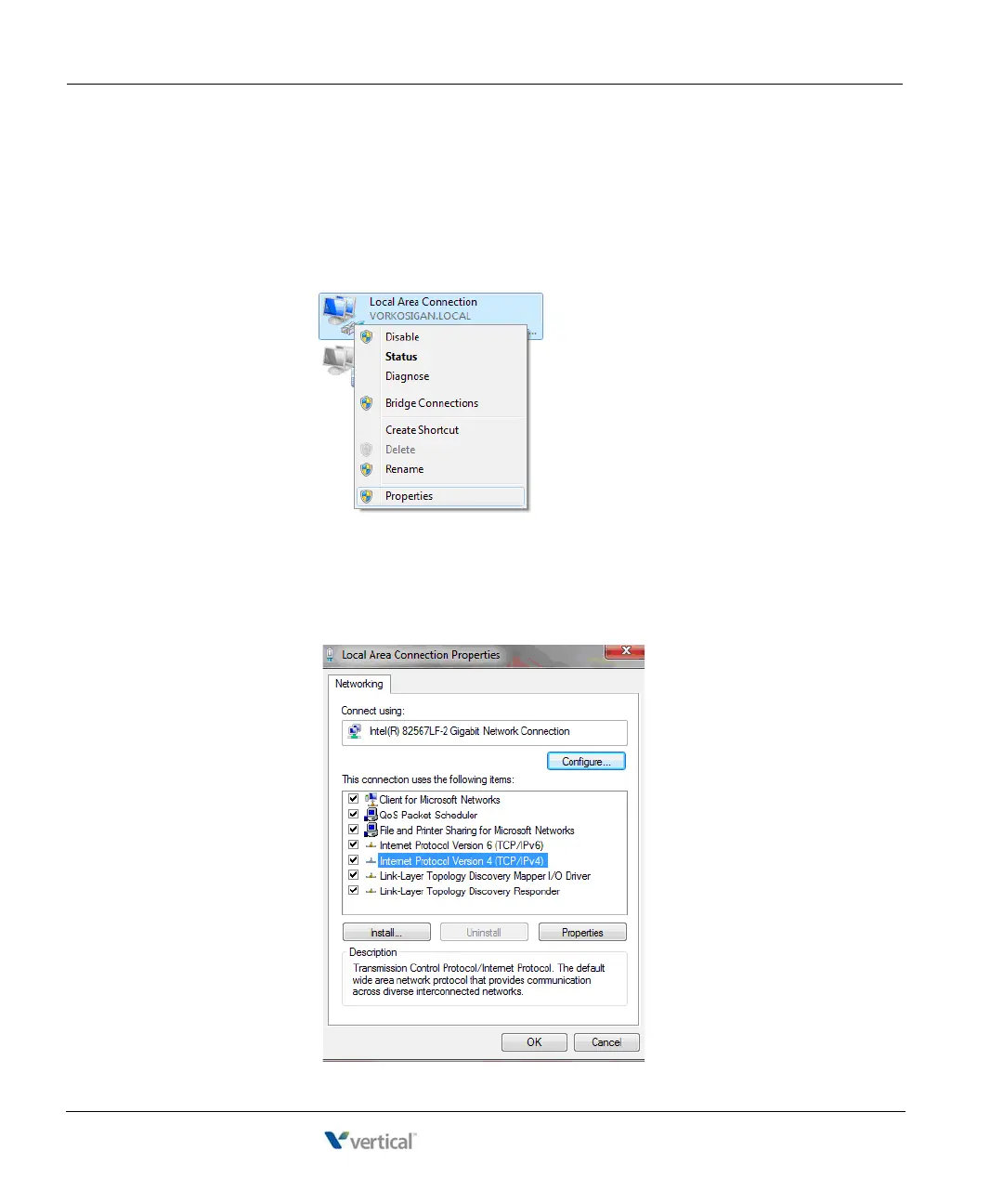
Start button. Type View Network Connections and then press Enter.
b. Right-click on your network connection. (Some computers have multiple
network connections—choose the connection that is connected to the Wave
Server.)
c. Click
Properties. (You must have administrator rights to the computer you are
using or be able to enter a password that gives you administrator access.) The
Local Area Connection Properties dialog opens.
d. Double-click
Internet Protocol Version 4 (TCP/IPv4).



 To Next Page