Vertiv | SmartCabinet | User Manual 108
System Operation
4.2.4.5.4. Alarm Actions
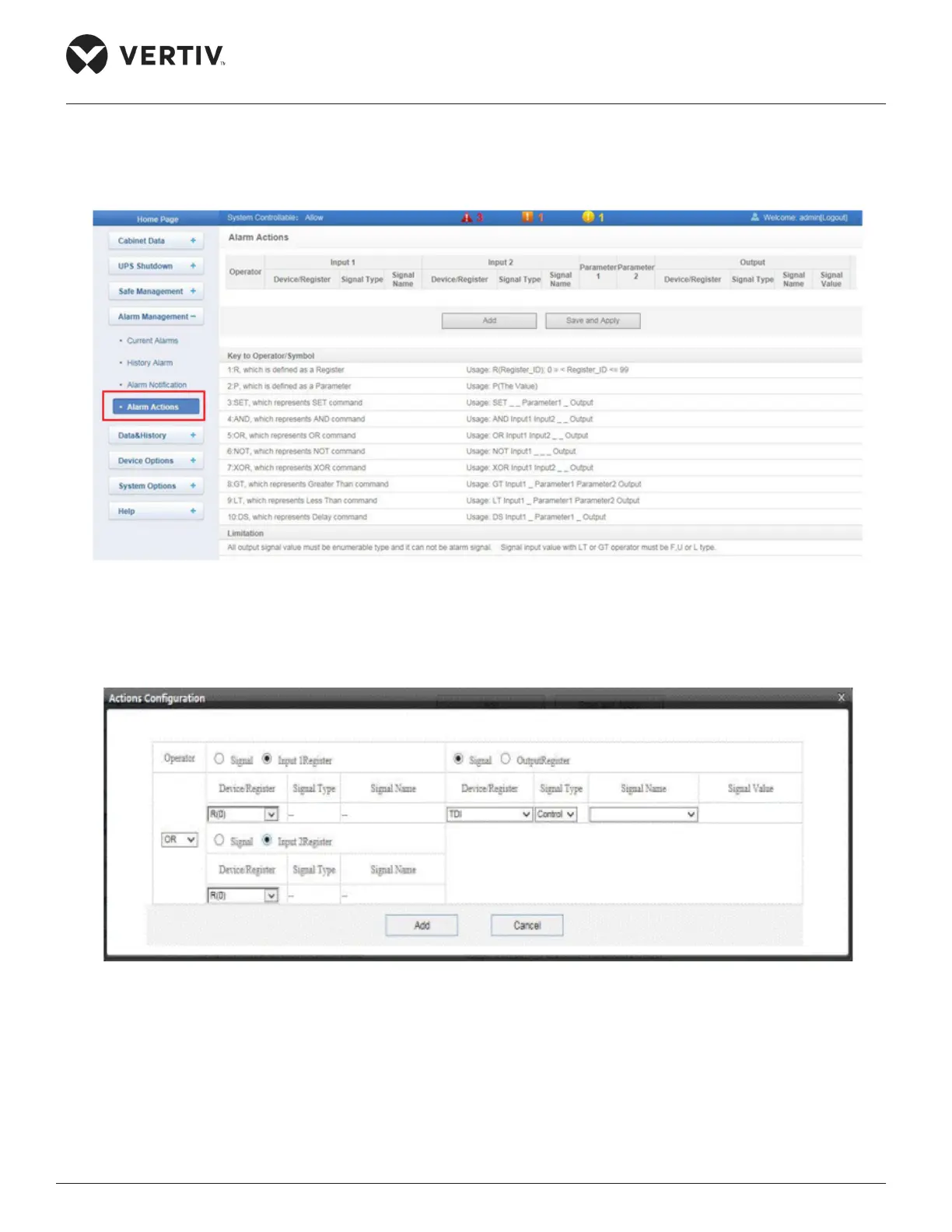
The Alarm Actions submenu under the Alarm Management menu is used for the Alarm Linkage facility.
Figure 4-75 Alarm Actions
Alarm linkage expression as shown in Figure 4-76:
Figure 4-76 Alarm Linkage Conguration.
» Select a command, namely- Signal or Input 1 Register +(OR) Signal or Input 2 Register= Signal or
Output Register if Signal 1 is used for the Input and Output parameters
» If Signal is chosen for the Input and Output Parameters, choose the Device Register name, Signal
Type, and Signal name from the dropdown menu. If Register is chosen, select the Device Register name
from the dropdown menu such as R(0), R(1), etc…



 To Next Page