Vertiv | SmartCabinet | User Manual 116
System Operation
Install/Uninstall Device Type
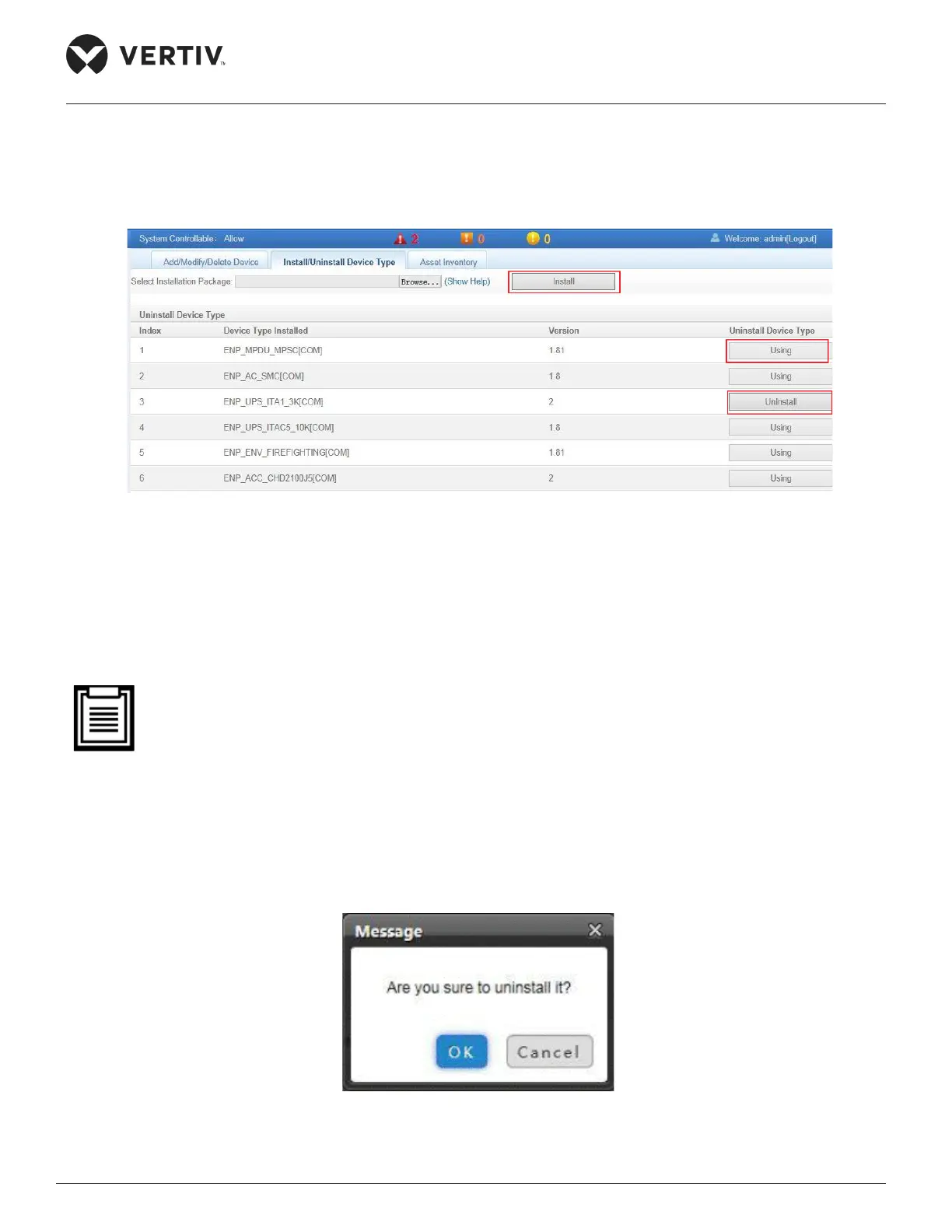
Click the Install/Uninstall Device Type tab next to the Add/Modify/Delete Device tab to see the following
screen as shown in Figure 4-87.
Figure 4-87 Install/Uninstall Device Type
Following are the steps to install a New device:
»
» Click the Install button which is highlighted in red in the preceding screenshot (Refer Figure 4-87).
• The device type number supported by the system is related to the remaining memory in the system
and the size of driver conguration package, but the number cannot exceed 64.
Following are the steps to uninstall a device:
» Click the Uninstall button next to the device under the Uninstall Device Type section.
»
Figure 4-88 Conrmation Dialog Box for Uninstall



 To Next Page